> For the complete documentation index, see [llms.txt](https://docs.bindplane.com/llms.txt). Markdown versions of documentation pages are available by appending `.md` to page URLs; this page is available as [Markdown](https://docs.bindplane.com/integrations/sources/splunk-hec.md).
# Splunk (HEC)
Receive logs and metrics from Splunk HTTP Event Collector clients. Events are converted to OTLP and can be routed to any destination.
Pair this source with the [Splunk HEC destination](/integrations/destinations/splunk-hec.md) to put a Bindplane collector in the middle of an existing Splunk pipeline. You can then process telemetry in flight without changing what your forwarders or Edge Processors send.
### Supported Telemetry Types
| Platform | Metrics | Logs | Traces |
| ------------------ | ------- | ---- | ------ |
| Linux | ✓ | ✓ | |
| Windows | ✓ | ✓ | |
| macOS | ✓ | ✓ | |
| Kubernetes Gateway | ✓ | ✓ | |
| OpenShift Gateway | ✓ | ✓ | |
Supported on Linux, Windows, macOS, Kubernetes Gateway, and OpenShift Gateway.
### Prerequisites
A Splunk HEC client that can reach the collector: a universal or heavy forwarder, a Splunk Edge Processor, or any application that posts in HEC format.
### Configuration
#### Basic Configuration
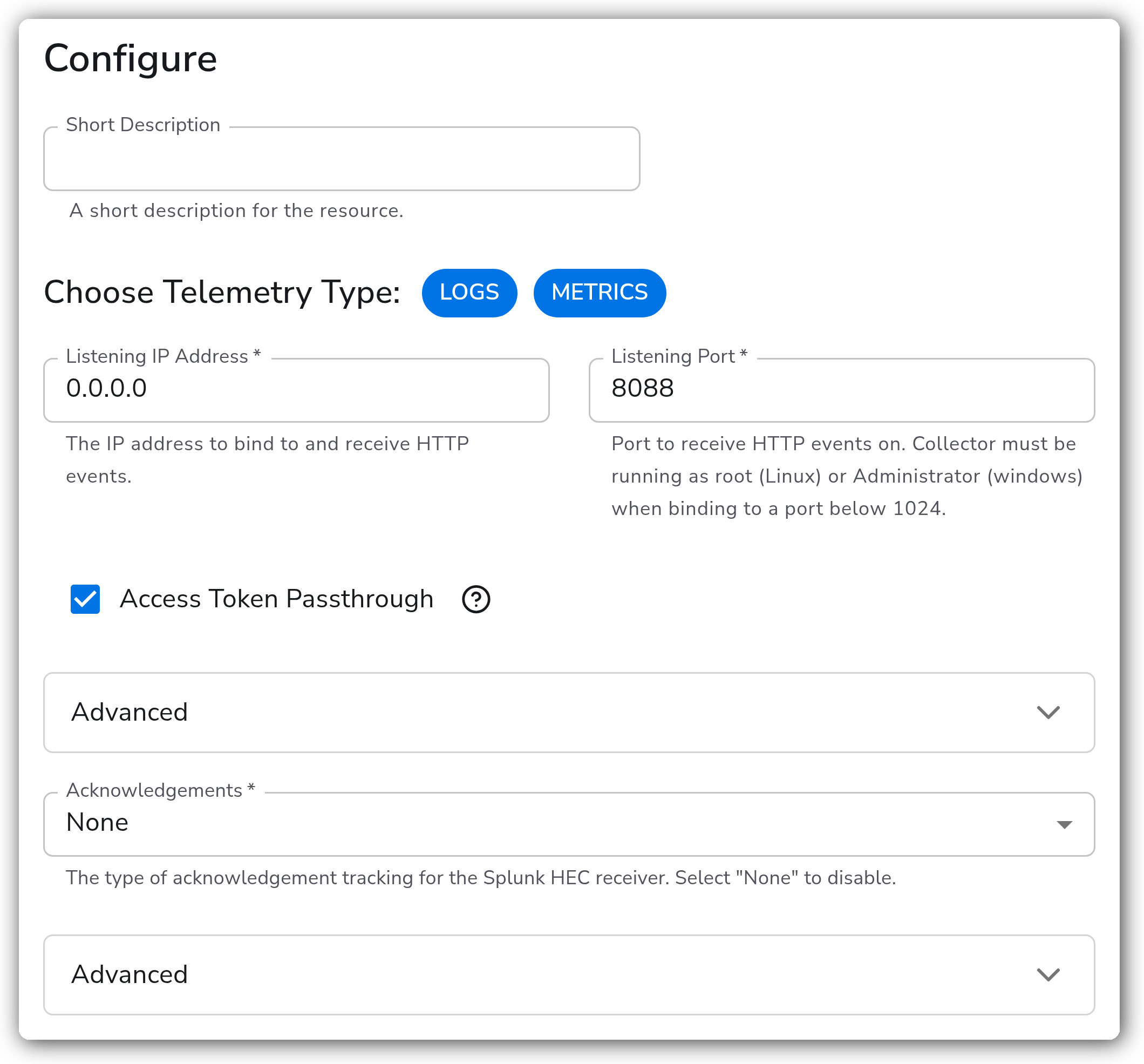
A working source needs only a listening address and port. Enable Access Token Passthrough when you want the incoming Splunk token preserved as the `com.splunk.hec.access_token` resource attribute.
| Parameter | Type | Required | Default | Description |
| --------------------- | ------------------ | -------- | ----------------- | ----------------------------------------------------------------------------------------------------- |
| Choose Telemetry Type | Telemetry Selector | No | `Logs`, `Metrics` | Which signals this source produces. |
| Listening IP Address | String | Yes | `0.0.0.0` | Address the collector binds to. |
| Listening Port | Port | Yes | `8088` | Port that receives HEC events. Binding below 1024 requires root on Linux or Administrator on Windows. |
#### Splunk Protocol
| Parameter | Type | Required | Default | Description |
| ------------------------ | --------- | -------- | ------- | ---------------------------------------------------------------------------------------------------------------------------------------------------- |
| Access Token Passthrough | Boolean | No | `false` | Preserves the incoming Splunk token as the `com.splunk.hec.access_token` resource attribute. |
| Acknowledgements | Extension | Yes | `None` | Selects an acknowledgement extension so clients can confirm delivery. Select None to leave the ack endpoint unexposed. |
| Raw Endpoint Splitting | Enum | No | `Line` | How the raw endpoint turns a request body into records. Line emits one record per newline. None emits the whole body as a single record.1 |
1. *Applies to `/services/collector/raw` only, and the JSON events endpoint is unaffected. Line splitting caps a single record at 64KB, so a longer line fails outright. Choose None for multi-line payloads such as Java stack traces, which Line would otherwise break into unusable fragments.*
#### TLS
| Parameter | Type | Required | Default | Description |
| ------------------------------ | ------- | -------- | --------- | ---------------------------------------------------------------------------------------------------- |
| Enable TLS | Boolean | No | `false` | Serves HTTPS instead of HTTP. |
| TLS Certificate File | String | No | *(empty)* | Path to the server certificate. Shown when Enable TLS is on. |
| TLS Private Key File | String | No | *(empty)* | Path to the server private key. Shown when Enable TLS is on. |
| Mutual TLS | Boolean | No | `false` | Requires clients to present a certificate. Shown when Enable TLS is on. |
| TLS Certificate Authority File | String | Yes | *(empty)* | Path to the CA used to verify client certificates. Shown when both Enable TLS and Mutual TLS are on. |
#### HTTP Server Tuning
These control the underlying HTTP server. The defaults match the receiver's own behavior, so leaving them alone changes nothing.
| Parameter | Type | Required | Default | Description |
| --------------------- | ------- | -------- | ---------- | ------------------------------------------------------------------------------------------------------------- |
| Read Timeout | Integer | No | `0` | Maximum time in seconds to read an entire request, body included. Set to 0 to disable. |
| Write Timeout | Integer | No | `20` | Maximum time in seconds to write the response before the request is cut off. Set to 0 to disable.1 |
| Idle Timeout | Integer | No | `0` | Maximum time in seconds to wait for the next request when keep-alives are on. Set to 0 to disable. |
| Enable Keep-Alives | Boolean | No | `false` | Reuses connections between requests. When off, every request establishes a new connection. |
| Max Request Body Size | Integer | No | `20971520` | Requests larger than this size in bytes are rejected. Set to 0 to use the collector default of 20 MiB. |
| Include Metadata | Boolean | No | `false` | Passes the incoming connection's metadata to downstream components. |
1. *Requires a collector shipping `splunkhecreceiver` v0.157.0 or newer. Earlier collectors reset this to 20 seconds at startup, so the setting has no effect there.*
### Examples
#### Tuning for large multi-line payloads over mutual TLS
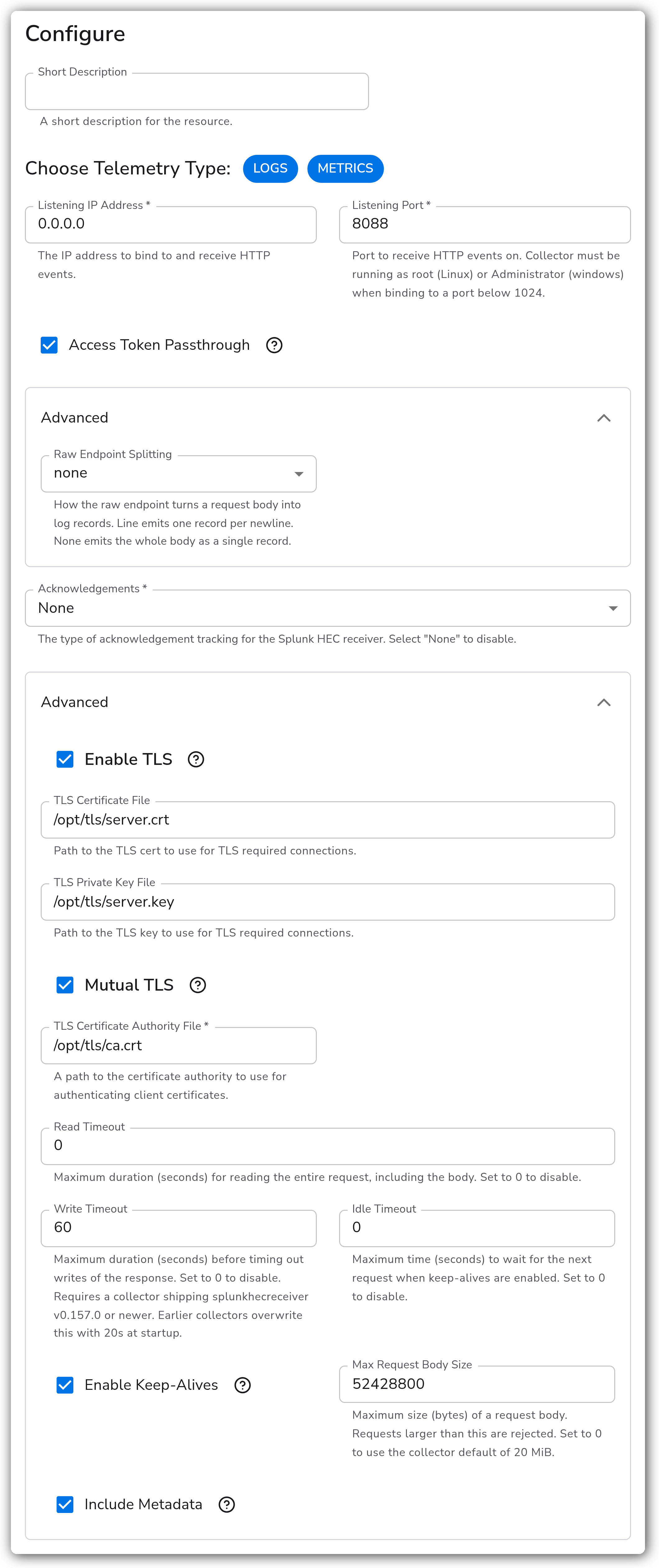
Clients posting multi-line events to the raw endpoint need Raw Endpoint Splitting set to None. Otherwise each newline becomes its own record. This example also raises Max Request Body Size for bigger payloads and Write Timeout for slower responses under load. Mutual TLS restricts sending to clients holding a certificate from your CA.
### Configuration Tips
#### Sizing the timeouts
* Write Timeout is the bound that fires on both HTTP/1.1 and HTTP/2. Raise it when clients report resets on large or slow requests.
* Read Timeout is the only read-side bound that applies on both transports. It defaults to 0, which leaves the read side unbounded.
* A stalled pipeline downstream of the source surfaces as write timeouts here, since the response cannot be written until the batch is accepted.
#### Kubernetes
* Splunk forwarders reach a Gateway collector through the `bindplane-gateway-collector.bindplane-collector.svc.cluster.local` service on port 8088.
* Forwarders outside the cluster need TCP ingress or a service that accepts external traffic. See the Kubernetes [service documentation](https://kubernetes.io/docs/tutorials/kubernetes-basics/expose/expose-intro/).
### Troubleshooting
#### Clients see resets or timeouts on large requests
**Symptoms:** Forwarders or Edge Processors report connection resets, stream errors, or no response at all, usually on larger batches. On HTTP/2 the client may only see an opaque internal error.
**Solutions:**
1. Raise Write Timeout, which is the bound that actually fires on both transports. This requires a collector on `splunkhecreceiver` v0.157.0 or newer.
2. Check whether a downstream processor is stalling the pipeline, since the response cannot be written until the batch is accepted.
3. Raise Max Request Body Size if clients are sending payloads above 20 MiB.
#### Multi-line events arrive as fragments
**Symptoms:** A single logical event, such as a stack trace, appears as many one-line records. Very long lines may be dropped entirely.
**Solutions:**
1. Set Raw Endpoint Splitting to None so the whole request body becomes one record.
2. Confirm the client is posting to `/services/collector/raw`, since the JSON events endpoint ignores this setting.
### Standalone Source
```yaml
apiVersion: bindplane.observiq.com/v1
kind: Source
metadata:
name: splunk-hec
spec:
type: splunkhec
parameters:
- name: telemetry_types
value:
- 'Logs'
- 'Metrics'
- name: listen_ip
value: 0.0.0.0
- name: listen_port
value: 8088
- name: access_token_passthrough
value: true
- name: splitting
value: none
- name: write_timeout
value: 60
- name: max_request_body_size
value: 52428800
```
### Related Resources
* [Splunk HTTP Event Collector](https://docs.splunk.com/Documentation/Splunk/latest/Data/UsetheHTTPEventCollector)
* [splunkhecreceiver](https://github.com/open-telemetry/opentelemetry-collector-contrib/tree/main/receiver/splunkhecreceiver)
### Bindplane Resources
* [Splunk HEC destination](/integrations/destinations/splunk-hec.md)
* [Splunk TCP source](/integrations/sources/splunk-tcp.md)
---
# Agent Instructions
This documentation is published with GitBook. GitBook is the documentation platform designed so that both humans and AI agents can read, navigate, and reason over technical content effectively. Learn more at gitbook.com.
## Querying This Documentation
If you need additional information that is not directly available in this page, you can query the documentation by asking a question.
Perform an HTTP GET request on the following URL with the `ask` and `goal` query parameters:
```
GET https://docs.bindplane.com/integrations/sources/splunk-hec.md?ask=&goal=
```
`ask` is the immediate question: it should be specific, self-contained, and written in natural language.
`goal` is what the user is ultimately trying to achieve, the reason they need the answer. Sharing it helps GitBook give you a better, more relevant answer. A goal is most helpful when it describes the outcome the user wants rather than restating the question. For example, with `ask=how do I create an API token`, a goal like `automate deployments from our CI pipeline` lets GitBook tailor the answer to that use case.
The response will contain a direct answer to the question and relevant excerpts and sources from the documentation.
Use this mechanism when the answer is not explicitly present in the current page, you need clarification or additional context, or you want to retrieve related documentation sections.