> For the complete documentation index, see [llms.txt](https://docs.bindplane.com/llms.txt). Markdown versions of documentation pages are available by appending `.md` to page URLs; this page is available as [Markdown](https://docs.bindplane.com/integrations/sources/journald.md).
# Journald
The Journald source collects logs from the systemd journal (journald) on Linux hosts. It reads journal entries directly from the journal files, optionally filtered to specific systemd service units, and forwards them as log records. Because journald is a component of systemd, this source is available on Linux only.
### Supported Telemetry Types
| Platform | Metrics | Logs | Traces |
| -------- | ------- | ---- | ------ |
| Linux | | ✓ | |
### Prerequisites
* A Linux host running **systemd** with journald enabled. This source is not available on Windows or macOS.
* The collector must be able to read the journal files. The collector typically runs as a user with access to `/run/log/journal` and `/run/journal`; reading another user's journal or a custom directory may require additional permissions (for example, membership in the `systemd-journal` group).
### Configuration
#### General
| Parameter | Type | Default | Description |
| --------- | ------- | ------- | ----------------------------------------------------------- |
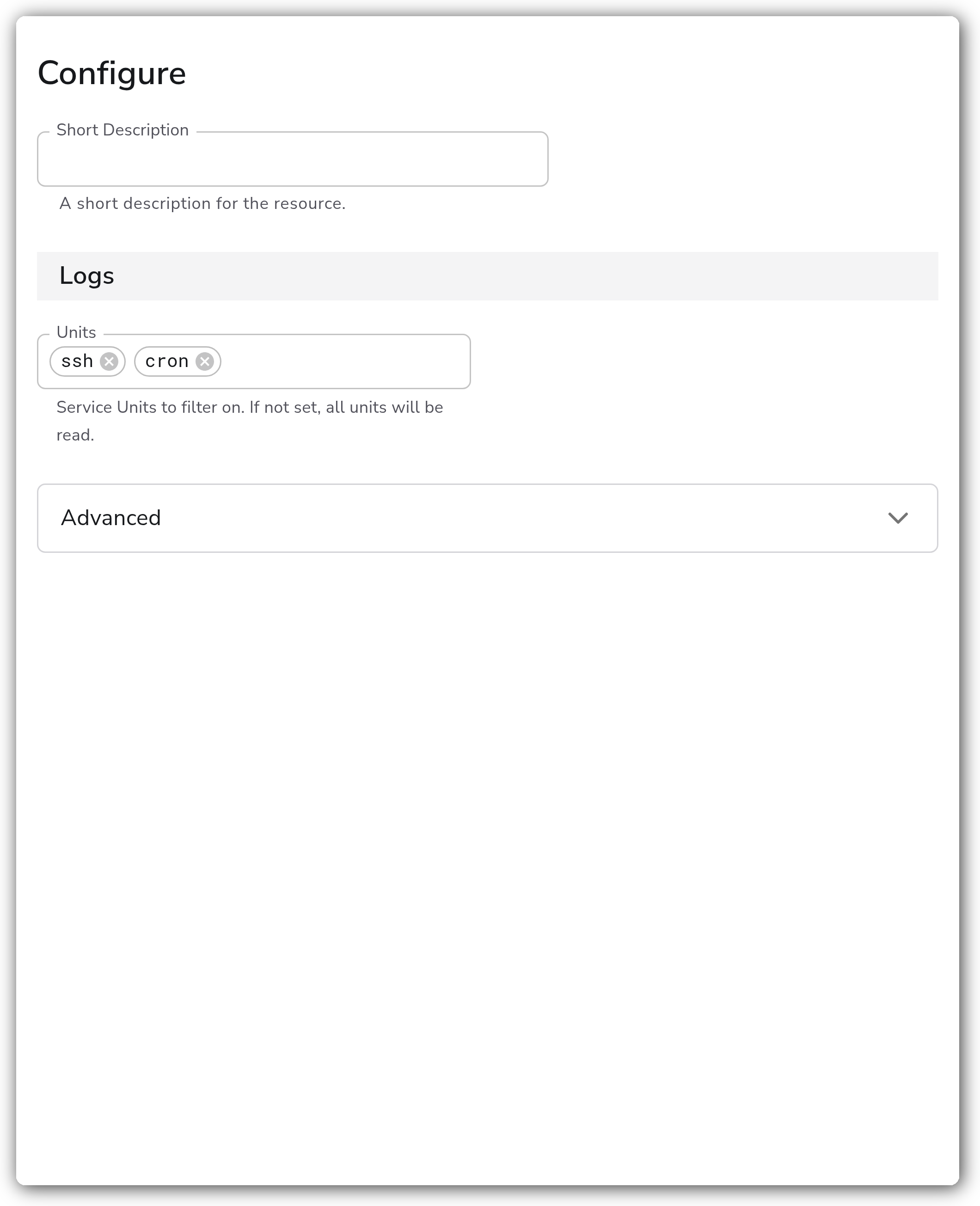
| Units | Strings | `[]` | Service units to filter on. If not set, all units are read. |
#### Advanced
| Parameter | Type | Default | Description |
| ----------------- | ------ | ------- | ----------------------------------------------------------------------------------------------------------------------------- |
| Journal Directory | String | | The directory containing journald's log files. If not set, `/run/log/journal` and `/run/journal` are used. |
| Priority | Enum | `info` | Limit log messages to this priority and higher. One of `debug`, `info`, `notice`, `warning`, `err`, `crit`, `alert`, `emerg`. |
| Start At | Enum | `end` | Start reading logs from `beginning` or `end`. |
### Example Configuration
#### Standalone Source
```yaml
apiVersion: bindplane.observiq.com/v1
kind: Source
metadata:
id: journald
name: journald
spec:
type: journald
parameters:
- name: units
value:
- ssh
- cron
- name: priority
value: 'info'
- name: start_at
value: 'end'
```
### Configuration Tips
#### Filtering to specific units
* Leave `units` empty to read the entire journal, or list specific systemd units (for example, `ssh`, `cron`, `docker`, `kubelet`) to collect only those services' logs.
* Unit names should match the systemd unit, with or without the `.service` suffix as journald accepts.
#### Controlling volume and read position
* Use `priority` to drop low-severity entries at the source. Setting it to `warning`, for example, collects `warning` and all higher severities (`err`, `crit`, `alert`, `emerg`).
* `start_at` defaults to `end`, so a new collector picks up only logs written after it starts. Set it to `beginning` to backfill existing journal entries on first run.
#### Reading a non-default journal
* Set `directory` when the journal lives outside the defaults, for example when collecting a persisted journal under `/var/log/journal` or a journal mounted from another host. Ensure the collector has read access to that path.
### Troubleshooting
**Symptom:** No logs are collected, or the source produces nothing. **Solution:** Confirm the host uses systemd and that the collector can read the journal. If running as a non-root user, add the collector's user to the `systemd-journal` group or grant read access to the journal directory. Check that `units` (if set) names units that actually exist on the host.
**Symptom:** Expected historical entries are missing after deploying the source. **Solution:** `start_at` defaults to `end`, which skips entries written before the collector started. Set `start_at` to `beginning` to read existing journal entries.
**Symptom:** Logs from a custom or persisted journal location are not appearing. **Solution:** Set `directory` to the path containing the journal files (the defaults are `/run/log/journal` and `/run/journal`) and verify the collector has read permission on that directory.
### Related Resources
* [systemd journald documentation](https://www.freedesktop.org/software/systemd/man/latest/systemd-journald.service.html)
* [journalctl reference](https://www.freedesktop.org/software/systemd/man/latest/journalctl.html)
* [Bindplane sources documentation](https://docs.bindplane.com/integrations/sources)
---
# Agent Instructions
This documentation is published with GitBook. GitBook is the documentation platform designed so that both humans and AI agents can read, navigate, and reason over technical content effectively. Learn more at gitbook.com.
## Querying This Documentation
If you need additional information that is not directly available in this page, you can query the documentation by asking a question.
Perform an HTTP GET request on the following URL with the `ask` and `goal` query parameters:
```
GET https://docs.bindplane.com/integrations/sources/journald.md?ask=&goal=
```
`ask` is the immediate question: it should be specific, self-contained, and written in natural language.
`goal` is what the user is ultimately trying to achieve, the reason they need the answer. Sharing it helps GitBook give you a better, more relevant answer. A goal is most helpful when it describes the outcome the user wants rather than restating the question. For example, with `ask=how do I create an API token`, a goal like `automate deployments from our CI pipeline` lets GitBook tailor the answer to that use case.
The response will contain a direct answer to the question and relevant excerpts and sources from the documentation.
Use this mechanism when the answer is not explicitly present in the current page, you need clarification or additional context, or you want to retrieve related documentation sections.