> For the complete documentation index, see [llms.txt](https://docs.bindplane.com/llms.txt). Markdown versions of documentation pages are available by appending `.md` to page URLs; this page is available as [Markdown](https://docs.bindplane.com/integrations/sources/fluent-forward.md).
# Fluent Forward
The Fluent Forward source receives logs from Fluentd, Fluent Bit, and any agent capable of emitting over the [Fluent Forward Protocol](https://github.com/fluent/fluentd/wiki/Forward-Protocol-Specification-v1). Bindplane runs a listener that accepts forwarded log records, which is useful for integrating OpenTelemetry collectors into an environment where Fluentd or Fluent Bit is already the primary log collection system.
### Supported Telemetry Types
| Platform | Metrics | Logs | Traces |
| ------------------ | ------- | ---- | ------ |
| Linux | | ✓ | |
| Windows | | ✓ | |
| macOS | | ✓ | |
| Kubernetes Gateway | | ✓ | |
| OpenShift Gateway | | ✓ | |
### Prerequisites
* A Fluentd, Fluent Bit, or other agent configured to forward logs using the Fluent Forward Protocol.
* The collector reachable from the forwarding agent on the configured listen address and port (default `24224`).
### Configuration
#### General
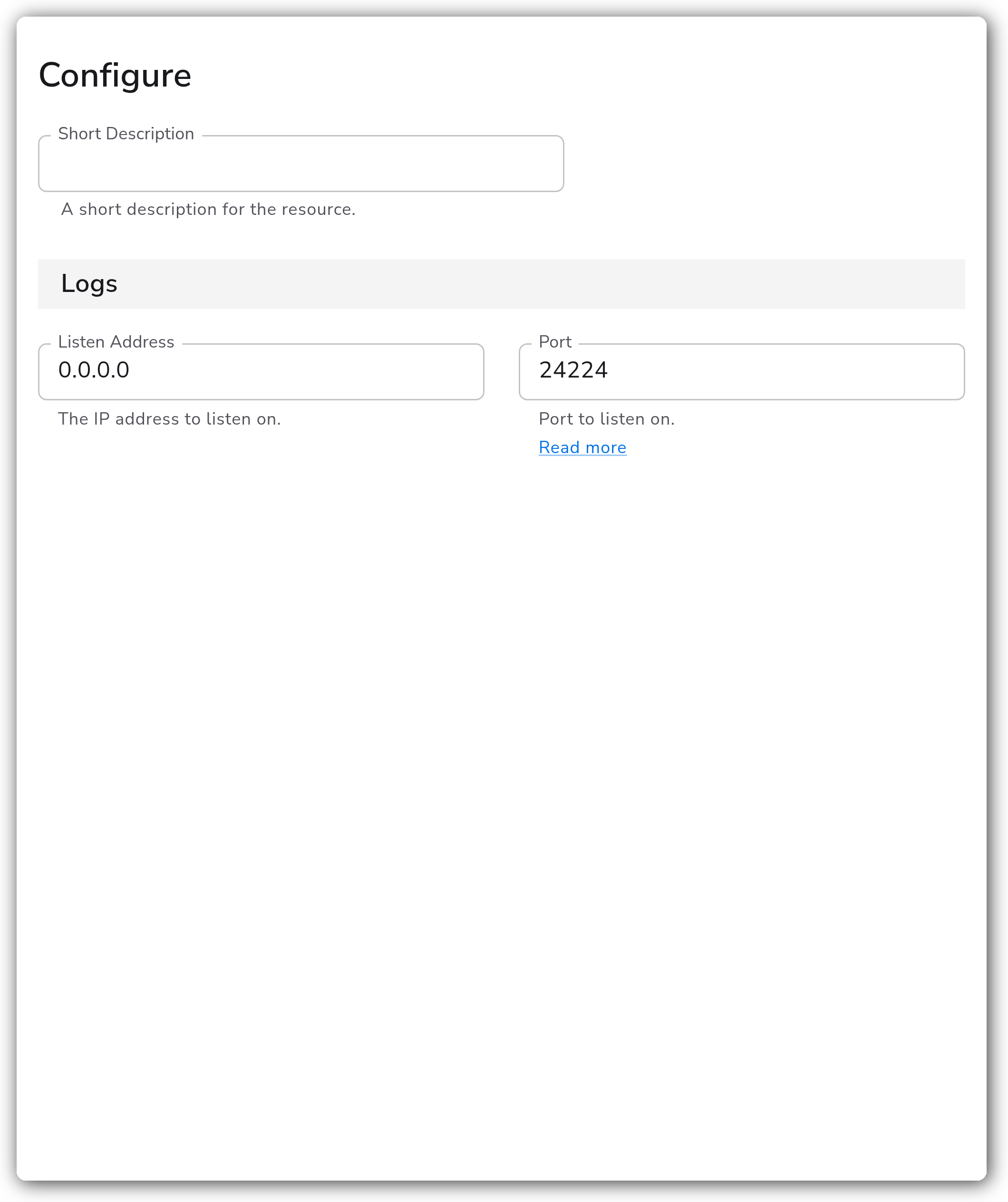
| Parameter | Type | Default | Description |
| -------------- | ------- | --------- | ------------------------------------------------------------------------------------------------------- |
| Listen Address | String | `0.0.0.0` | The IP address to listen on and receive logs from Fluent Forward capable agents. |
| Port | Integer | `24224` | TCP port to listen on and receive logs from Fluent Forward capable agents. Must be between 0 and 65535. |
### Example Configuration
#### Standalone Source
```yaml
apiVersion: bindplane.observiq.com/v1
kind: Source
metadata:
id: fluentforward
name: fluentforward
spec:
type: fluentforward
parameters:
- name: listen_address
value: '0.0.0.0'
- name: port
value: '24224'
```
### Configuration Tips
#### Pointing your Fluent agent at the collector
* Configure the Fluentd `forward` output plugin or the Fluent Bit `forward` output to send to the collector's host and the port set above. The default port for the Fluent Forward Protocol is `24224`.
* The collector preserves the original forwarded record on each log under the `log.record.original` attribute, so the unmodified payload remains available to downstream processors.
#### Kubernetes and OpenShift
* The Fluent Forward source supports Kubernetes Gateway and OpenShift Gateway collectors. Applications within the cluster forward logs to the gateway through a Service.
* Create a [ClusterIP](https://kubernetes.io/docs/concepts/services-networking/service/#type-clusterip) Service whose port matches the `port` configured on the source, then apply it to your cluster:
```yaml
# bindplane-gateway-agent-svc-fluent.yaml
apiVersion: v1
kind: Service
metadata:
labels:
app.kubernetes.io/component: gateway
app.kubernetes.io/name: bindplane-agent
name: bindplane-gateway-agent-fluent
namespace: bindplane-agent
spec:
ports:
- name: fluent
port: 24224
targetPort: 24224
protocol: TCP
selector:
app.kubernetes.io/component: gateway
app.kubernetes.io/name: bindplane-agent
type: ClusterIP
```
### Troubleshooting
**Symptom:** No logs arrive at the collector from the Fluent agent. **Solution:** Confirm the forwarding agent points at the collector's listen address and port, and that the port matches the `port` parameter on the source. Verify no firewall or network policy blocks traffic to the configured port (default `24224`).
**Symptom:** The collector is not reachable on the expected interface. **Solution:** The default `listen_address` of `0.0.0.0` binds all interfaces. If you set a specific address, make sure it is an interface the collector host actually owns and that the forwarding agent can route to it.
**Symptom:** On a Kubernetes or OpenShift Gateway collector, in-cluster applications cannot reach the source. **Solution:** Create a ClusterIP Service whose port matches the source `port` and apply it to the cluster (see [Kubernetes and OpenShift](#kubernetes-and-openshift)).
### Related Resources
* [Fluent Forward Protocol specification](https://github.com/fluent/fluentd/wiki/Forward-Protocol-Specification-v1)
* [Fluentd forward output plugin](https://docs.fluentd.org/output/forward)
* [Fluent Bit forward output plugin](https://docs.fluentbit.io/manual/pipeline/outputs/forward)
* [Custom Service for Kubernetes collectors](https://docs.bindplane.com/deployment/kubernetes/collector/custom-service)
---
# Agent Instructions
This documentation is published with GitBook. GitBook is the documentation platform designed so that both humans and AI agents can read, navigate, and reason over technical content effectively. Learn more at gitbook.com.
## Querying This Documentation
If you need additional information that is not directly available in this page, you can query the documentation by asking a question.
Perform an HTTP GET request on the following URL with the `ask` and `goal` query parameters:
```
GET https://docs.bindplane.com/integrations/sources/fluent-forward.md?ask=&goal=
```
`ask` is the immediate question: it should be specific, self-contained, and written in natural language.
`goal` is what the user is ultimately trying to achieve, the reason they need the answer. Sharing it helps GitBook give you a better, more relevant answer. A goal is most helpful when it describes the outcome the user wants rather than restating the question. For example, with `ask=how do I create an API token`, a goal like `automate deployments from our CI pipeline` lets GitBook tailor the answer to that use case.
The response will contain a direct answer to the question and relevant excerpts and sources from the documentation.
Use this mechanism when the answer is not explicitly present in the current page, you need clarification or additional context, or you want to retrieve related documentation sections.