> For the complete documentation index, see [llms.txt](https://docs.bindplane.com/llms.txt). Markdown versions of documentation pages are available by appending `.md` to page URLs; this page is available as [Markdown](https://docs.bindplane.com/integrations/sources/google-cloud-pub-sub-push.md).
# Google Cloud Pub/Sub (Push)
The Google Cloud Pub/Sub (Push) source runs an HTTP listener that receives messages delivered from a [Google Cloud Pub/Sub](https://cloud.google.com/pubsub/docs/overview) subscription configured for push delivery, decodes the payload, and produces logs. Pub/Sub pushes each message to the collector's endpoint over HTTP, so no polling or service-account read of a subscription is required by the collector itself.
### Supported Telemetry Types
| Platform | Metrics | Logs | Traces |
| ------------------ | ------- | ---- | ------ |
| Linux | | ✓ | |
| Windows | | ✓ | |
| macOS | | ✓ | |
| Kubernetes Gateway | | ✓ | |
| OpenShift Gateway | | ✓ | |
### Prerequisites
* A Google Cloud project with a [Pub/Sub topic and subscription](https://cloud.google.com/pubsub/docs/create-subscription).
* The subscription configured for [push delivery](https://cloud.google.com/pubsub/docs/push) with its push endpoint pointing at the collector.
* The collector reachable from Google Cloud on the configured listen port. Google requires HTTPS for push endpoints, so production deployments must enable TLS with a publicly trusted certificate.
### Configuration
#### General
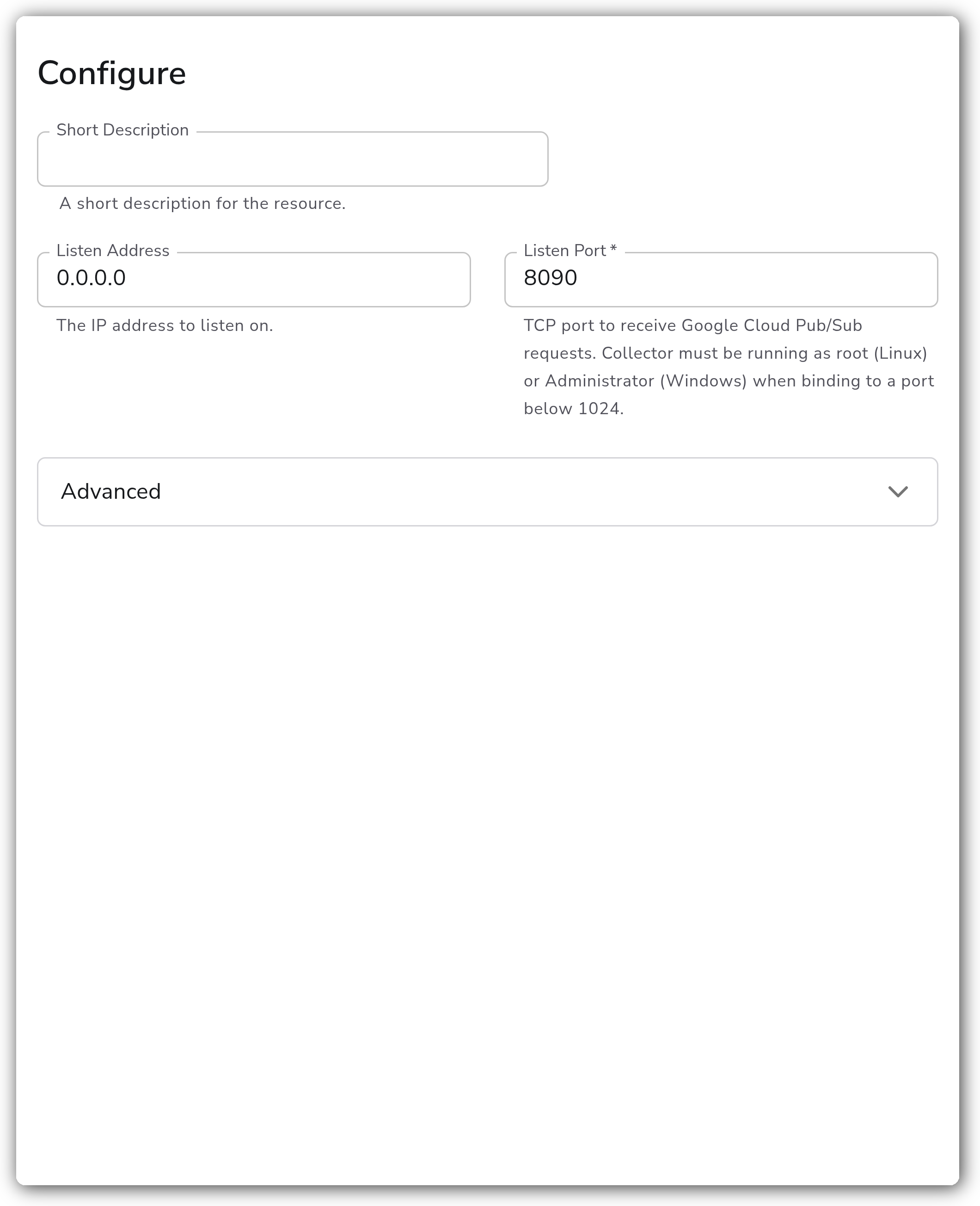
| Parameter | Type | Default | Description |
| -------------- | ------- | --------- | ----------------------------------------------------------------------------------------------------------------------------------------------------------------------------------------- |
| Listen Address | String | `0.0.0.0` | The IP address to listen on. |
| Listen Port | Integer | `8090` | TCP port to receive Google Cloud Pub/Sub requests. Required. Valid range is 1–65535. The collector must run as root (Linux) or Administrator (Windows) when binding to a port below 1024. |
#### Advanced
| Parameter | Type | Default | Description |
| ---------------- | --------- | ------------------------------ | ----------------------------------------------------------------------- |
| Payload Encoding | Extension | `googlecloudlogentry_encoding` | The encoding extension used to parse the payload. Required.1 |
| Include Metadata | Boolean | `false` | Propagates the incoming connection's metadata to downstream consumers. |
1. *Defaults to the `googlecloudlogentry_encoding` extension with Cloud Logging JSON and proto handling set to `json`. Valid extension types are `googlecloudlogentry_encoding` and `text_encoding_unmarshaling`.*
#### TLS
| Parameter | Type | Default | Description |
| ------------------------------ | ------- | ------- | ---------------------------------------------------------------------------------------------------------------------------- |
| Enable TLS | Boolean | `false` | Whether or not to use TLS. |
| TLS Certificate File | String | | Path to the TLS certificate file for the server. Required when TLS is enabled. |
| TLS Private Key File | String | | Path to the TLS private key file for the server. Required when TLS is enabled. |
| Mutual TLS | Boolean | `false` | Whether or not to require client TLS authentication (mTLS). Available when TLS is enabled. |
| TLS Certificate Authority File | String | | Path to the certificate authority file for authenticating client certificates. Required when TLS and Mutual TLS are enabled. |
#### CORS
| Parameter | Type | Default | Description |
| -------------------- | ------- | ------- | ------------------------------------------------------------------------------------------------------- |
| Configure CORS | Boolean | `false` | Enable Cross-Origin Resource Sharing (CORS) support for HTTP requests. |
| CORS Allowed Origins | Strings | `[]` | A list of origins a cross-domain request can be executed from. Available when CORS is enabled. |
| CORS Allowed Headers | Strings | `[]` | The headers that will be allowed in CORS requests. Available when CORS is enabled. |
| CORS Max Age | Integer | `0` | How long (in seconds) the results of a preflight request can be cached. Available when CORS is enabled. |
### Example Configuration
#### Standalone Source
```yaml
apiVersion: bindplane.observiq.com/v1
kind: Source
metadata:
id: googlecloudpubsubpush
name: googlecloudpubsubpush
spec:
type: googlecloudpubsubpush
parameters:
- name: listen_address
value: '0.0.0.0'
- name: listen_port
value: '8090'
- name: enable_tls
value: 'true'
- name: cert_file
value: '/opt/observiq-otel-collector/pubsub.crt'
- name: key_file
value: '/opt/observiq-otel-collector/pubsub.key'
```
### Configuration Tips
#### Payload encoding
* The default `googlecloudlogentry_encoding` extension parses Cloud Logging `LogEntry` payloads, which is the right choice when the Pub/Sub topic receives logs routed from a [Cloud Logging sink](https://cloud.google.com/logging/docs/export/configure_export_v2).
* For raw text payloads, switch the encoding to `text_encoding_unmarshaling`.
#### TLS and reachability
* Google Cloud requires push subscription endpoints to use HTTPS. Enable TLS and provide a certificate signed by a publicly trusted certificate authority so Pub/Sub will accept the endpoint.
* On Kubernetes Gateway and OpenShift Gateway collectors, create a custom Service to route external traffic to the collector. See [Custom Service](https://docs.bindplane.com/deployment/kubernetes/collector/custom-service).
### Verifying the Source
1. Apply the source (or save it in a configuration) and roll the configuration out to the collector.
2. From the [Google Cloud console](https://console.cloud.google.com/cloudpubsub), publish a test message to the topic feeding the push subscription.
3. In Bindplane, open the configuration and use the **Recent Telemetry** snapshot on the source to confirm log records are arriving.
4. Confirm the message body is parsed into log records as expected. A Cloud Logging `LogEntry` payload decoded with the default encoding looks like:
```json
{
"body": {
"logName": "projects/my-project/logs/example",
"resource": {
"type": "gce_instance",
"labels": { "instance_id": "1234567890", "zone": "us-central1-a" }
},
"severity": "INFO",
"textPayload": "example log line"
},
"attributes": {
"log.record.original": "..."
},
"timestamp": "2024-01-01T00:00:00Z"
}
```
### Troubleshooting
**Symptom:** Google Cloud reports the push subscription endpoint as invalid, or no logs arrive. **Solution:** Confirm the collector is reachable from Google Cloud on the configured `listen_port`. Pub/Sub push requires an HTTPS endpoint, so enable TLS with a certificate signed by a publicly trusted certificate authority. Self-signed certificates are rejected.
**Symptom:** The collector fails to start, or logs report a permission error binding the listener. **Solution:** Ports below 1024 require the collector to run as root (Linux) or Administrator (Windows). Either run the collector with sufficient privileges or set `listen_port` to a value at or above 1024.
**Symptom:** Messages arrive but are not parsed into useful log records. **Solution:** Match the `encoding_extension` to the payload. Use `googlecloudlogentry_encoding` for Cloud Logging `LogEntry` payloads and `text_encoding_unmarshaling` for raw text. A mismatch causes decode failures or empty records.
### Related Resources
* [Google Cloud Pub/Sub overview](https://cloud.google.com/pubsub/docs/overview)
* [Pub/Sub push subscriptions](https://cloud.google.com/pubsub/docs/push)
* [Create a Pub/Sub subscription](https://cloud.google.com/pubsub/docs/create-subscription)
* [Custom Service for Kubernetes collectors](https://docs.bindplane.com/deployment/kubernetes/collector/custom-service)
---
# Agent Instructions
This documentation is published with GitBook. GitBook is the documentation platform designed so that both humans and AI agents can read, navigate, and reason over technical content effectively. Learn more at gitbook.com.
## Querying This Documentation
If you need additional information that is not directly available in this page, you can query the documentation by asking a question.
Perform an HTTP GET request on the following URL with the `ask` and `goal` query parameters:
```
GET https://docs.bindplane.com/integrations/sources/google-cloud-pub-sub-push.md?ask=&goal=
```
`ask` is the immediate question: it should be specific, self-contained, and written in natural language.
`goal` is what the user is ultimately trying to achieve, the reason they need the answer. Sharing it helps GitBook give you a better, more relevant answer. A goal is most helpful when it describes the outcome the user wants rather than restating the question. For example, with `ask=how do I create an API token`, a goal like `automate deployments from our CI pipeline` lets GitBook tailor the answer to that use case.
The response will contain a direct answer to the question and relevant excerpts and sources from the documentation.
Use this mechanism when the answer is not explicitly present in the current page, you need clarification or additional context, or you want to retrieve related documentation sections.