> For the complete documentation index, see [llms.txt](https://docs.bindplane.com/llms.txt). Markdown versions of documentation pages are available by appending `.md` to page URLs; this page is available as [Markdown](https://docs.bindplane.com/integrations/sources/bindplane.md).
# Bindplane
Reads the Bindplane server's own log file and sends it through a pipeline like any other log source. This is how you monitor Bindplane itself, so server errors reach the same destination as the rest of your telemetry. It needs a collector installed on the Bindplane server host, since it reads the log off local disk.
### Supported Telemetry Types
| Platform | Metrics | Logs | Traces |
| -------- | ------- | ---- | ------ |
| Linux | | ✓ | |
| macOS | | ✓ | |
### Prerequisites
* A collector installed on the same host as the Bindplane server. This source reads a local file rather than connecting to the server's API, so a collector elsewhere cannot use it.
* Read access to the log file for the collector's service account. On a package install the log is owned by the `bindplane` user, so a collector running as a different user needs to be granted access.
### Configuration
#### Basic Configuration
| Parameter | Type | Required | Default | Description |
| ------------------ | ------ | -------- | ---------------------------------- | ---------------------------------------- |
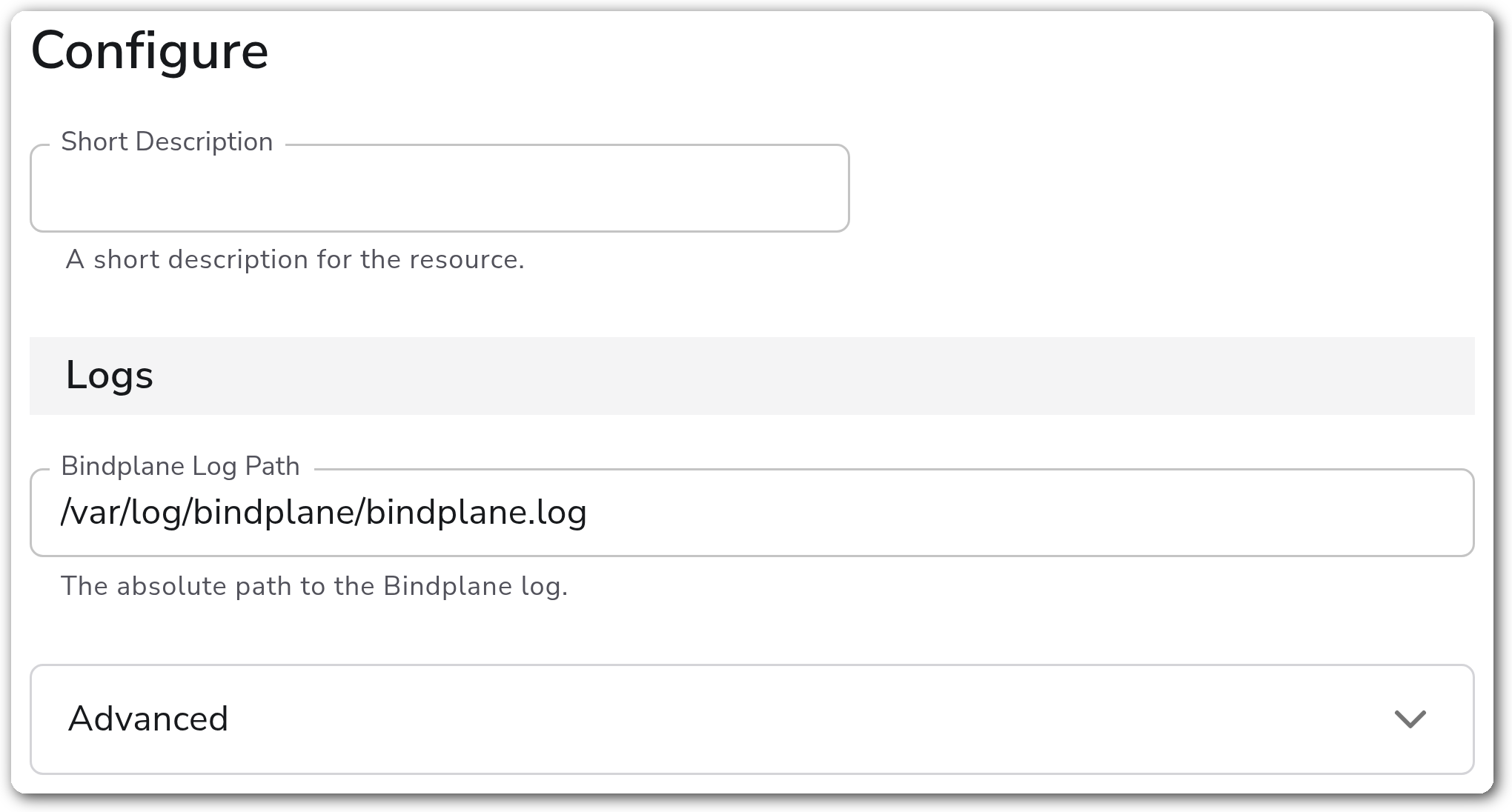
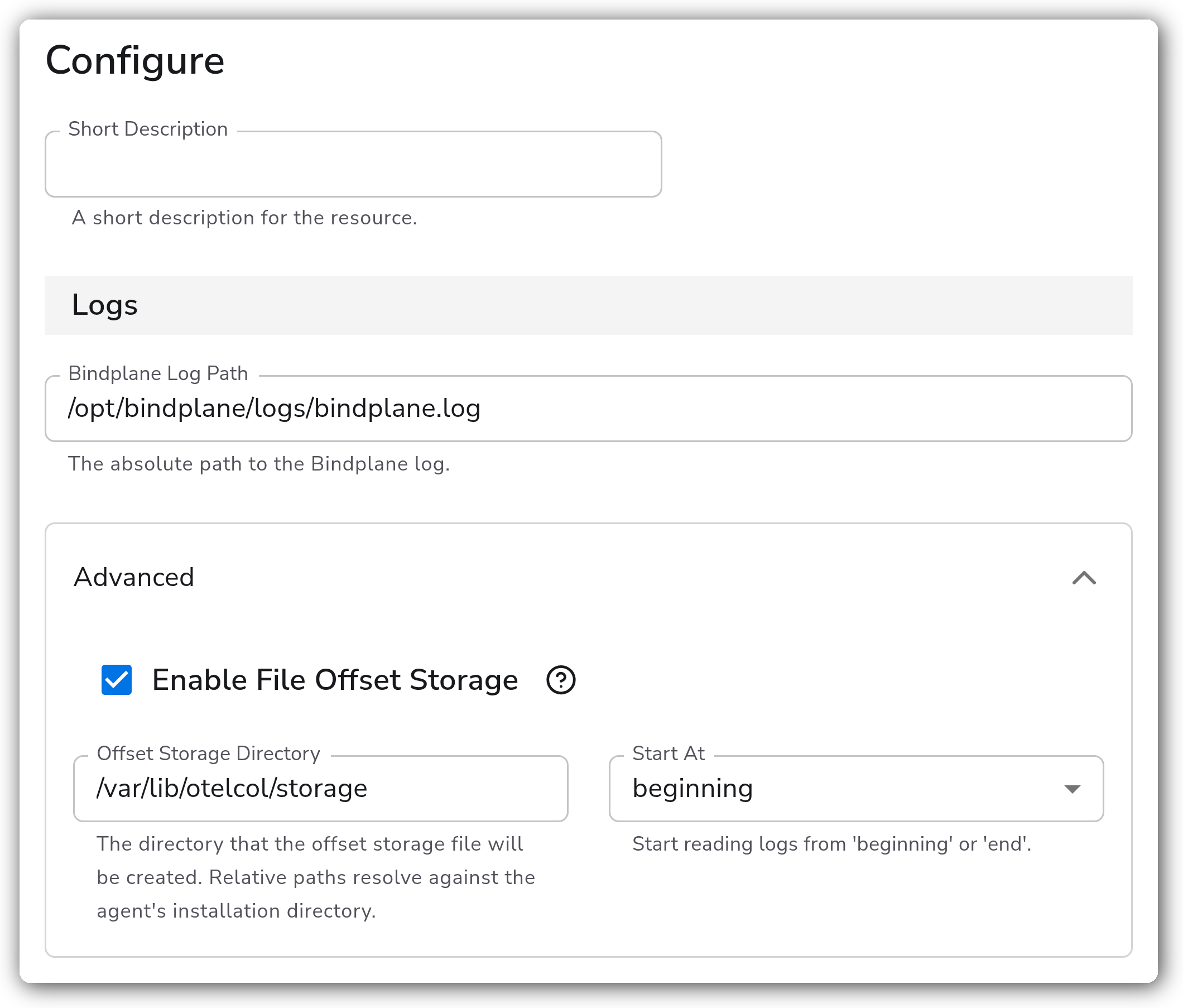
| Bindplane Log Path | String | No | `/var/log/bindplane/bindplane.log` | Absolute path to the Bindplane log file. |
#### Advanced
| Parameter | Type | Required | Default | Description |
| -------------------------- | ------- | -------- | --------- | ------------------------------------------------------------------------------------------------------------------ |
| Enable File Offset Storage | Boolean | No | `true` | Persist the read position to disk so a collector restart resumes where it stopped rather than re-reading the file. |
| Offset Storage Directory | String | No | `storage` | Directory holding the offset file. A relative path resolves against the collector's installation directory. |
| Start At | Enum | No | `end` | Whether a first run reads the existing file from `beginning` or collects only new lines from `end`. |
### Examples
#### Read a non-default log path from the beginning
Points at a log outside the packaged location and reads the existing file from the start, which is useful when standing up collection against a server that has already been running.
### Configuration Tips
#### Reading the right file
* The default path matches a package install. A container or custom deployment usually logs elsewhere, so confirm the path on the host rather than assuming the default.
* This source reads one file. A deployment that rotates to timestamped filenames is better served by the [Filelog Source](/integrations/sources/filelog.md), which takes a glob.
#### Avoiding a feedback loop
* Sending Bindplane's own logs to a destination that Bindplane manages is fine, and it does mean a destination outage shows up in the very logs you would use to diagnose it. Consider a second destination for these.
* `Start At` defaults to `end`, so adding this source does not ingest the server's entire log history. Set it to `beginning` deliberately.
### Troubleshooting
#### No logs arrive
Symptoms: the source is configured, the collector is healthy, and nothing reaches the destination.
Solutions:
1. Confirm the path exists on the collector's host. This reads local disk, so a collector on a different machine than the Bindplane server finds nothing.
2. Confirm the collector's service account can read the file. A permission failure appears in the collector log rather than as a source error.
3. `Start At` defaults to `end`, so a quiet server produces nothing until it writes a new line. Set it to `beginning` to confirm collection works against existing content.
#### Logs restart from the top after a collector restart
Symptoms: a burst of duplicate log records each time the collector restarts.
Solutions:
1. Confirm `Enable File Offset Storage` is on, since without it every restart re-reads from `Start At`.
2. Confirm the collector can write to the offset directory. A directory it cannot write to leaves the position untracked with no hard error.
### Standalone Source
```yaml
apiVersion: bindplane.observiq.com/v1
kind: Source
metadata:
name: bindplane
spec:
type: bindplane-op
parameters:
- name: log_path
value: /var/log/bindplane/bindplane.log
- name: enable_offset_storage
value: true
- name: offset_storage_dir
value: storage
- name: start_at
value: end
```
### Bindplane Resources
* [Bindplane Audit Logs Source](/integrations/sources/bindplane-audit-logs.md)
* [Bindplane Collector Source](/integrations/sources/bindplane-collector.md)
* [Filelog Source](/integrations/sources/filelog.md)
---
# Agent Instructions
This documentation is published with GitBook. GitBook is the documentation platform designed so that both humans and AI agents can read, navigate, and reason over technical content effectively. Learn more at gitbook.com.
## Querying This Documentation
If you need additional information that is not directly available in this page, you can query the documentation by asking a question.
Perform an HTTP GET request on the following URL with the `ask` and `goal` query parameters:
```
GET https://docs.bindplane.com/integrations/sources/bindplane.md?ask=&goal=
```
`ask` is the immediate question: it should be specific, self-contained, and written in natural language.
`goal` is what the user is ultimately trying to achieve, the reason they need the answer. Sharing it helps GitBook give you a better, more relevant answer. A goal is most helpful when it describes the outcome the user wants rather than restating the question. For example, with `ask=how do I create an API token`, a goal like `automate deployments from our CI pipeline` lets GitBook tailor the answer to that use case.
The response will contain a direct answer to the question and relevant excerpts and sources from the documentation.
Use this mechanism when the answer is not explicitly present in the current page, you need clarification or additional context, or you want to retrieve related documentation sections.