> For the complete documentation index, see [llms.txt](https://docs.bindplane.com/llms.txt). Markdown versions of documentation pages are available by appending `.md` to page URLs; this page is available as [Markdown](https://docs.bindplane.com/integrations/sources/apache-common.md).
# Apache Common
The Apache Common source collects logs from Apache HTTP Server access log files written in the Common Log Format (CLF). The collector tails the configured log file paths and optionally parses each entry into structured fields.
### Supported Telemetry Types
| Platform | Metrics | Logs | Traces |
| -------- | ------- | ---- | ------ |
| Linux | | ✓ | |
| Windows | | ✓ | |
| macOS | | ✓ | |
### Prerequisites
* Apache HTTP Server must be writing access logs in the Common Log Format. The default `common` format is defined with the directive `LogFormat "%h %l %u %t \"%r\" %>s %b" common` and enabled with `CustomLog`. See the [Apache HTTP Server log files documentation](https://httpd.apache.org/docs/current/logs.html) and the [mod\_log\_config reference](https://httpd.apache.org/docs/current/mod/mod_log_config.html) for configuring the log format.
* You must know the path(s) to the access log file(s). The default on Debian and Ubuntu systems is `/var/log/apache2/access.log`. On Red Hat based systems it is typically `/var/log/httpd/access_log`.
* The collector must run on a host that can read those log files, or the files must be shipped to a host the collector can read. The collector process needs filesystem read permission on the configured paths.
### Configuration
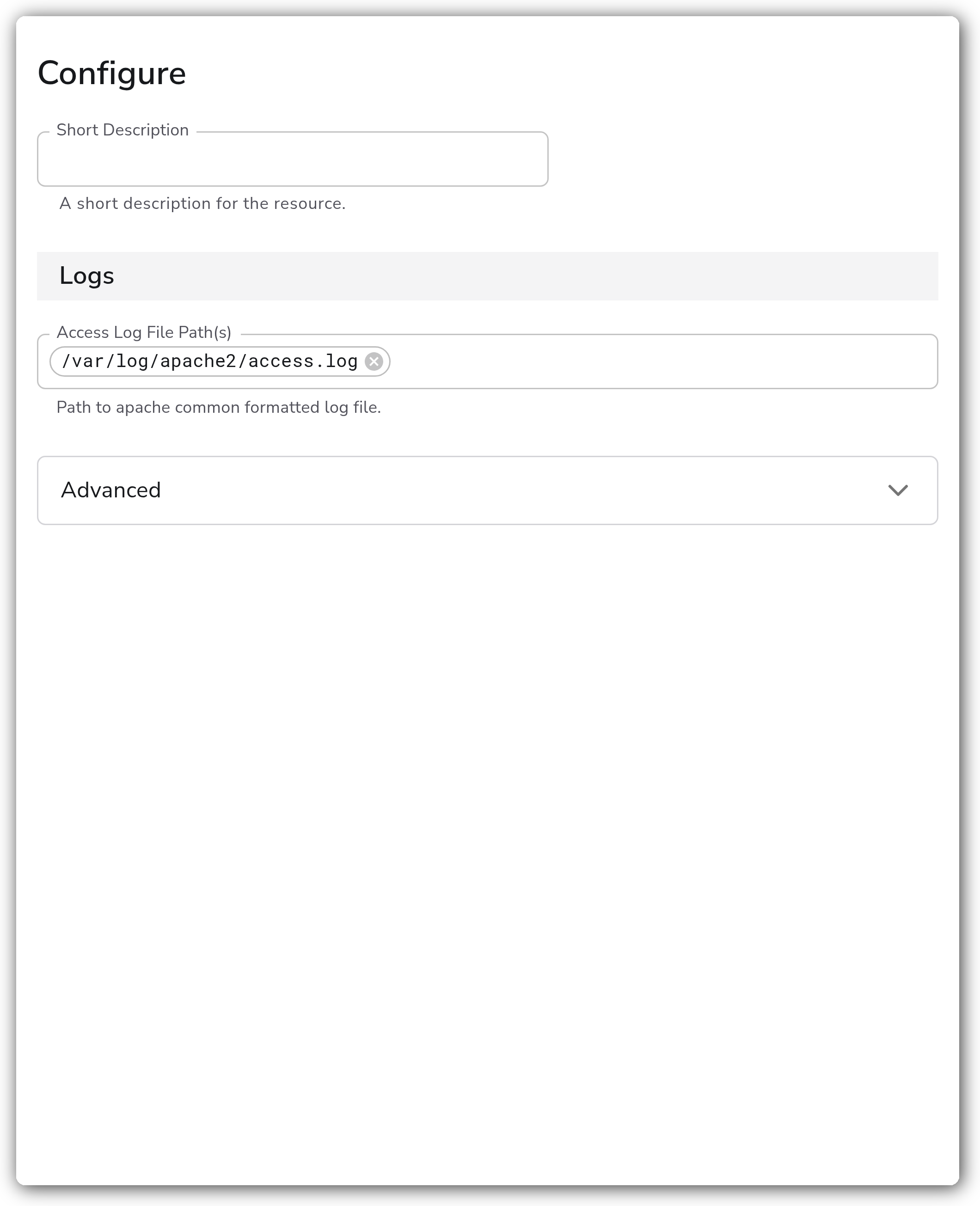
**Logs**
| Parameter | Type | Required | Default | Description |
| ----------------------- | ------- | -------- | --------------------------------- | ----------------------------------------- |
| Access Log File Path(s) | Strings | No | `["/var/log/apache2/access.log"]` | Path to Apache common formatted log file. |
**Advanced**
| Parameter | Type | Required | Default | Description |
| --------- | ---------------------- | -------- | ------- | --------------------------------------------- |
| Start At | `Enum: beginning, end` | No | `end` | Start reading logs from `beginning` or `end`. |
| Parse | Boolean | No | `true` | Parses the log fields into structured data. |
### Examples
#### Collect access logs from two virtual hosts
This source tails two Apache access log files and parses each entry into structured fields, reading only newly appended lines.
```yaml
apiVersion: bindplane.observiq.com/v1
kind: Source
metadata:
name: apache-common
spec:
type: apache_common
parameters:
- name: file_path
value:
- /var/log/apache2/access.log
- /var/log/apache2/other-vhost-access.log
- name: start_at
value: end
- name: parse
value: true
```
### Configuration Tips
* Set **Start At** to `beginning` for a one-time backfill of existing log content. Leave it at `end` for steady-state collection so the collector only reads newly written lines.
* Confirm your Apache `CustomLog` directive uses the `common` format. If your access logs use the Combined Log Format instead, use the Apache Combined source.
* Provide one entry per access log path. Each virtual host that writes to its own log file should be listed individually.
### Troubleshooting
**Symptom:** No logs appear in Bindplane. **Solution:** Verify the configured file path(s) match the actual access log location and that the collector process has read permission on those files. On Red Hat based systems the path is usually `/var/log/httpd/access_log`, not the Debian default.
**Symptom:** Log entries arrive but fields are not parsed into structured data. **Solution:** Confirm Apache is writing the Common Log Format. Parsing assumes the CLF layout `%h %l %u %t "%r" %>s %b`. A custom or Combined format will not parse cleanly. Set **Parse** to `false` to ship raw log lines if the format cannot be changed.
**Symptom:** Only old log content is collected, or only new lines appear. **Solution:** This is controlled by **Start At**. Use `beginning` to read the existing file from the top, or `end` to read only lines written after the collector starts.
### Standalone Source
```yaml
apiVersion: bindplane.observiq.com/v1
kind: Source
metadata:
name: apache-common
spec:
type: apache_common
parameters:
- name: file_path
value:
- /var/log/apache2/access.log
- name: start_at
value: end
- name: parse
value: true
```
### Related Resources
* [Apache HTTP Server Log Files documentation](https://httpd.apache.org/docs/current/logs.html)
* [Apache mod\_log\_config reference](https://httpd.apache.org/docs/current/mod/mod_log_config.html)
* [OpenTelemetry filelogreceiver](https://github.com/open-telemetry/opentelemetry-collector-contrib/tree/main/receiver/filelogreceiver)
---
# Agent Instructions
This documentation is published with GitBook. GitBook is the documentation platform designed so that both humans and AI agents can read, navigate, and reason over technical content effectively. Learn more at gitbook.com.
## Querying This Documentation
If you need additional information that is not directly available in this page, you can query the documentation by asking a question.
Perform an HTTP GET request on the following URL with the `ask` and `goal` query parameters:
```
GET https://docs.bindplane.com/integrations/sources/apache-common.md?ask=&goal=
```
`ask` is the immediate question: it should be specific, self-contained, and written in natural language.
`goal` is what the user is ultimately trying to achieve, the reason they need the answer. Sharing it helps GitBook give you a better, more relevant answer. A goal is most helpful when it describes the outcome the user wants rather than restating the question. For example, with `ask=how do I create an API token`, a goal like `automate deployments from our CI pipeline` lets GitBook tailor the answer to that use case.
The response will contain a direct answer to the question and relevant excerpts and sources from the documentation.
Use this mechanism when the answer is not explicitly present in the current page, you need clarification or additional context, or you want to retrieve related documentation sections.