> For the complete documentation index, see [llms.txt](https://docs.bindplane.com/llms.txt). Markdown versions of documentation pages are available by appending `.md` to page URLs; this page is available as [Markdown](https://docs.bindplane.com/integrations/sources/apache-spark.md).
# Apache Spark
The Apache Spark source collects metrics by scraping the Spark REST API, exposed by default on port `4040` of the application driver (or the standalone master). It uses the OpenTelemetry `apachesparkreceiver` to gather cluster, job, executor, and stage metrics.
### Supported Telemetry Types
| Platform | Metrics | Logs | Traces |
| -------- | ------- | ---- | ------ |
| Linux | ✓ | | |
| Windows | ✓ | | |
| macOS | ✓ | | |
### Prerequisites
You need a reachable Spark REST API endpoint. Every Spark application launches a web UI and REST API, by default on port `4040` of the driver node (subsequent applications on the same host bind to `4041`, `4042`, and so on). Metrics are read from the `/api/v1` REST endpoints under that address.
* The Spark driver (or standalone master) must be running and serving the REST API at the configured endpoint (default `http://localhost:4040`).
* The collector host must have network reachability to that endpoint. If the collector runs on a different host than the driver, point the endpoint at the driver's reachable address rather than `localhost`.
* If the endpoint is served over TLS, enable TLS in the configuration and supply the relevant certificate material.
For details on the Spark web UI, REST API, and the available `/api/v1` endpoints, see the official [Apache Spark Monitoring and Instrumentation](https://spark.apache.org/docs/latest/monitoring.html) documentation.
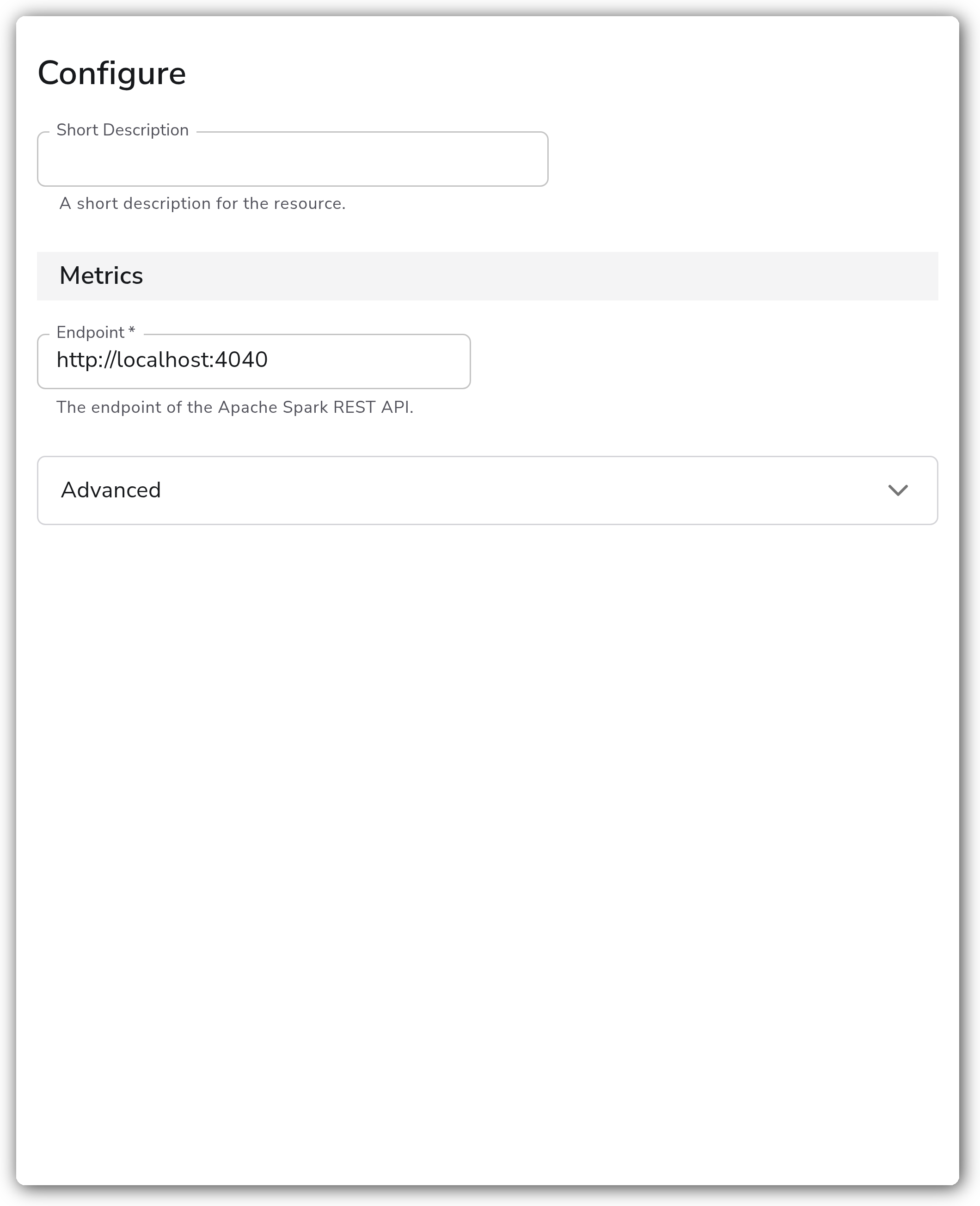
### Configuration
**Metrics**
| Parameter | Type | Required | Default | Description |
| --------- | ------ | -------- | ----------------------- | ------------------------------------------ |
| Endpoint | String | Yes | `http://localhost:4040` | The endpoint of the Apache Spark REST API. |
**Advanced**
| Parameter | Type | Required | Default | Description |
| ---------------------------------- | ------- | -------- | --------- | ------------------------------------------------------------------------------------------------------------------------------------- |
| Enable TLS | Boolean | No | `false` | Whether to use TLS when connecting to Apache Spark. |
| Skip TLS Certificate Verification | Boolean | No | `false` | Enable to skip TLS certificate verification. Relevant when Enable TLS is `true`. |
| TLS Certificate Authority File | String | No | *(empty)* | Certificate authority used to validate TLS certificates. Relevant when Enable TLS is `true`. |
| Mutual TLS Client Certificate File | String | No | *(empty)* | A TLS certificate used for client authentication. Relevant when Enable TLS is `true`. |
| TLS Client Private Key File | String | No | *(empty)* | A TLS private key used for client authentication. Relevant when Enable TLS is `true`. |
| Collection Interval | Integer | No | `60` | How often (seconds) to scrape for metrics. |
| Allowed Spark Application Names | Strings | No | *(empty)* | Filters that define which Spark applications are scraped for metrics. If undefined, all applications at the endpoint will be scraped. |
| Spark Metrics | Metrics | No | *(empty)* | Toggle the Cluster, Job, Executor, and Stage metrics you wish to collect on and off. |
### Examples
#### Scrape a remote Spark driver with a filtered application list
This source scrapes a Spark driver on a remote host every 30 seconds, limiting collection to two named applications.
```yaml
apiVersion: bindplane.observiq.com/v1
kind: Source
metadata:
name: apache-spark
spec:
type: apache_spark
parameters:
- name: endpoint
value: http://spark-driver.internal:4040
- name: collection_interval
value: 30
- name: application_names
value:
- streaming-etl
- nightly-batch
```
### Configuration Tips
* The default endpoint `http://localhost:4040` only works when the collector runs on the same host as the Spark driver. For a remote driver or standalone master, set the endpoint to its reachable address.
* When multiple Spark applications run on the same host, they bind to successive ports starting at `4040`. Point a separate source at each port, or use Allowed Spark Application Names to scope what a single endpoint reports.
* If the REST API is served over HTTPS, enable TLS and supply a CA file. Use Skip TLS Certificate Verification only for testing against self-signed certificates.
### Troubleshooting
#### No metrics appear
Symptoms: the source is applied but no Spark metrics arrive.
Solutions:
1. Confirm the Spark application is running and its web UI / REST API is reachable at the configured endpoint (try `http:///api/v1/applications`).
2. If the collector is on a different host than the driver, verify the endpoint is not set to `localhost` and that network access to the port is open.
#### Connection refused
Symptoms: the collector logs connection-refused or timeout errors against the endpoint.
Solutions:
1. Verify the port is correct. A second concurrent application binds to `4041` rather than `4040`.
2. Confirm no firewall blocks the collector host from reaching the driver port.
#### TLS handshake errors
Symptoms: the collector logs certificate or TLS errors.
Solutions:
1. Ensure Enable TLS matches whether the endpoint actually serves HTTPS, and provide a valid CA file.
2. For self-signed certificates in a non-production environment, enable Skip TLS Certificate Verification.
### Standalone Source
```yaml
apiVersion: bindplane.observiq.com/v1
kind: Source
metadata:
name: apache-spark
spec:
type: apache_spark
parameters:
- name: endpoint
value: http://localhost:4040
- name: collection_interval
value: 60
```
### Related Resources
* [Apache Spark — Monitoring and Instrumentation](https://spark.apache.org/docs/latest/monitoring.html)
* [OpenTelemetry `apachesparkreceiver` reference](https://github.com/open-telemetry/opentelemetry-collector-contrib/tree/main/receiver/apachesparkreceiver)
---
# Agent Instructions
This documentation is published with GitBook. GitBook is the documentation platform designed so that both humans and AI agents can read, navigate, and reason over technical content effectively. Learn more at gitbook.com.
## Querying This Documentation
If you need additional information that is not directly available in this page, you can query the documentation by asking a question.
Perform an HTTP GET request on the following URL with the `ask` and `goal` query parameters:
```
GET https://docs.bindplane.com/integrations/sources/apache-spark.md?ask=&goal=
```
`ask` is the immediate question: it should be specific, self-contained, and written in natural language.
`goal` is what the user is ultimately trying to achieve, the reason they need the answer. Sharing it helps GitBook give you a better, more relevant answer. A goal is most helpful when it describes the outcome the user wants rather than restating the question. For example, with `ask=how do I create an API token`, a goal like `automate deployments from our CI pipeline` lets GitBook tailor the answer to that use case.
The response will contain a direct answer to the question and relevant excerpts and sources from the documentation.
Use this mechanism when the answer is not explicitly present in the current page, you need clarification or additional context, or you want to retrieve related documentation sections.