> For the complete documentation index, see [llms.txt](https://docs.bindplane.com/llms.txt). Markdown versions of documentation pages are available by appending `.md` to page URLs; this page is available as [Markdown](https://docs.bindplane.com/integrations/sources/google-cloud-storage-pub-sub-event.md).
# Google Cloud Storage Pub/Sub Event
The Google Cloud Storage Pub/Sub Event source consumes [Google Cloud Storage](https://cloud.google.com/storage/docs) object notifications delivered to a [Pub/Sub](https://cloud.google.com/pubsub/docs/overview) subscription. When a notification arrives, the source downloads the referenced GCS object and reads its contents into the body of a log record.
### Supported Telemetry Types
| Platform | Metrics | Logs | Traces |
| ------------------ | ------- | ---- | ------ |
| Linux | | ✓ | |
| Windows | | ✓ | |
| macOS | | ✓ | |
| Kubernetes Cluster | | ✓ | |
| Kubernetes Gateway | | ✓ | |
### Prerequisites
* A Google Cloud project with access to Cloud Storage and Pub/Sub.
* A [GCS bucket notification](https://cloud.google.com/storage/docs/pubsub-notifications) configured to publish object events to a Pub/Sub topic.
* A [Pub/Sub subscription](https://cloud.google.com/pubsub/docs/create-subscription) on that topic for the collector to consume.
* Credentials for the collector with permission to pull and acknowledge messages from the subscription and to read objects from the bucket. See [Application Default Credentials](https://cloud.google.com/docs/authentication/application-default-credentials).
* A reachable Redis server if you enable offset storage (optional).
### How It Works
1. The source pulls messages from the Pub/Sub subscription that receives GCS object notifications.
2. For each notification, the source downloads the referenced GCS object.
3. The object contents are read into the body of one or more log records.
4. Notifications are deduplicated in two layers, since GCS publishes notifications at-least-once:
* **Batch-level:** within a single pull response, duplicates keyed by bucket, object, and generation are acknowledged immediately.
* **Cross-batch:** a time-bounded tracker (configured by `dedup_ttl`) catches sequential duplicates that arrive in separate pull responses.
5. When Redis offset storage is enabled, the read position into an object is persisted so processing resumes after a collector restart, allowing large objects to be handled without exhausting memory.
### Configuration
#### General
| Parameter | Type | Default | Description |
| --------------------- | ------ | ------- | ----------------------------------------------------------------------------------------------------------------------------------------------------------------------------------- |
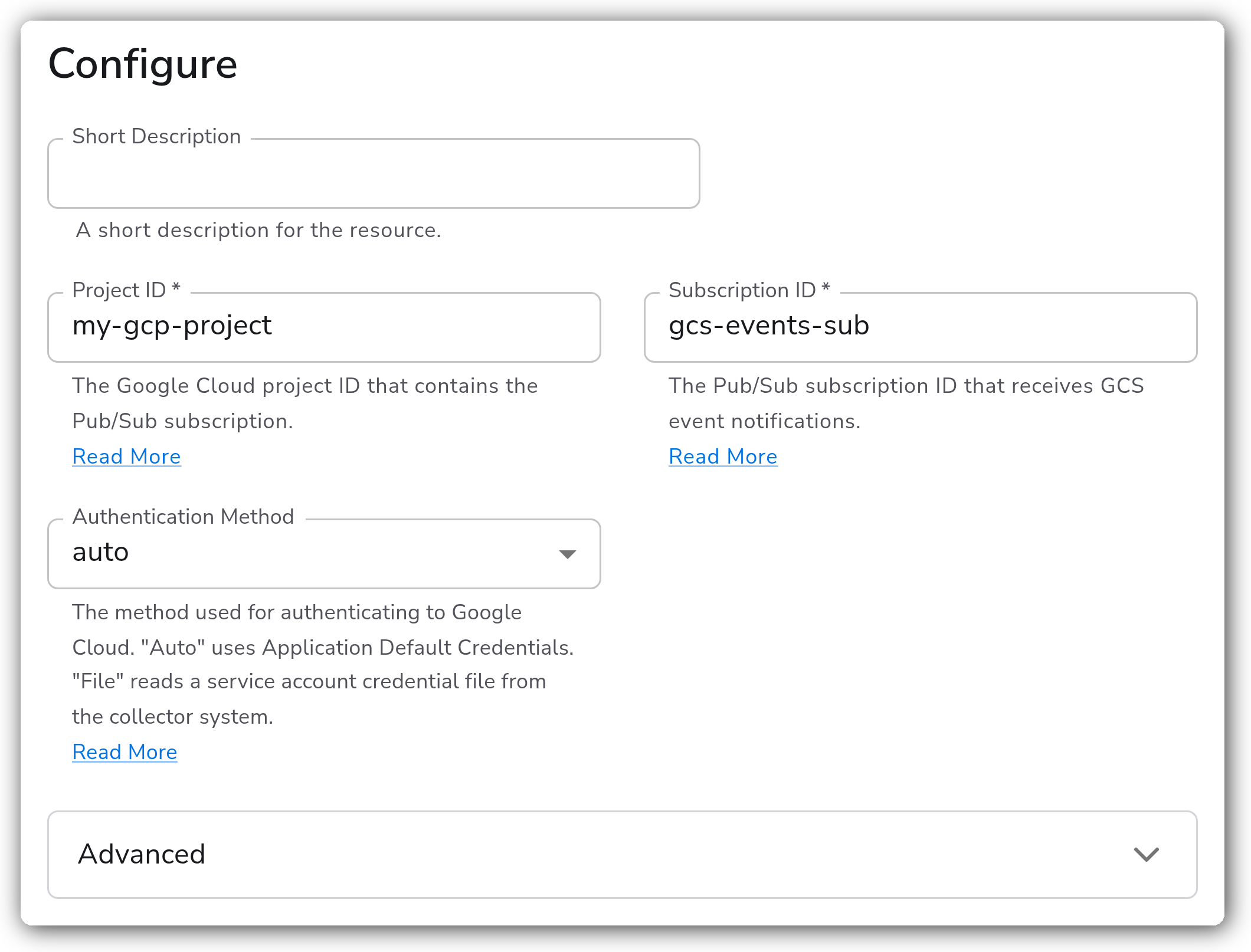
| Project ID | String | | The Google Cloud project ID that contains the Pub/Sub subscription. Required. |
| Subscription ID | String | | The Pub/Sub subscription ID that receives GCS event notifications. Required. |
| Authentication Method | Enum | `auto` | How the collector authenticates to Google Cloud. `auto` uses Application Default Credentials. `file` reads a service account credential file from the collector system. |
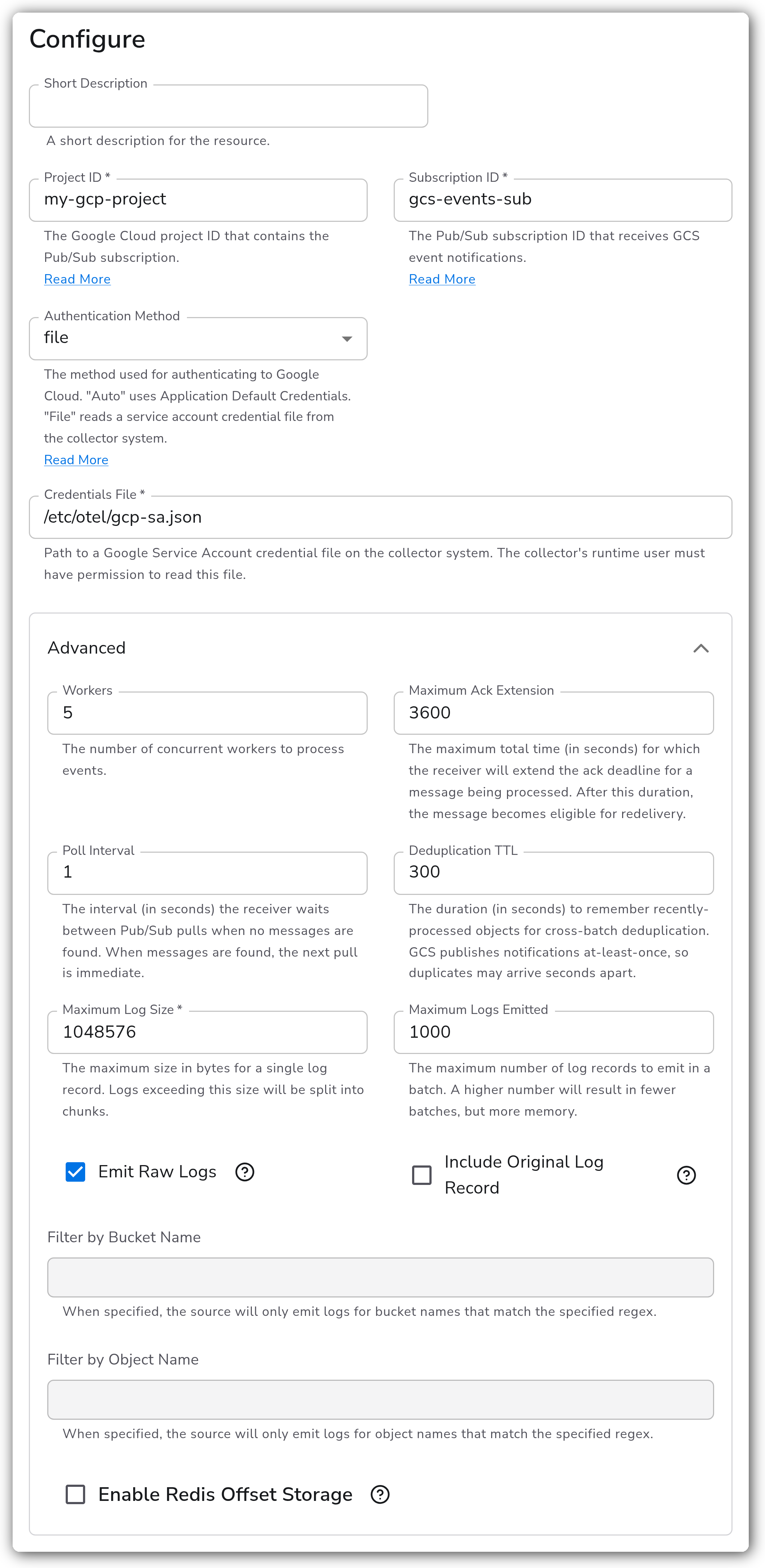
| Credentials File | String | | Path to a Google Service Account credential file on the collector system. The collector's runtime user must have permission to read it. Shown when Authentication Method is `file`. |
#### Advanced
| Parameter | Type | Default | Description |
| --------------------------- | --------- | --------- | ----------------------------------------------------------------------------------------------------------------------------------------------------------------------------------------------- |
| Workers | Integer | `5` | The number of concurrent workers used to process events. |
| Maximum Ack Extension | Integer | `3600` | The maximum total time, in seconds, the receiver will extend the ack deadline for a message being processed. After this duration the message becomes eligible for redelivery. Minimum `1`. |
| Poll Interval | Integer | `1` | The interval, in seconds, the receiver waits between Pub/Sub pulls when no messages are found. When messages are found, the next pull is immediate. Minimum `1`. |
| Deduplication TTL | Integer | `300` | The duration, in seconds, to remember recently-processed objects for cross-batch deduplication. GCS publishes notifications at-least-once, so duplicates may arrive seconds apart. Minimum `1`. |
| Maximum Log Size | Integer | `1048576` | The maximum size in bytes for a single log record. Logs exceeding this size are split into chunks. Required. |
| Maximum Logs Emitted | Integer | `1000` | The maximum number of log records to emit in a batch. A higher number results in fewer batches but more memory. |
| Emit Raw Logs | Boolean | `false` | When enabled, the original text is emitted as the log body instead of a parsed structure. Format detection still runs, so content the collector cannot decode is sent to the dead-letter queue. |
| Include Original Log Record | Boolean | `true` | When enabled, the original text is also written to the log record's original field. |
| Filter by Bucket Name | CodeBlock | | When set, the source only emits logs for bucket names that match the specified regex. |
| Filter by Object Name | CodeBlock | | When set, the source only emits logs for object names that match the specified regex. |
#### Redis Offset Storage
Offset storage persists the read position into each object to Redis so processing resumes after a collector restart. These parameters apply only when `enable_offset_storage` is `true`.
| Parameter | Type | Default | Description |
| --------------------------- | ------- | ----------- | ------------------------------------------------------------------------------------------------------------------------------------------ |
| Enable Redis Offset Storage | Boolean | `false` | When enabled, the current position into an object is saved to Redis, and reading resumes from where it left off after a collector restart. |
| Redis Hostname | String | `localhost` | The hostname or IP address of the Redis server used for offset storage. Required when offset storage is enabled. |
| Redis Port | Integer | `6379` | The port number of the Redis server used for offset storage. Required when offset storage is enabled. Range `1`–`65535`. |
| Redis Password | String | | The password for the Redis server used for offset storage. Applies when offset storage is enabled. |
| Redis Database | Integer | `0` | The Redis database number to use for offset storage. Required when offset storage is enabled. |
| Redis Expiration | Integer | `0` | The expiration time, in seconds, for offset storage in Redis. Required when offset storage is enabled. |
| Enable Redis TLS | Boolean | `false` | Whether to enable TLS for the Redis connection. Applies when offset storage is enabled. |
| Redis TLS CA File | String | | The path to the CA file for the Redis TLS connection. Applies when offset storage and Redis TLS are enabled. |
| Redis TLS Cert File | String | | The path to the client certificate file for the Redis TLS connection. Applies when offset storage and Redis TLS are enabled. |
| Redis TLS Key File | String | | The path to the client key file for the Redis TLS connection. Applies when offset storage and Redis TLS are enabled. |
#### Advanced parameters in use
File-based authentication and the Advanced section, with Credentials File set and the output options configured.
### Example Configuration
#### Standalone Source
```yaml
apiVersion: bindplane.observiq.com/v1
kind: Source
metadata:
id: google_cloud_pubsub_event
name: google_cloud_pubsub_event
spec:
type: google_cloud_pubsub_event
parameters:
- name: project_id
value: 'my-gcp-project'
- name: subscription_id
value: 'gcs-events-sub'
- name: workers
value: '5'
- name: dedup_ttl
value: '300'
- name: max_log_size
value: '1048576'
```
### Configuration Tips
#### Authentication
* The source uses Application Default Credentials by default (`auth_type: auto`). For a collector that does not run on GCP infrastructure, and so has no Application Default Credentials, set Authentication Method to `file` and point Credentials File at a service account key the collector's runtime user can read.
#### Filtering objects
* Use `bucket_name_filter` and `object_key_filter` to restrict processing to a subset of buckets or object keys. Both accept a regular expression and are evaluated against the bucket and object names from the notification.
* Filtering at the source reduces downloads and downstream volume, so apply it when a single subscription receives notifications for objects you do not want to ingest.
#### Handling large objects
* For large objects, enable `enable_offset_storage` and point it at a Redis server. The source persists the read position so a collector restart resumes mid-object instead of reprocessing or skipping data.
* Tune `max_log_size` and `max_logs_emitted` together. Larger values reduce batch count but increase memory use per batch.
#### Deduplication
* GCS notification delivery is at-least-once. Keep `dedup_ttl` at or above the interval over which you expect duplicate notifications to arrive so cross-batch deduplication catches them.
### Troubleshooting
**Symptom:** No logs arrive even though objects are being written to the bucket. **Solution:** Confirm a [GCS bucket notification](https://cloud.google.com/storage/docs/pubsub-notifications) is publishing to the Pub/Sub topic and that `subscription_id` matches a subscription on that topic. Verify the collector's credentials can pull and acknowledge messages on the subscription.
**Symptom:** Messages are received but objects fail to download. **Solution:** Ensure the collector's credentials have read access to the GCS bucket. A permission denied (403) or not found (404) on the object causes the message to be nacked for redelivery or dead-letter processing.
**Symptom:** The same object is ingested more than once. **Solution:** Increase `dedup_ttl` so the cross-batch deduplication window covers the interval over which GCS redelivers notifications. Persistent duplicates beyond the window are expected under at-least-once delivery.
**Symptom:** A large object is reprocessed from the start after a collector restart. **Solution:** Set `enable_offset_storage` to `true` and configure a reachable Redis server so the read position is persisted across restarts.
### Related Resources
* [Cloud Storage Pub/Sub notifications](https://cloud.google.com/storage/docs/pubsub-notifications)
* [Create a Pub/Sub subscription](https://cloud.google.com/pubsub/docs/create-subscription)
* [Application Default Credentials](https://cloud.google.com/docs/authentication/application-default-credentials)
---
# Agent Instructions
This documentation is published with GitBook. GitBook is the documentation platform designed so that both humans and AI agents can read, navigate, and reason over technical content effectively. Learn more at gitbook.com.
## Querying This Documentation
If you need additional information that is not directly available in this page, you can query the documentation dynamically by asking a question.
Perform an HTTP GET request on the current page URL with the `ask` query parameter, and the optional `goal` query parameter:
```
GET https://docs.bindplane.com/integrations/sources/google-cloud-storage-pub-sub-event.md?ask=&goal=
```
`ask` is the immediate question: it should be specific, self-contained, and written in natural language.
`goal` is optional and describes the broader end goal you are ultimately trying to accomplish on behalf of the user. GitBook uses it to tailor the answer towards what is most useful for that goal.
The response will contain a direct answer to the question and relevant excerpts and sources from the documentation.
Use this mechanism when the answer is not explicitly present in the current page, you need clarification or additional context, or you want to retrieve related documentation sections.