> For the complete documentation index, see [llms.txt](https://docs.bindplane.com/llms.txt). Markdown versions of documentation pages are available by appending `.md` to page URLs; this page is available as [Markdown](https://docs.bindplane.com/integrations/sources/crowdstrike-fdr.md).
# Crowdstrike FDR
The CrowdStrike FDR source ingests logs that CrowdStrike Falcon Data Replicator (FDR) replicates to an AWS S3 bucket. Bindplane polls an AWS SQS queue for S3 object-created notifications (`s3:ObjectCreated:*`), downloads each new object, and emits its contents as log records. This source behaves like the generic [S3 Event source](/integrations/sources/aws-s3-event.md) but expects the FDR data and SQS notifications produced by the CrowdStrike Falcon Data Replicator.
### Supported Telemetry Types
| Platform | Metrics | Logs | Traces |
| ------------------ | ------- | ---- | ------ |
| Linux | | ✓ | |
| Windows | | ✓ | |
| macOS | | ✓ | |
| Kubernetes Cluster | | ✓ | |
### Prerequisites
* An AWS account with access to the S3 bucket and SQS queue used by FDR.
* A CrowdStrike subscription with Falcon Data Replicator enabled. Follow your [CrowdStrike Falcon Data Replicator documentation](https://www.crowdstrike.com/en-us/resources/data-sheets/falcon-data-replicator/) to configure replication to S3.
* An SQS queue configured to receive S3 `s3:ObjectCreated:*` event notifications for the FDR bucket.
* The collector must have IAM permissions to read and delete messages from the SQS queue and to read objects from the S3 bucket.
When configuring S3 event notifications, set `BatchSize: 1` so each SQS message references a single S3 object. If a message references multiple objects and one cannot be accessed (for example, a 404), the entire message is retried, which reprocesses every object in that message and produces duplicates.
### Configuration
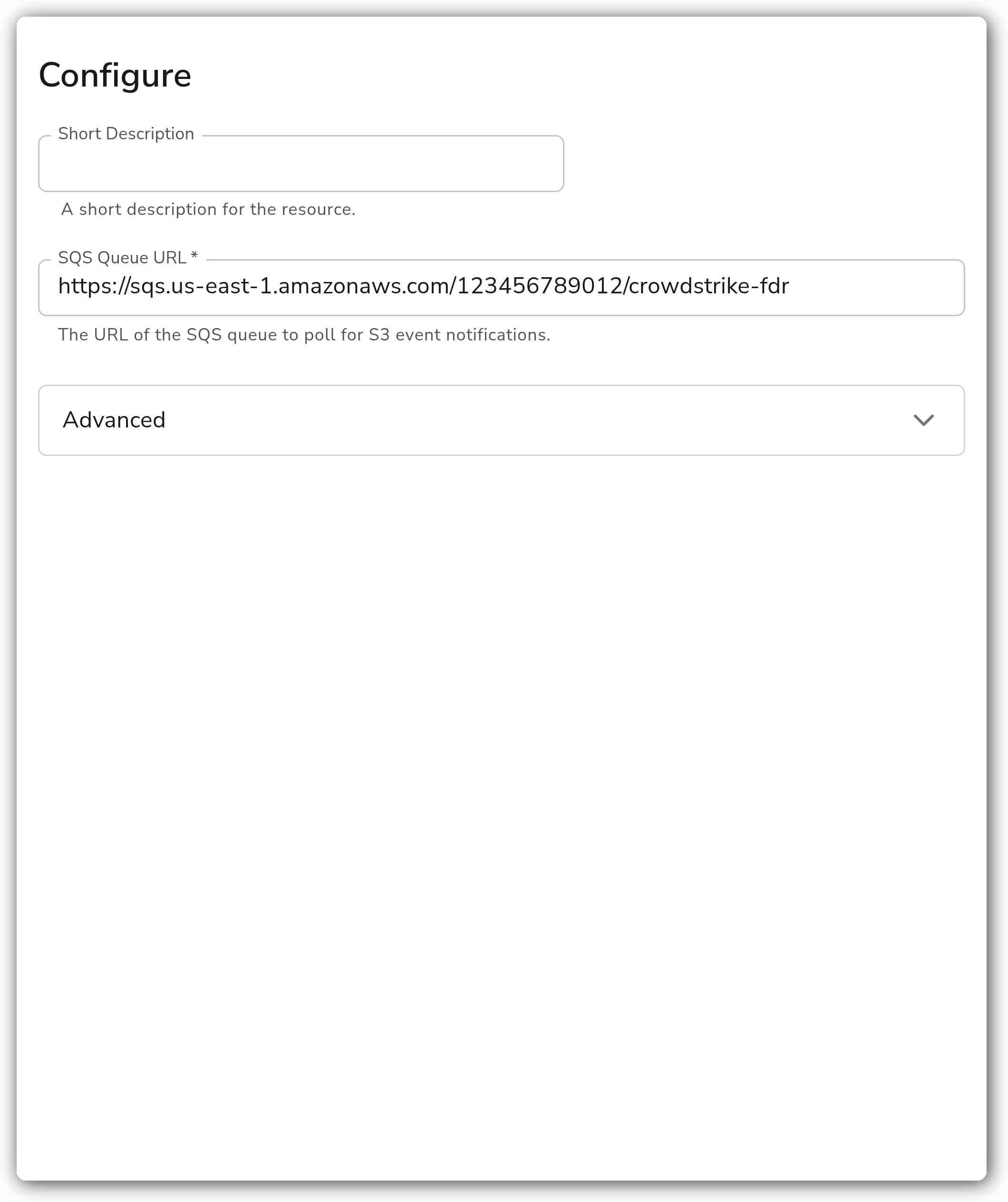
#### General
| Parameter | Type | Default | Description |
| ------------- | ------ | ------- | ---------------------------------------------------------------------- |
| SQS Queue URL | String | | The URL of the SQS queue to poll for S3 event notifications. Required. |
#### Advanced
| Parameter | Type | Default | Description |
| ---------------------- | ------- | ------- | -------------------------------------------------------------------------------------------- |
| Standard Poll Interval | Integer | `15` | The interval, in seconds, at which the SQS queue is polled for messages. |
| Maximum Poll Interval | Integer | `120` | The maximum interval, in seconds, at which the SQS queue is polled for messages. |
| Polling Backoff Factor | String | `2` | The factor by which the polling interval is multiplied after an unsuccessful poll. |
| Workers | Integer | `5` | The number of workers used to process events. |
| Visibility Timeout | Integer | `300` | How long, in seconds, messages received from the queue will be invisible to other consumers. |
### Example Configuration
#### Standalone Source
```yaml
apiVersion: bindplane.observiq.com/v1
kind: Source
metadata:
id: crowdstrike_fdr
name: crowdstrike_fdr
spec:
type: crowdstrike_fdr
parameters:
- name: sqs_queue_url
value: 'https://sqs.us-east-1.amazonaws.com/123456789012/crowdstrike-fdr'
- name: standard_poll_interval
value: '15'
- name: max_poll_interval
value: '120'
- name: workers
value: '5'
- name: visibility_timeout
value: '300'
```
### How It Works
1. The receiver polls the SQS queue for S3 event notifications.
2. When an object-created event (`s3:ObjectCreated:*`) is received, the receiver downloads the referenced S3 object.
3. The receiver reads the object into the body of a new log record.
4. Non-object-created events are ignored but removed from the queue.
5. If an S3 object is not found (404), the corresponding SQS message is preserved for retry later.
### Configuration Tips
#### SQS notifications and batching
* Configure S3 event notifications with `BatchSize: 1` so each SQS message contains a single S3 event. This keeps a failed object from forcing reprocessing of unrelated objects on retry.
* Set `visibility_timeout` longer than the worst-case time to download and process a single object, so a slow object is not redelivered to another worker while still being processed.
#### Polling and throughput
* `standard_poll_interval` and `max_poll_interval` bound how often the queue is polled. The interval grows by `polling_backoff_factor` after an unsuccessful poll, up to `max_poll_interval`, so an idle queue is polled less aggressively.
* Increase `workers` to process more objects concurrently when the queue backlog grows.
#### Kubernetes and OpenShift
* On Kubernetes Gateway and OpenShift Gateway collectors, run this source on a gateway (Deployment) collector rather than a node DaemonSet, since it pulls from a single SQS queue.
### Troubleshooting
**Symptom:** No logs arrive even though FDR is writing objects to S3. **Solution:** Confirm the SQS queue is receiving `s3:ObjectCreated:*` notifications for the FDR bucket and that `sqs_queue_url` matches that queue exactly. Verify the collector's IAM identity can poll and delete messages from the queue and read objects from the bucket.
**Symptom:** The same records are ingested more than once. **Solution:** Configure the S3 event notifications with `BatchSize: 1` and set `visibility_timeout` higher than the time required to process a single object. A short visibility timeout lets a message reappear and be processed again before the first worker finishes.
**Symptom:** Ingestion lags behind FDR's write rate. **Solution:** Increase `workers` to raise concurrency, and lower `standard_poll_interval` so the queue is polled more frequently. Check the SQS queue depth to confirm the backlog is shrinking.
### Related Resources
* [CrowdStrike Falcon Data Replicator](https://www.crowdstrike.com/en-us/resources/data-sheets/falcon-data-replicator/)
* [S3 Event source](/integrations/sources/aws-s3-event.md)
---
# Agent Instructions
This documentation is published with GitBook. GitBook is the documentation platform designed so that both humans and AI agents can read, navigate, and reason over technical content effectively. Learn more at gitbook.com.
## Querying This Documentation
If you need additional information that is not directly available in this page, you can query the documentation by asking a question.
Perform an HTTP GET request on the following URL with the `ask` and `goal` query parameters:
```
GET https://docs.bindplane.com/integrations/sources/crowdstrike-fdr.md?ask=&goal=
```
`ask` is the immediate question: it should be specific, self-contained, and written in natural language.
`goal` is what the user is ultimately trying to achieve, the reason they need the answer. Sharing it helps GitBook give you a better, more relevant answer. A goal is most helpful when it describes the outcome the user wants rather than restating the question. For example, with `ask=how do I create an API token`, a goal like `automate deployments from our CI pipeline` lets GitBook tailor the answer to that use case.
The response will contain a direct answer to the question and relevant excerpts and sources from the documentation.
Use this mechanism when the answer is not explicitly present in the current page, you need clarification or additional context, or you want to retrieve related documentation sections.