> For the complete documentation index, see [llms.txt](https://docs.bindplane.com/llms.txt). Markdown versions of documentation pages are available by appending `.md` to page URLs; this page is available as [Markdown](https://docs.bindplane.com/integrations/sources/kubernetes-cluster-events.md).
# Kubernetes Cluster Events
The Kubernetes Cluster Events source collects events from the Kubernetes API server and emits them as log records. It uses the OpenTelemetry [k8seventsreceiver](https://github.com/open-telemetry/opentelemetry-collector-contrib/tree/main/receiver/k8seventsreceiver), which continuously watches the API server for new and updated events. The configured cluster name is added to each record as the `k8s.cluster.name` resource attribute. The collector runs in-cluster as a Deployment and authenticates with the API server using its ServiceAccount.
### Supported Telemetry Types
| Platform | Metrics | Logs | Traces |
| ------------------ | ------- | ---- | ------ |
| Kubernetes Cluster | | ✓ | |
| OpenShift Cluster | | ✓ | |
### Prerequisites
This source runs in-cluster and reads events through the Kubernetes API server. The collector's ServiceAccount must be granted read access to events.
* A ServiceAccount for the collector Deployment.
* A ClusterRole granting `get`, `list`, and `watch` on the `events` resource in the core API group.
* A ClusterRoleBinding (or a namespace-scoped RoleBinding when watching specific namespaces) that binds the ClusterRole to the collector's ServiceAccount.
The receiver uses `auth_type: serviceAccount`, so no kubeconfig or static credentials are required. See the Kubernetes [Using RBAC Authorization](https://kubernetes.io/docs/reference/access-authn-authz/rbac/) guide for details.
### Configuration
**Logs**
| Parameter | Type | Required | Default | Description |
| ------------ | ------- | -------- | --------- | ---------------------------------------------------------------------------------- |
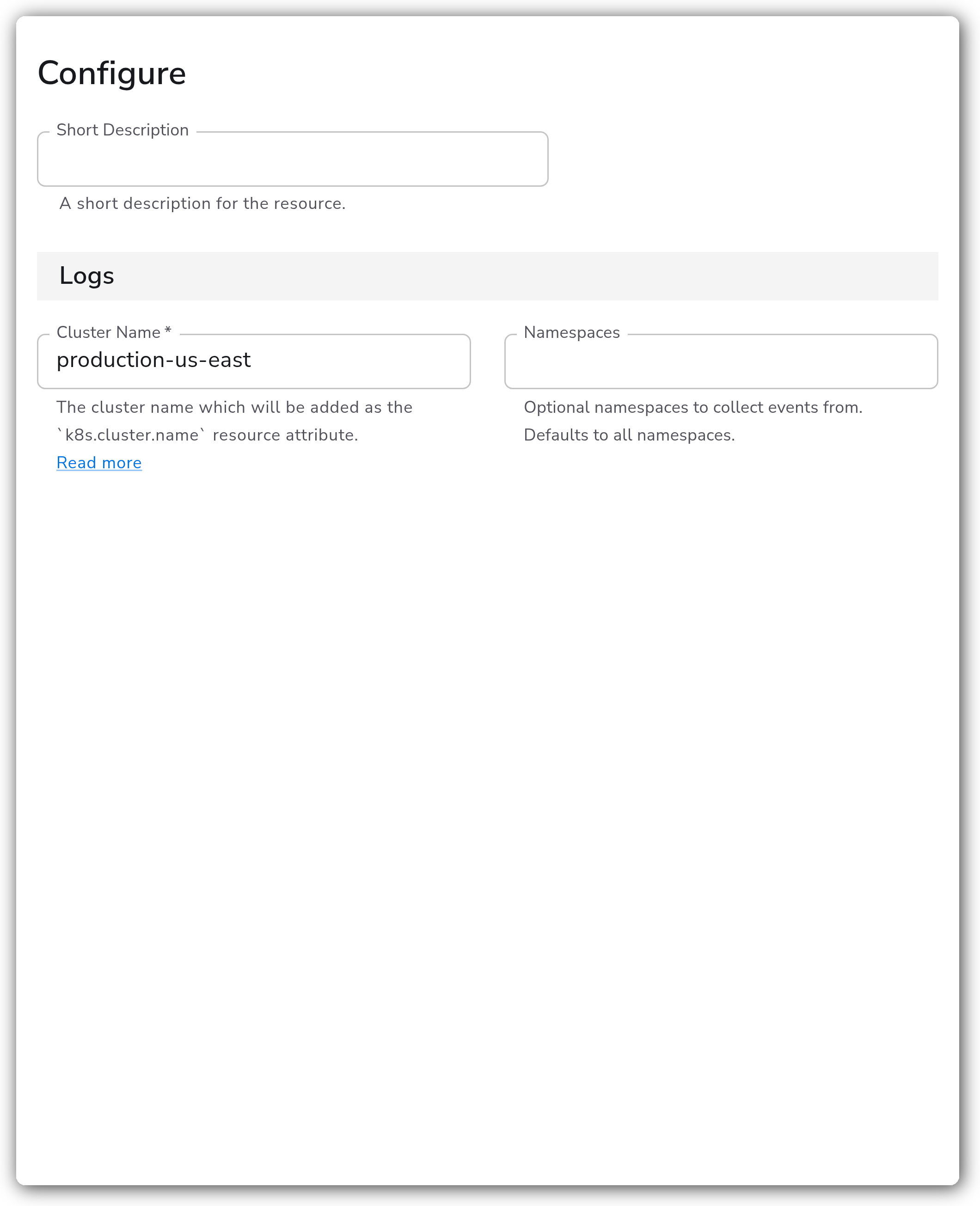
| Cluster Name | String | Yes | *(empty)* | The cluster name which will be added as the `k8s.cluster.name` resource attribute. |
| Namespaces | Strings | No | *(empty)* | Optional namespaces to collect events from. Defaults to all namespaces. |
### Examples
#### Grant the collector read access to events
The collector authenticates to the API server with its ServiceAccount. Apply a ClusterRole and ClusterRoleBinding granting read access to events, then reference the ServiceAccount from the collector Deployment.
```yaml
apiVersion: rbac.authorization.k8s.io/v1
kind: ClusterRole
metadata:
name: bindplane-agent-events
rules:
- apiGroups: [""]
resources: ["events"]
verbs: ["get", "list", "watch"]
---
apiVersion: rbac.authorization.k8s.io/v1
kind: ClusterRoleBinding
metadata:
name: bindplane-agent-events
roleRef:
apiGroup: rbac.authorization.k8s.io
kind: ClusterRole
name: bindplane-agent-events
subjects:
- kind: ServiceAccount
name: bindplane-agent
namespace: bindplane-agent
```
#### Collect events from specific namespaces only
To restrict collection, set the `Namespaces` parameter to the namespaces you want to watch. Leaving it empty watches all namespaces.
```yaml
apiVersion: bindplane.observiq.com/v1
kind: Source
metadata:
name: kubernetes-cluster-events
spec:
type: k8s_events
parameters:
- name: cluster_name
value: production-us-east
- name: namespaces
value:
- default
- kube-system
```
### Configuration Tips
* Set a meaningful `Cluster Name`. It is written as the `k8s.cluster.name` resource attribute and is how downstream destinations distinguish events from multiple clusters.
* Leave `Namespaces` empty to collect from every namespace. Populate it only when you need to narrow collection to specific namespaces.
* The receiver collects events as they arrive after the collector starts. It does not backfill events that occurred before startup.
### Troubleshooting
#### No events are collected
Symptoms: the source is configured but no event log records appear at the destination.
Solutions:
1. Confirm the collector Deployment references the ServiceAccount that is bound to the events ClusterRole.
2. If `Namespaces` is set, verify the events you expect are occurring in those namespaces. Clear the field to collect from all namespaces.
#### RBAC "forbidden" errors in the collector logs
Symptoms: collector logs show `events is forbidden` or `cannot list/watch resource "events"`.
Solutions:
1. Verify the ClusterRole grants `get`, `list`, and `watch` on `events` in the core API group (`apiGroups: [""]`).
2. Confirm the ClusterRoleBinding (or RoleBinding) binds that ClusterRole to the collector's ServiceAccount in the correct namespace.
### Standalone Source
```yaml
apiVersion: bindplane.observiq.com/v1
kind: Source
metadata:
name: kubernetes-cluster-events
spec:
type: k8s_events
parameters:
- name: cluster_name
value: production-us-east
- name: namespaces
value: []
```
### Related Resources
* [OpenTelemetry Kubernetes Events Receiver (k8seventsreceiver)](https://github.com/open-telemetry/opentelemetry-collector-contrib/tree/main/receiver/k8seventsreceiver)
* [Kubernetes — Using RBAC Authorization](https://kubernetes.io/docs/reference/access-authn-authz/rbac/)
---
# Agent Instructions
This documentation is published with GitBook. GitBook is the documentation platform designed so that both humans and AI agents can read, navigate, and reason over technical content effectively. Learn more at gitbook.com.
## Querying This Documentation
If you need additional information that is not directly available in this page, you can query the documentation by asking a question.
Perform an HTTP GET request on the following URL with the `ask` and `goal` query parameters:
```
GET https://docs.bindplane.com/integrations/sources/kubernetes-cluster-events.md?ask=&goal=
```
`ask` is the immediate question: it should be specific, self-contained, and written in natural language.
`goal` is what the user is ultimately trying to achieve, the reason they need the answer. Sharing it helps GitBook give you a better, more relevant answer. A goal is most helpful when it describes the outcome the user wants rather than restating the question. For example, with `ask=how do I create an API token`, a goal like `automate deployments from our CI pipeline` lets GitBook tailor the answer to that use case.
The response will contain a direct answer to the question and relevant excerpts and sources from the documentation.
Use this mechanism when the answer is not explicitly present in the current page, you need clarification or additional context, or you want to retrieve related documentation sections.