> For the complete documentation index, see [llms.txt](https://docs.bindplane.com/llms.txt). Markdown versions of documentation pages are available by appending `.md` to page URLs; this page is available as [Markdown](https://docs.bindplane.com/integrations/processors/unroll.md).
# Unroll
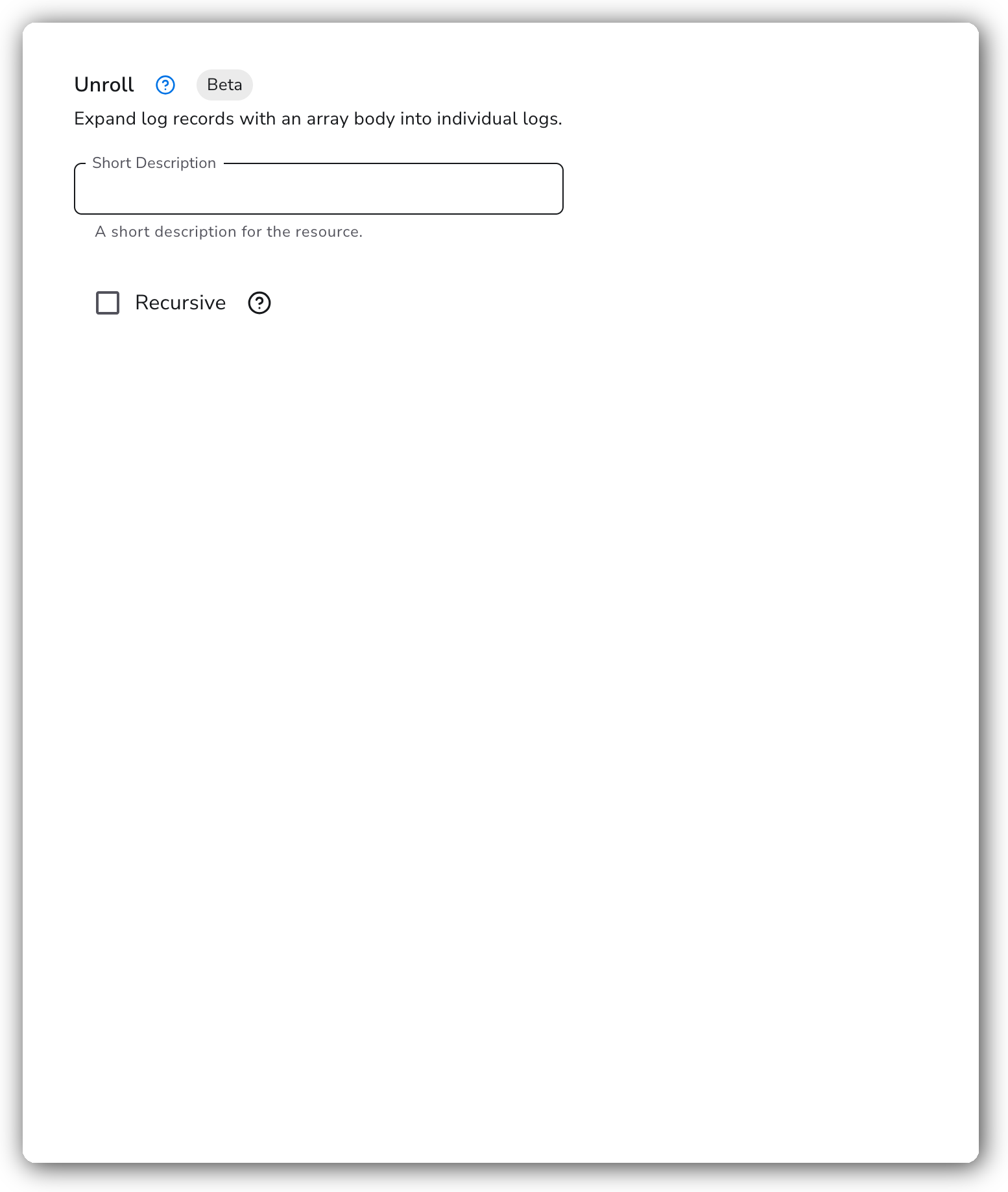
The Unroll processor operates on log records whose `body` field is a list (array). It expands the record into multiple log records, one per element in the array, while preserving the original timestamp, attributes, and resource attributes. It runs on logs only.
### Supported Telemetry Types
| Platform | Metrics | Logs | Traces |
| ----------------------- | ------- | ---- | ------ |
| Linux | | ✓ | |
| Windows | | ✓ | |
| macOS | | ✓ | |
| Kubernetes Node | | ✓ | |
| Kubernetes Cluster | | ✓ | |
| Kubernetes Gateway | | ✓ | |
| OpenShift Node | | ✓ | |
| OpenShift Cluster | | ✓ | |
| OpenShift Gateway | | ✓ | |
| Google SecOps Pipelines | | ✓ | |
### Configuration
The Unroll processor processes any log record whose `body` is an array, expanding each element into its own record. Records whose body is not an array pass through unchanged.
| Parameter | Type | Required | Default | Description |
| --------- | ------- | -------- | ------- | ------------------------------------------------------------------------------------------------------------------------------------------------------------------------------------------------------------------------------------------------------------------------------------ |
| Recursive | Boolean | No | `false` | Recursively unroll nested arrays until no array values remain. When disabled, only the top-level array is unrolled and any nested array elements are emitted as-is. When enabled, an element that is itself an array is unrolled again, repeating until no record has an array body. |
### Examples
#### Unroll an array body into separate log records
Given a single log record with an array body:
```
body: ['a', 'b', 'c']
```
the processor emits three log records, each carrying one element as its body (`a`, `b`, `c`). Each new record keeps the original record's timestamp, attributes, and resource attributes.
Add the processor to a logs pipeline with the default settings:
```yaml
apiVersion: bindplane.observiq.com/v1
kind: Processor
metadata:
name: unroll
spec:
type: unroll
parameters:
- name: recursive
value: false
```
#### Unroll nested arrays recursively
By default only the top-level array is unrolled, so a nested array is emitted as a single record whose body is still an array. Given:
```
body: ['a', ['b', 'c'], 'd']
```
with `recursive: false` the processor emits three records with bodies `a`, `['b', 'c']`, and `d` — the second record still holds an array. With `recursive: true` the processor keeps unrolling nested arrays until no array bodies remain, emitting four records with bodies `a`, `b`, `c`, and `d`.
```yaml
apiVersion: bindplane.observiq.com/v1
kind: Processor
metadata:
name: unroll
spec:
type: unroll
parameters:
- name: recursive
value: true
```
### Configuration Tips
* The processor only acts on records whose `body` is an array. Records with a scalar or map body are left untouched.
* Expanding a large array multiplies the log record count, which increases downstream processing and storage. A record that expands into many entries can also cause UI rendering slowdowns when previewing the pipeline. Apply it where the array is bounded, or pair it with a filter to drop unwanted elements.
* Enable `recursive` only when the body contains nested arrays that you want flattened completely. With deeply nested data, recursive unrolling multiplies the record count at every level, so bound the input where you can.
* To produce array bodies in the first place (for example by splitting a field), pair Unroll with a Transform processor upstream.
### Troubleshooting
#### Records pass through unchanged
Symptoms: the log count does not increase after the processor runs.
Solutions:
1. Confirm the `body` field is actually an array. A scalar or map body is left as-is.
2. Check that earlier processors in the pipeline have not already flattened or replaced the array body.
#### UI preview is slow or unresponsive
Symptoms: the pipeline preview hangs or renders slowly after adding the processor.
Solutions:
1. A record expanding into a very large number of entries can overwhelm the UI preview. Test against a smaller sample, or bound the array size upstream before unrolling.
### Standalone Processor
```yaml
apiVersion: bindplane.observiq.com/v1
kind: Processor
metadata:
name: unroll
spec:
type: unroll
parameters:
- name: recursive
value: false
```
### Related Resources
* [Unroll Processor — OpenTelemetry Collector Contrib](https://github.com/open-telemetry/opentelemetry-collector-contrib/blob/main/processor/unrollprocessor/README.md)
* [Transform processor](/integrations/processors/transform.md)
---
# Agent Instructions
This documentation is published with GitBook. GitBook is the documentation platform designed so that both humans and AI agents can read, navigate, and reason over technical content effectively. Learn more at gitbook.com.
## Querying This Documentation
If you need additional information that is not directly available in this page, you can query the documentation by asking a question.
Perform an HTTP GET request on the following URL with the `ask` and `goal` query parameters:
```
GET https://docs.bindplane.com/integrations/processors/unroll.md?ask=&goal=
```
`ask` is the immediate question: it should be specific, self-contained, and written in natural language.
`goal` is what the user is ultimately trying to achieve, the reason they need the answer. Sharing it helps GitBook give you a better, more relevant answer. A goal is most helpful when it describes the outcome the user wants rather than restating the question. For example, with `ask=how do I create an API token`, a goal like `automate deployments from our CI pipeline` lets GitBook tailor the answer to that use case.
The response will contain a direct answer to the question and relevant excerpts and sources from the documentation.
Use this mechanism when the answer is not explicitly present in the current page, you need clarification or additional context, or you want to retrieve related documentation sections.