> For the complete documentation index, see [llms.txt](https://docs.bindplane.com/llms.txt). Markdown versions of documentation pages are available by appending `.md` to page URLs; this page is available as [Markdown](https://docs.bindplane.com/integrations/processors/resource-detection.md).
# Resource Detection
Detects resource information from the host or a cloud provider and attaches it as resource attributes on your telemetry. Pick one or more detectors (for example `system`, `ec2`, `gcp`, `consul`, `k8s_api`); each contributes the attributes it knows how to discover. When detectors share an attribute, the order in the Detectors list decides precedence: the first detector to set an attribute wins unless Override Resource Attributes is enabled.
### Supported Telemetry Types
| Platform | Metrics | Logs | Traces |
| ------------------ | ------- | ---- | ------ |
| Linux | ✓ | ✓ | ✓ |
| Windows | ✓ | ✓ | ✓ |
| macOS | ✓ | ✓ | ✓ |
| AIX | ✓ | ✓ | ✓ |
| Kubernetes Node | ✓ | ✓ | ✓ |
| Kubernetes Cluster | ✓ | ✓ | ✓ |
| Kubernetes Gateway | ✓ | ✓ | ✓ |
| OpenShift Node | ✓ | ✓ | ✓ |
| OpenShift Cluster | ✓ | ✓ | ✓ |
| OpenShift Gateway | ✓ | ✓ | ✓ |
The same configuration applies to all three signals. One processor instance enriches logs, metrics, and traces alike; there is no per-signal selector.
### Configuration
#### Basic Configuration
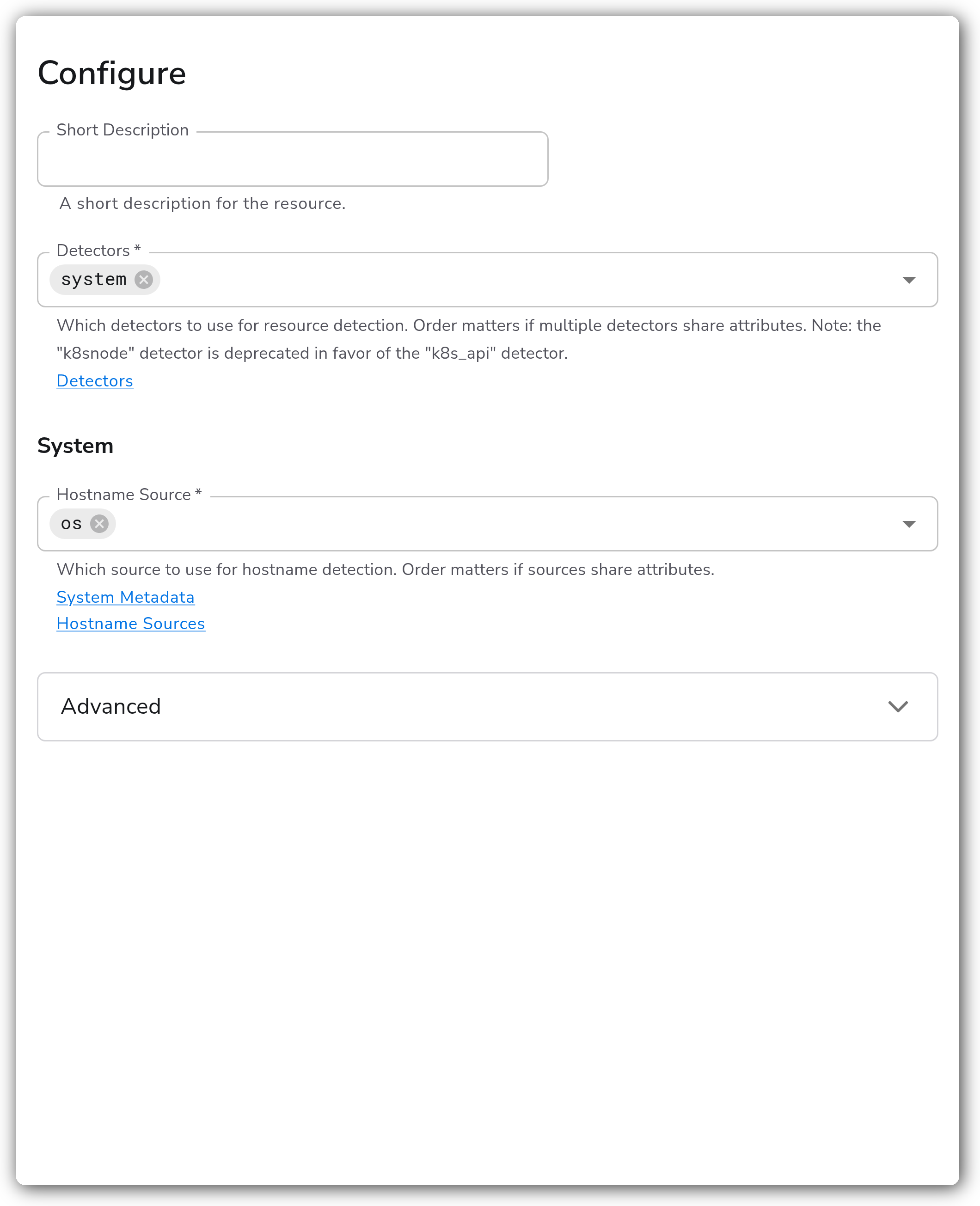
**Detectors**
| Parameter | Type | Required | Default | Description |
| --------- | ----------------------------------------------------------------------------------------------------- | -------- | ------- | ------------------------------------------------------------------------------------------------------------------------------------------------------------------------ |
| Detectors | Ordered List: aks, azure, consul, dynatrace, ec2, eks, env, gcp, k8s\_api, k8snode, openshift, system | Yes | system | Which detectors to use for resource detection. Order matters when multiple detectors set the same attribute. The `k8snode` detector is deprecated in favor of `k8s_api`. |
**System**
| Parameter | Type | Required | Default | Description |
| --------------- | ------------------------------------ | -------- | ------- | -------------------------------------------------------------------------------------------------------------------------------- |
| Hostname Source | Ordered List: os, dns, cname, lookup | Yes | os | Source used to detect the system hostname. Order matters when sources set the same attribute. Applies when `system` is selected. |
**EC2**
| Parameter | Type | Required | Default | Description |
| --------- | ------- | -------- | --------- | -------------------------------------------------------------------------------------------------------------------------------------------------- |
| EC2 Tags | Strings | No | *(empty)* | List of regular expressions matched against EC2 instance tag keys; matching tags are added as resource attributes. Applies when `ec2` is selected. |
**Consul**
| Parameter | Type | Required | Default | Description |
| --------------------- | ----------------------------- | -------- | --------- | --------------------------------------------------------------------------------------------------------------------------------------------------------------------------------------------- |
| Consul Address | String | No | *(empty)* | Address of the Consul server. If unset, the `CONSUL_HTTP_ADDR` environment variable is used when present. Applies when `consul` is selected. |
| Consul Authentication | Enum: None, Token, Token File | No | None | Authentication type for Consul. One of Token or Token File is required if Consul's ACL system is enabled. Applies when `consul` is selected. |
| Consul Token | String | No | *(empty)* | Per-request ACL token that overrides the agent's default token. If unset, `CONSUL_HTTP_TOKEN` is used when present. Applies when Consul Authentication is Token. Stored as a sensitive value. |
| Consul Token File | String | No | *(empty)* | File containing the token to use for this client, read once at startup. If unset, `CONSUL_HTTP_TOKEN_FILE` is used when present. Applies when Consul Authentication is Token File. |
**K8s Node**
| Parameter | Type | Required | Default | Description |
| ----------------------------- | ------ | -------- | ---------------- | -------------------------------------------------------------------------------------------------------------------------------- |
| K8s Node Environment Variable | String | No | KUBE\_NODE\_NAME | Environment variable holding the node name to retrieve metadata for. Applies when the deprecated `k8snode` detector is selected. |
**K8s API**
| Parameter | Type | Required | Default | Description |
| --------------------------------- | ------ | -------- | ---------------- | -------------------------------------------------------------------------------------------------------- |
| K8s API Node Environment Variable | String | No | KUBE\_NODE\_NAME | Environment variable holding the node name to retrieve metadata for. Applies when `k8s_api` is selected. |
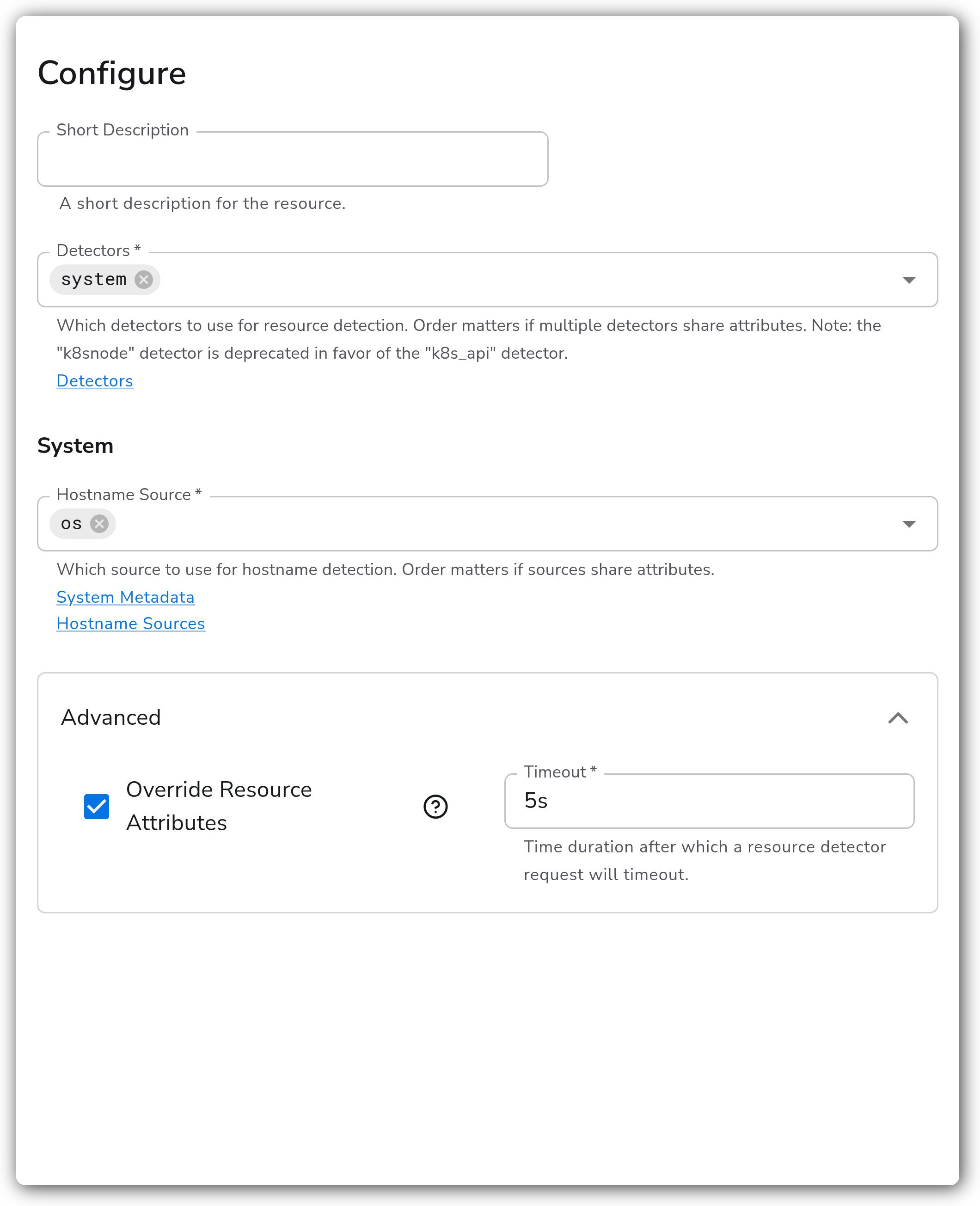
**Advanced**
| Parameter | Type | Required | Default | Description |
| ---------------------------- | -------- | -------- | --------- | ----------------------------------------------------------------------------------------------------------------------------------------- |
| Override Resource Attributes | Boolean | Yes | false | Whether detected resource attributes should overwrite existing ones. When false, an attribute already set on the telemetry is kept. |
| Timeout | Duration | Yes | 2s | Time after which a resource detector request times out. |
| Consul Datacenter | String | No | *(empty)* | Optional Consul datacenter to use. If not provided, the default agent datacenter is used. Applies when `consul` is selected. |
| Consul Namespace | String | No | *(empty)* | Optional namespace attached to each Consul request. If unset, `CONSUL_NAMESPACE` is used when present. Applies when `consul` is selected. |
| Consul Metadata Labels | Map | No | *(empty)* | Allowlist of Consul metadata keys to use as resource attributes. Applies when `consul` is selected. |
**Supported detectors**
| Detector | Detects |
| ----------- | -------------------------------------------------------------------- |
| `system` | Host name, OS, and architecture from the local machine. |
| `ec2` | Amazon EC2 instance metadata. |
| `eks` | Amazon EKS cluster metadata. |
| `gcp` | Google Cloud metadata, including GCE and GKE. |
| `aks` | Azure Kubernetes Service metadata. |
| `azure` | Azure virtual machine metadata. |
| `consul` | Node metadata from a HashiCorp Consul agent. |
| `dynatrace` | Dynatrace host metadata. |
| `env` | Attributes from the `OTEL_RESOURCE_ATTRIBUTES` environment variable. |
| `k8s_api` | Kubernetes node metadata via the Kubernetes API server. |
| `k8snode` | Kubernetes node metadata (deprecated; use `k8s_api`). |
| `openshift` | OpenShift cluster metadata. |
### Examples
#### Detect EC2 instance attributes
Select the `ec2` detector to attach Amazon EC2 instance metadata (instance ID, type, region, availability zone) as resource attributes on every signal flowing through the pipeline. Leave Override Resource Attributes off so any attributes you already set upstream are preserved. To also bring in instance tags, add regular expressions under EC2 Tags that match the tag keys you want, for example `^env$` and `^team$`.
#### Detect the GCP environment
The `env` detector reads resource attributes from the `OTEL_RESOURCE_ATTRIBUTES` environment variable on the collector host, with no additional configuration. The expected format is a comma-separated list of `key=value` pairs, for example:
```
OTEL_RESOURCE_ATTRIBUTES=service.name=cart,service.namespace=shop
```
#### Override detected attributes with a tighter timeout
This example exercises the advanced parameters. With Override Resource Attributes set to `true`, the `system` detector's values replace any host attributes already present on the telemetry instead of yielding to them. Timeout is lowered to `5s` so a slow or unreachable metadata endpoint fails fast rather than stalling the pipeline.
### Configuration Tips
* Detector order is precedence order. When two detectors set the same attribute, the one listed first wins unless Override Resource Attributes is enabled.
* Keep Override Resource Attributes off if upstream stages (or other processors) already set authoritative resource attributes you want to protect.
* Use `k8s_api` rather than the deprecated `k8snode` detector for Kubernetes node metadata.
### Troubleshooting
#### No resource attributes are added
Symptoms: telemetry passes through unchanged and the expected resource attributes are missing.
Solutions:
1. Confirm the chosen detector can reach its metadata source from the collector host (for example, the EC2 metadata endpoint, the Consul agent, or the Kubernetes API server).
2. If attributes are present but not the detected ones, enable Override Resource Attributes so detection overwrites the existing values.
#### Detector requests time out
Symptoms: startup is slow or logs report a resource detector timing out.
Solutions:
1. Verify network access to the detector's metadata endpoint.
2. Raise Timeout if the endpoint is reachable but slow; lower it if you would rather fail fast and continue without the attributes.
### Standalone Processor
```yaml
apiVersion: bindplane.observiq.com/v1
kind: Processor
metadata:
name: resource-detection
spec:
type: resource_detection_v2
parameters:
- name: detectors
value:
- system
- name: system_hostname_source
value:
- os
- name: override
value: true
- name: timeout
value: 5s
```
### Related Resources
* [Resource Detection Processor — supported detectors](https://github.com/open-telemetry/opentelemetry-collector-contrib/blob/main/processor/resourcedetectionprocessor/README.md#supported-detectors)
* [Consul ACL tokens](https://developer.hashicorp.com/consul/docs/security/acl)
### Bindplane Resources
* [Add Fields](/integrations/processors/add-fields.md)
* [Delete Fields](/integrations/processors/delete-fields.md)
* [Rename Fields](/integrations/processors/rename-fields.md)
---
# Agent Instructions
This documentation is published with GitBook. GitBook is the documentation platform designed so that both humans and AI agents can read, navigate, and reason over technical content effectively. Learn more at gitbook.com.
## Querying This Documentation
If you need additional information that is not directly available in this page, you can query the documentation by asking a question.
Perform an HTTP GET request on the following URL with the `ask` and `goal` query parameters:
```
GET https://docs.bindplane.com/integrations/processors/resource-detection.md?ask=&goal=
```
`ask` is the immediate question: it should be specific, self-contained, and written in natural language.
`goal` is what the user is ultimately trying to achieve, the reason they need the answer. Sharing it helps GitBook give you a better, more relevant answer. A goal is most helpful when it describes the outcome the user wants rather than restating the question. For example, with `ask=how do I create an API token`, a goal like `automate deployments from our CI pipeline` lets GitBook tailor the answer to that use case.
The response will contain a direct answer to the question and relevant excerpts and sources from the documentation.
Use this mechanism when the answer is not explicitly present in the current page, you need clarification or additional context, or you want to retrieve related documentation sections.