> For the complete documentation index, see [llms.txt](https://docs.bindplane.com/llms.txt). Markdown versions of documentation pages are available by appending `.md` to page URLs; this page is available as [Markdown](https://docs.bindplane.com/integrations/processors/batch.md).
# Batch
Accepts spans, metric data points, and log records and places them into batches before they are exported. Batching improves compression and reduces the number of outgoing connections needed to transmit data. This processor batches on both a size trigger and a time trigger, applying to all three signal types in the pipeline.
### Supported Telemetry Types
| Platform | Metrics | Logs | Traces |
| ------------------ | ------- | ---- | ------ |
| Linux | ✓ | ✓ | ✓ |
| Windows | ✓ | ✓ | ✓ |
| macOS | ✓ | ✓ | ✓ |
| AIX | ✓ | ✓ | ✓ |
| Kubernetes Node | ✓ | ✓ | ✓ |
| Kubernetes Cluster | ✓ | ✓ | ✓ |
| Kubernetes Gateway | ✓ | ✓ | ✓ |
| OpenShift Node | ✓ | ✓ | ✓ |
| OpenShift Cluster | ✓ | ✓ | ✓ |
| OpenShift Gateway | ✓ | ✓ | ✓ |
### Configuration
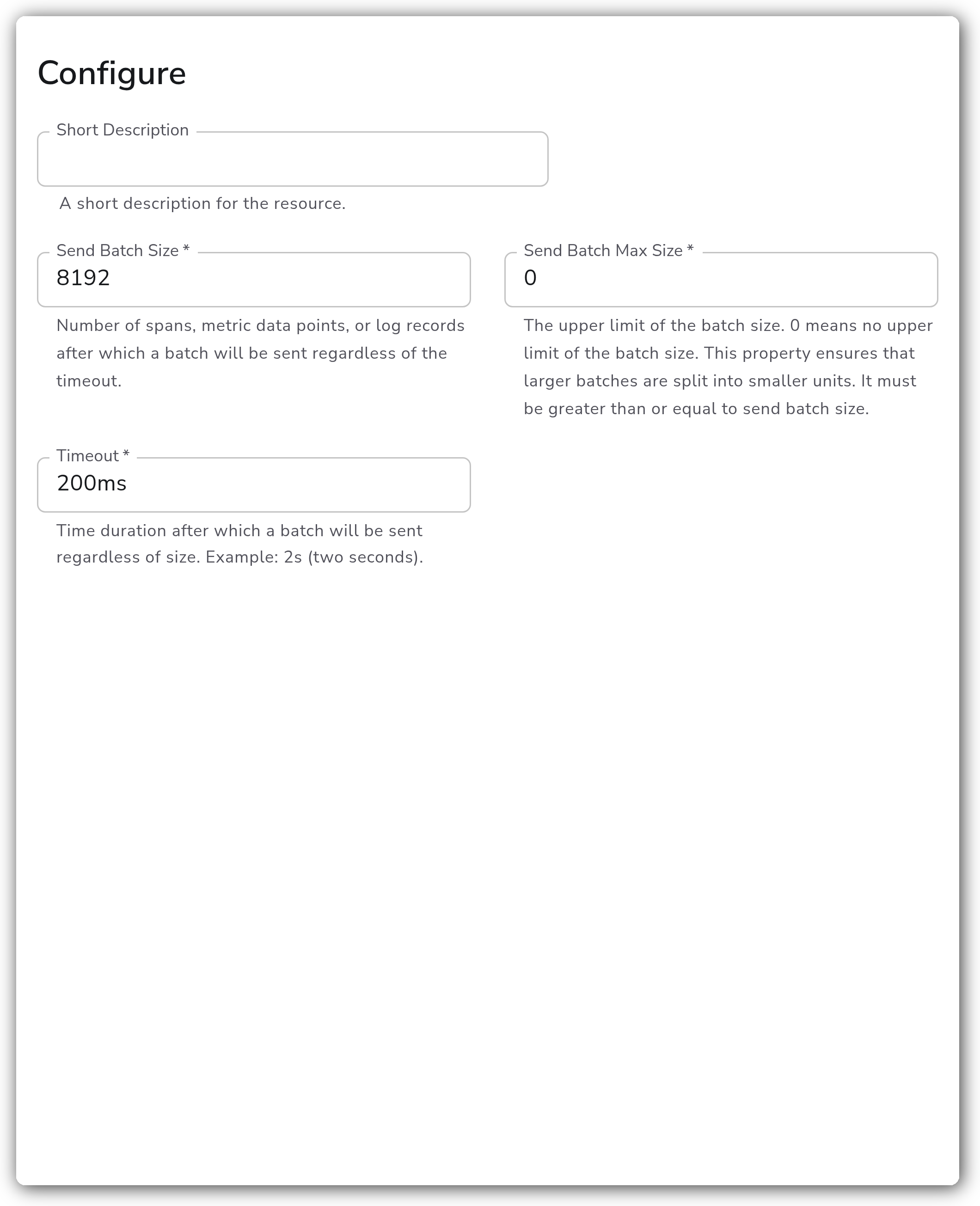
**Batch settings**
| Parameter | Type | Required | Default | Description |
| ------------------- | -------- | -------- | ------- | --------------------------------------------------------------------------------------------------------------------------------------------------------------------------------------- |
| Send Batch Size | Integer | Yes | 8192 | Number of spans, metric data points, or log records after which a batch will be sent regardless of the timeout. |
| Send Batch Max Size | Integer | Yes | 0 | The upper limit of the batch size. 0 means no upper limit. This property ensures that larger batches are split into smaller units. It must be greater than or equal to Send Batch Size. |
| Timeout | Duration | Yes | 200ms | Time duration after which a batch will be sent regardless of size. Example: `2s` (two seconds). |
### Examples
#### Batch on size with a two-second timeout
Send batches of 200 records, split anything larger than 1000, and flush whatever has accumulated after two seconds:
```yaml
apiVersion: bindplane.observiq.com/v1
kind: Processor
metadata:
name: batch
spec:
type: batch
parameters:
- name: send_batch_size
value: 200
- name: send_batch_max_size
value: 1000
- name: timeout
value: 2s
```
With these settings a batch is emitted as soon as 200 records accumulate, no batch ever exceeds 1000 records, and any partial batch is flushed after two seconds of inactivity.
### Configuration Tips
* Place the Batch processor as the last processor in a pipeline, immediately before the destination, so it batches the final shape of the telemetry.
* Set Send Batch Max Size to bound payload size for destinations that reject large requests. Leaving it at 0 means batches are only bounded by Send Batch Size and may grow when Send Batch Size is high.
* A lower Timeout sends data sooner at the cost of smaller, more frequent batches. A higher Timeout favors larger batches and better compression at the cost of added latency.
### Troubleshooting
#### Data arrives at the destination with high latency
Symptoms: records take longer than expected to reach the destination under low throughput.
Solutions:
1. Lower Timeout so partial batches flush sooner when traffic is light.
2. Lower Send Batch Size if you are waiting on the size trigger before the timeout fires.
#### Destination rejects requests as too large
Symptoms: the destination returns payload-too-large or request-size errors.
Solutions:
1. Set Send Batch Max Size to a value the destination accepts so oversized batches are split before export.
2. Confirm Send Batch Max Size is greater than or equal to Send Batch Size; a max size below the send size is invalid.
### Standalone Processor
```yaml
apiVersion: bindplane.observiq.com/v1
kind: Processor
metadata:
name: batch
spec:
type: batch
parameters:
- name: send_batch_size
value: 8192
- name: send_batch_max_size
value: 0
- name: timeout
value: 200ms
```
### Related Resources
* [Batch Processor — OpenTelemetry Collector reference](https://github.com/open-telemetry/opentelemetry-collector/blob/main/processor/batchprocessor/README.md)
---
# Agent Instructions
This documentation is published with GitBook. GitBook is the documentation platform designed so that both humans and AI agents can read, navigate, and reason over technical content effectively. Learn more at gitbook.com.
## Querying This Documentation
If you need additional information that is not directly available in this page, you can query the documentation by asking a question.
Perform an HTTP GET request on the following URL with the `ask` and `goal` query parameters:
```
GET https://docs.bindplane.com/integrations/processors/batch.md?ask=&goal=
```
`ask` is the immediate question: it should be specific, self-contained, and written in natural language.
`goal` is what the user is ultimately trying to achieve, the reason they need the answer. Sharing it helps GitBook give you a better, more relevant answer. A goal is most helpful when it describes the outcome the user wants rather than restating the question. For example, with `ask=how do I create an API token`, a goal like `automate deployments from our CI pipeline` lets GitBook tailor the answer to that use case.
The response will contain a direct answer to the question and relevant excerpts and sources from the documentation.
Use this mechanism when the answer is not explicitly present in the current page, you need clarification or additional context, or you want to retrieve related documentation sections.