Display Options

Display Options allow you to customize how your telemetry pipeline is visualized in the configuration editor.

Overview
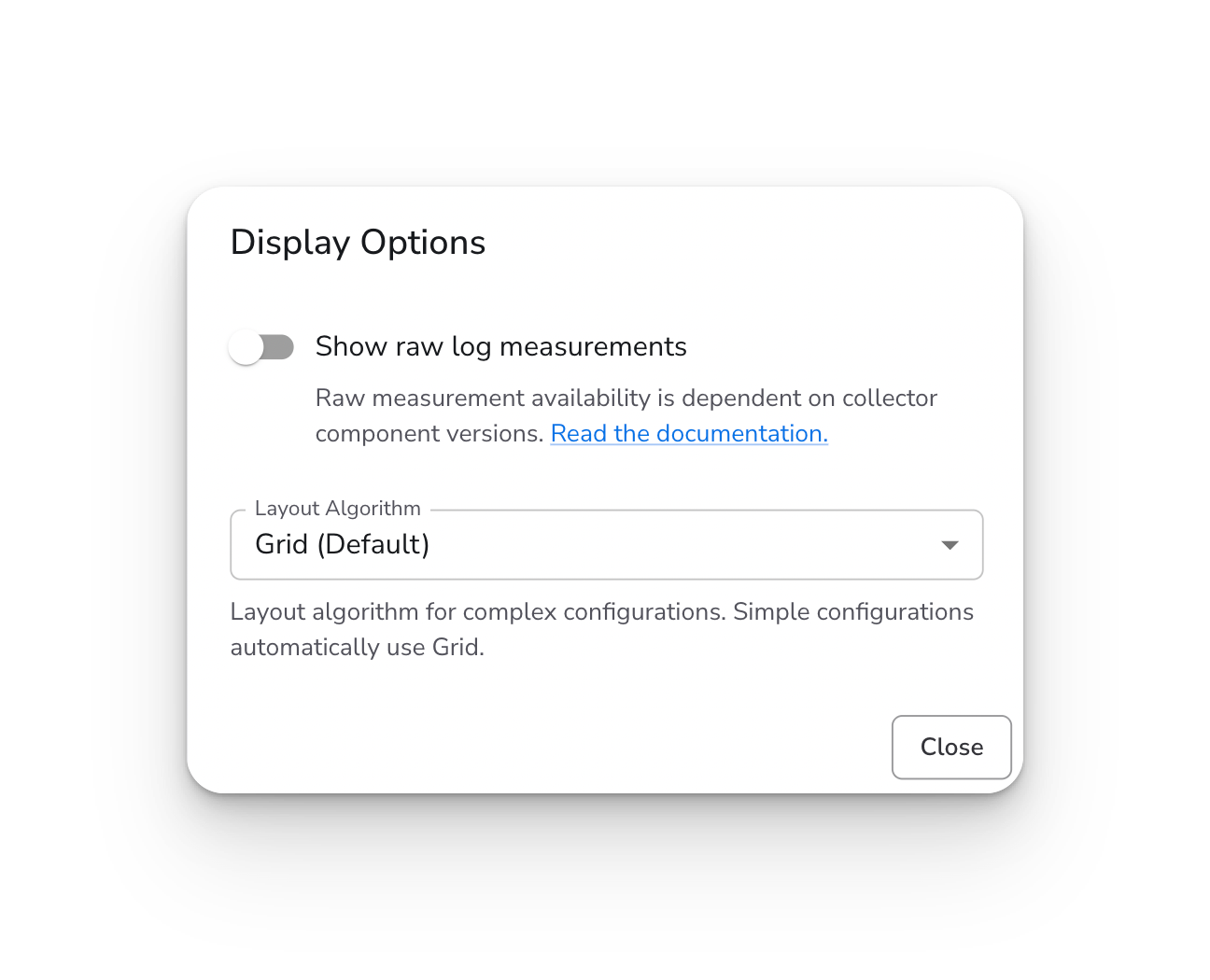
The Display Options dialog currently provides two settings:

  • Show raw log measurements - Display raw byte throughput values on source and destination cards

  • Layout Algorithm - Choose between Grid and ELK layouts for arranging pipeline components (v2 configurations only)

The Display Options dialog with raw log measurements toggle and layout algorithm selector.

Accessing Display Options

  1. Go to Configurations and select a configuration

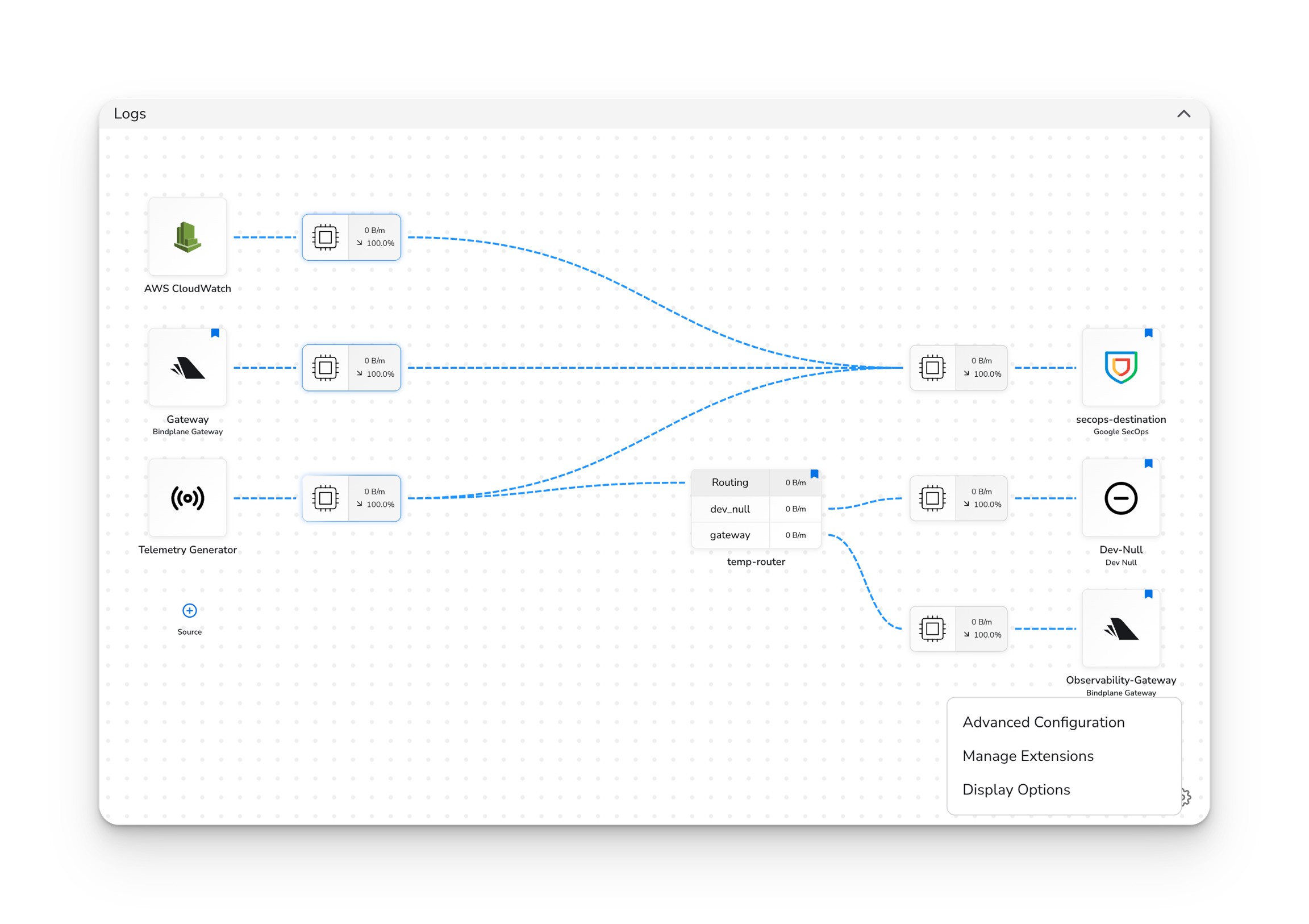
  2. Click the Settings (gear icon) in the pipeline graph controls

  3. Select Display Options

Click the Settings icon in the pipeline graph controls to access Display Options.

Raw Log Measurements

Displays raw byte throughput values on source and destination cards in the pipeline graph.

Prerequisites

  • Collectors running component versions that support raw byte measurements. See Telemetry Measurements for additional information.

Overview

When enabled, you'll see Raw: [value] at the bottom of each source and destination card. This shows the actual data volume before OTLP conversion.

This is useful for:

  • Monitoring actual ingestion volumes

  • Comparing raw data size vs. processed OTLP size

  • Identifying high-volume sources at a glance

Persistence

This setting applies globally across all configurations.

Note: Raw measurement availability depends on your collector component versions. See Telemetry Measurements for supported versions.


Layout Algorithm

Choose how the pipeline graph arranges your sources, processors, and destinations.

Prerequisites

  • A v2 configuration

  • At least 2 sources and at least 2 destinations (for ELK to take effect)

Options

  • Grid (Default): A structured grid layout. Best for simple configurations.

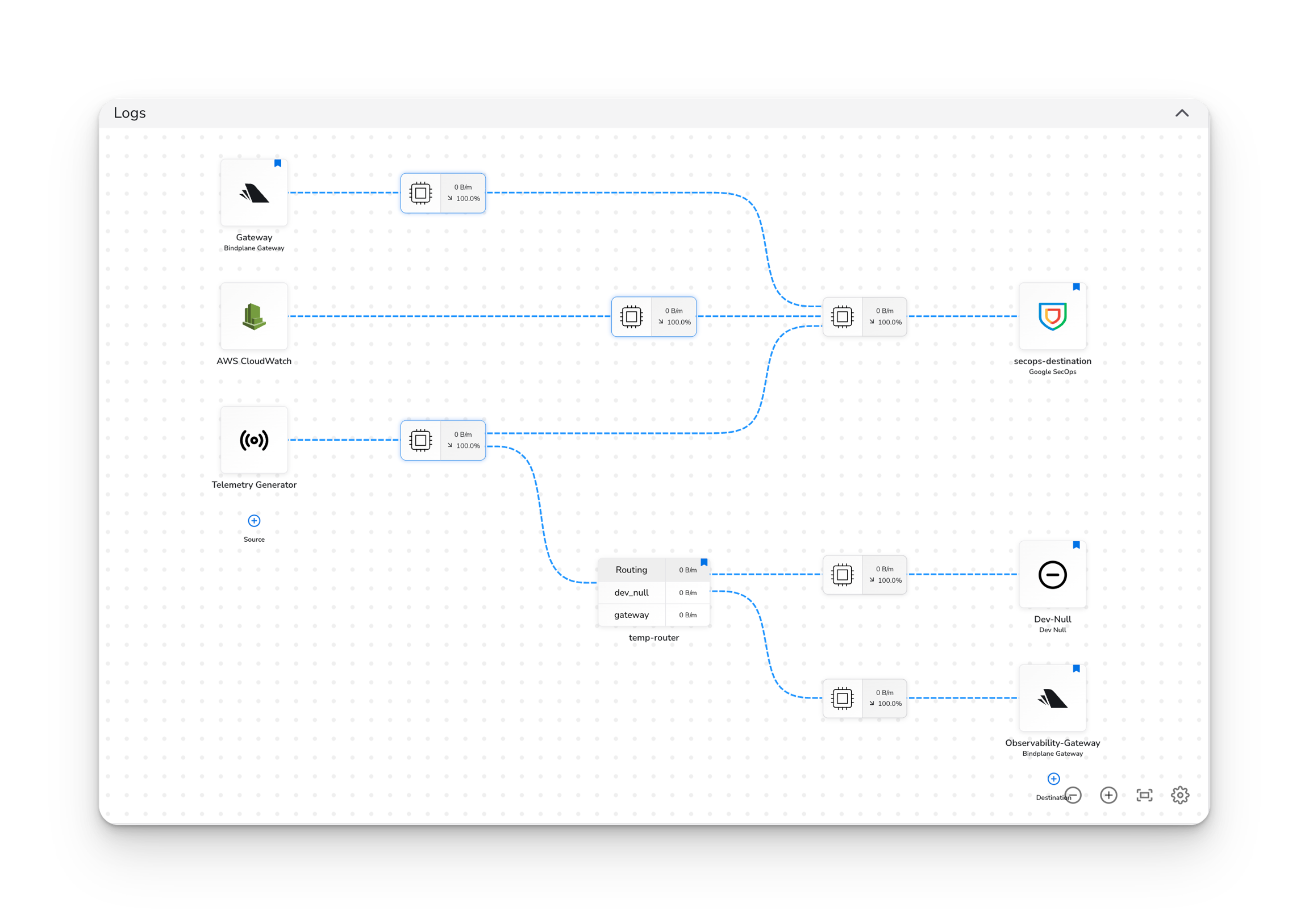
  • ELK (Beta): An automatic layout algorithm that intelligently arranges complex configurations with many components or intricate routing.

Requirements for ELK

The ELK algorithm only takes effect when your configuration has:

  • 2 or more sources, and

  • 2 or more destinations

If your configuration has fewer than 2 sources or fewer than 2 destinations, the Grid layout is used automatically regardless of this setting.

Persistence

This setting is saved per-configuration. Each configuration remembers its own layout preference.

ELK layout enabled for a configuration with 2 or more sources and 2 or more destinations.

Last updated

Was this helpful?