# Collect Sysmon Logs with Windows Event Source
This guide shows how to collect Sysmon logs using the **Windows Event** source in Bindplane. [Sysmon (System Monitor)](https://learn.microsoft.com/en-us/sysinternals/downloads/sysmon) is a Windows system service and driver that logs detailed security-relevant events, like process creation, network connections, file activity, etc., into a dedicated Windows Event Log channel.
### Prerequisites
* Bindplane collector version supporting the Windows Event source
* Administrative privileges on the Windows host
* Sysmon installed and running
{% hint style="info" %}
**NOTE**
Sysmon is not installed on Windows by default and must be downloaded, installed, and configured explicitly. The volume of events can be high depending on your Sysmon configuration, so start conservatively.
{% endhint %}
### About Sysmon logging
Sysmon runs as a driver that starts at boot and writes events to a single Windows Event Log channel:
```
Microsoft-Windows-Sysmon/Operational
```
All relevant Sysmon events, identified by their Event IDs, are written to this Operational channel. What gets logged and how frequently is controlled entirely by the Sysmon configuration file. For more information, see [Microsoft's documentation here](https://learn.microsoft.com/en-us/sysinternals/downloads/sysmon).
### Steps
1. **Create or edit a configuration** in Bindplane.
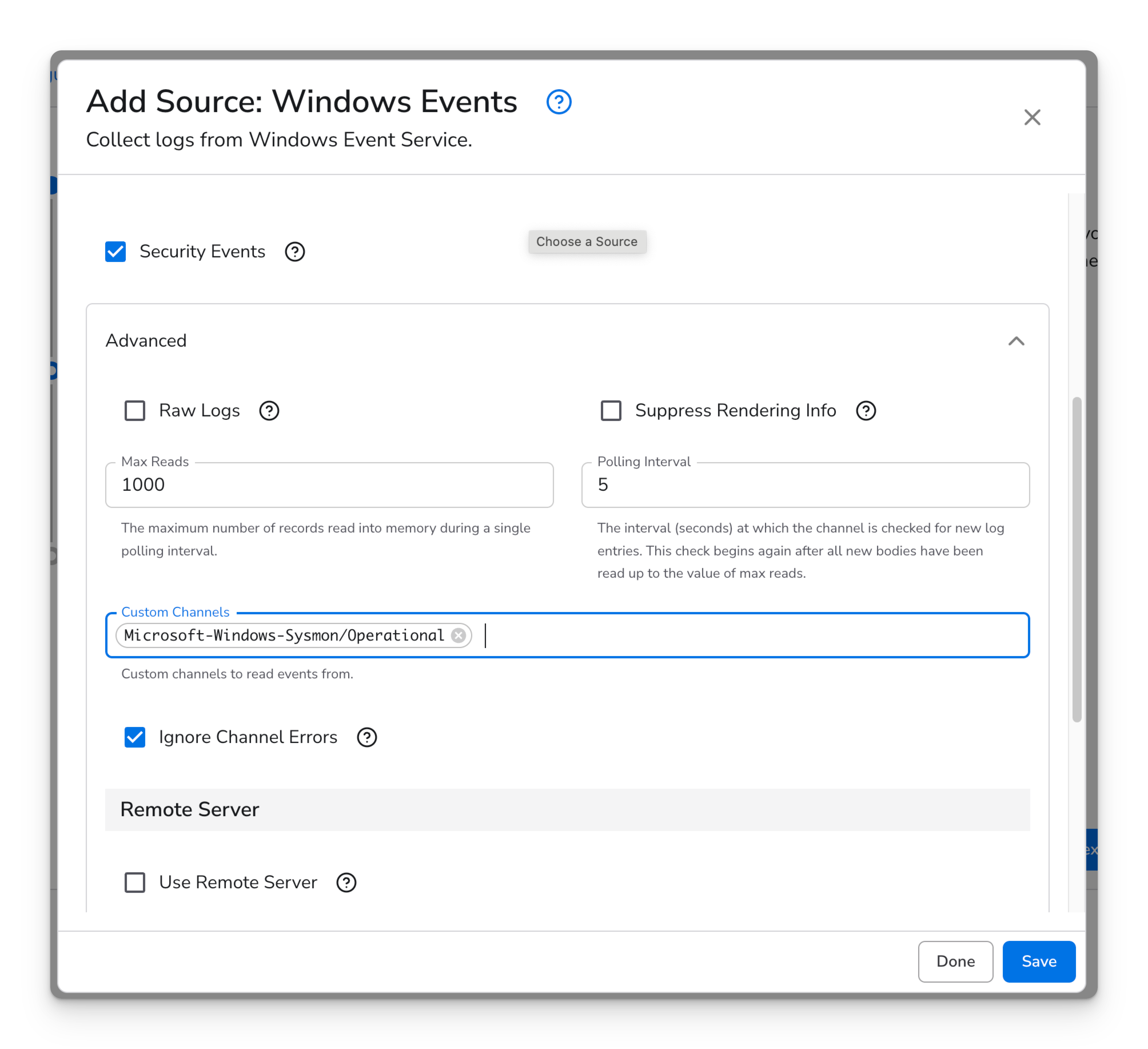
2. **Add Source** and select **Windows Event**.
3. In Advanced options, add the Sysmon channel to **Custom Channels**:
1. ```
Microsoft-Windows-Sysmon/Operational
```
4. Configure other fields as needed. The defaults typically work for most environments.
5. **Save** the configuration and apply it to a collector running in Windows.
6. **Roll out** the configuration. Once the collector loads the new config, Sysmon events will appear in your destination platform.
### Sending Sysmon logs to Google SecOps
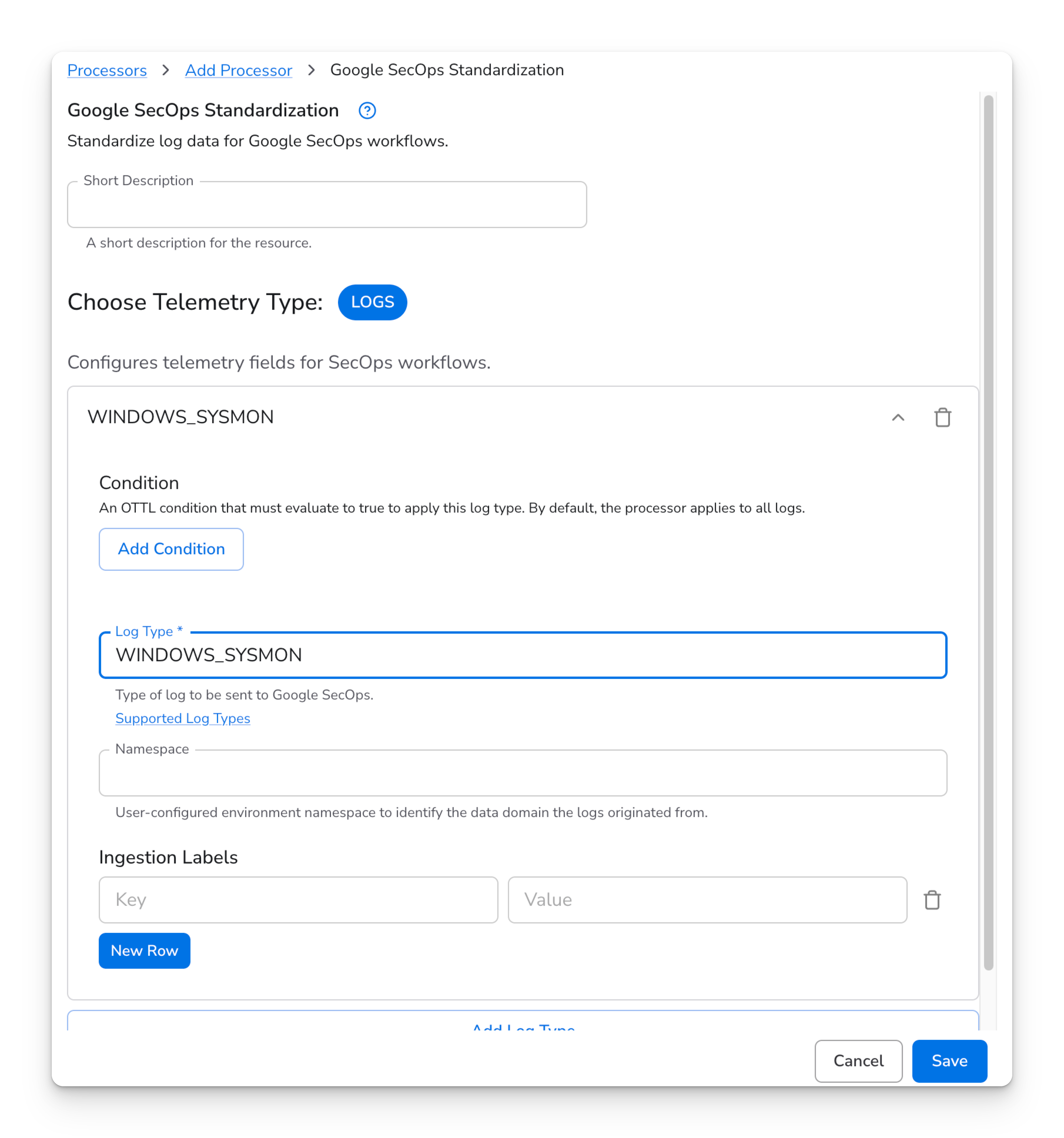
When sending Sysmon logs to Google SecOps, make sure the log type is set correctly so the data is normalized and detected as expected.
In the Google SecOps Standardization processor, set the Log Type to `WINDOWS_SYSMON`.
### Troubleshooting
If logs are not appearing:
* Verify the event channel. Confirm `Microsoft-Windows-Sysmon/Operational` exists and contains events in Event Viewer.
* Check collector permissions. The collector service account must be able to read from the Sysmon channel.
* Review collector logs. Look for Windows Event subscription or access errors.
For more details on the source fields, see the [Windows Event source documentation](https://docs.bindplane.com/how-to-guides/broken-reference).