> For the complete documentation index, see [llms.txt](https://docs.bindplane.com/llms.txt). Markdown versions of documentation pages are available by appending `.md` to page URLs; this page is available as [Markdown](https://docs.bindplane.com/how-to-guides/cloud-and-platform-integrations/send-claude-code-telemetry-to-bindplane.md).
# Send Claude Code Telemetry to Bindplane
Configure Claude Code to export OpenTelemetry metrics and logs to Bindplane via the OTLP source for centralized usage, cost, and activity monitoring.
[Claude Code](https://code.claude.com/docs/en/monitoring-usage) exports OpenTelemetry metrics and events to any OTLP endpoint — covering per-session API cost, token counts, and tool-use activity. Routing that data through Bindplane lets you forward it to any backend you already use (Datadog, Splunk, a SIEM, or anything else) and monitor usage across your entire team from one place, without each developer configuring their own export target.
## Prerequisites
Network access from the host running Claude Code to the collector's OTLP ports:
* `4317` for gRPC
* `4318` for HTTP
{% hint style="info" %}
If the collector runs in Kubernetes, use the in-cluster service DNS names instead of a hostname. See the Kubernetes section below.
{% endhint %}
## Step 1: Configure the Bindplane Configuration
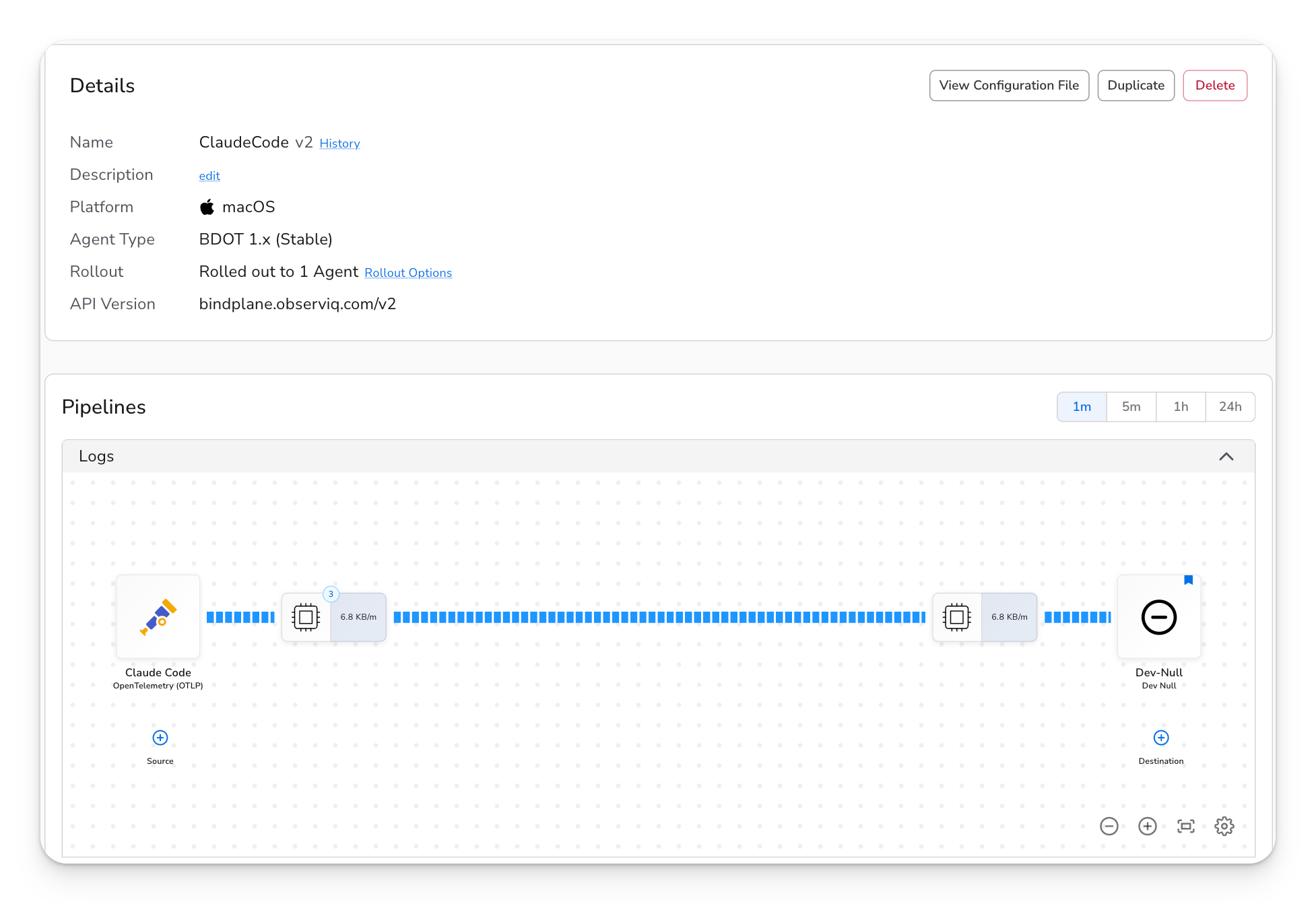
1. Open an existing Bindplane configuration or create a new one.
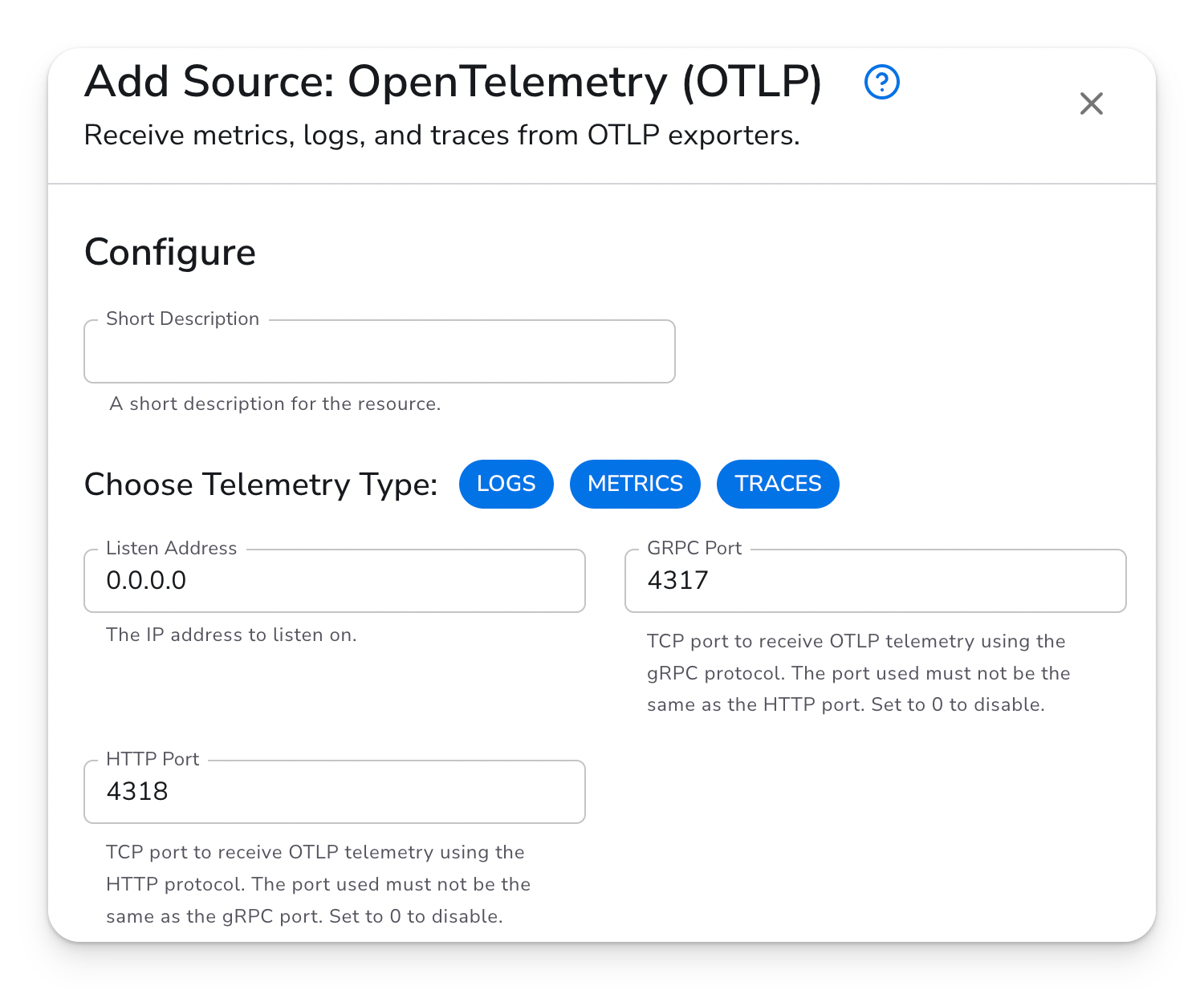
2. Add the **OpenTelemetry (OTLP)** source. It listens on port 4317 (gRPC) and 4318 (HTTP) on all interfaces by default. Enable TLS if your environment requires it — see the [OTLP source documentation](/integrations/sources/opentelemetry-otlp.md) for options.
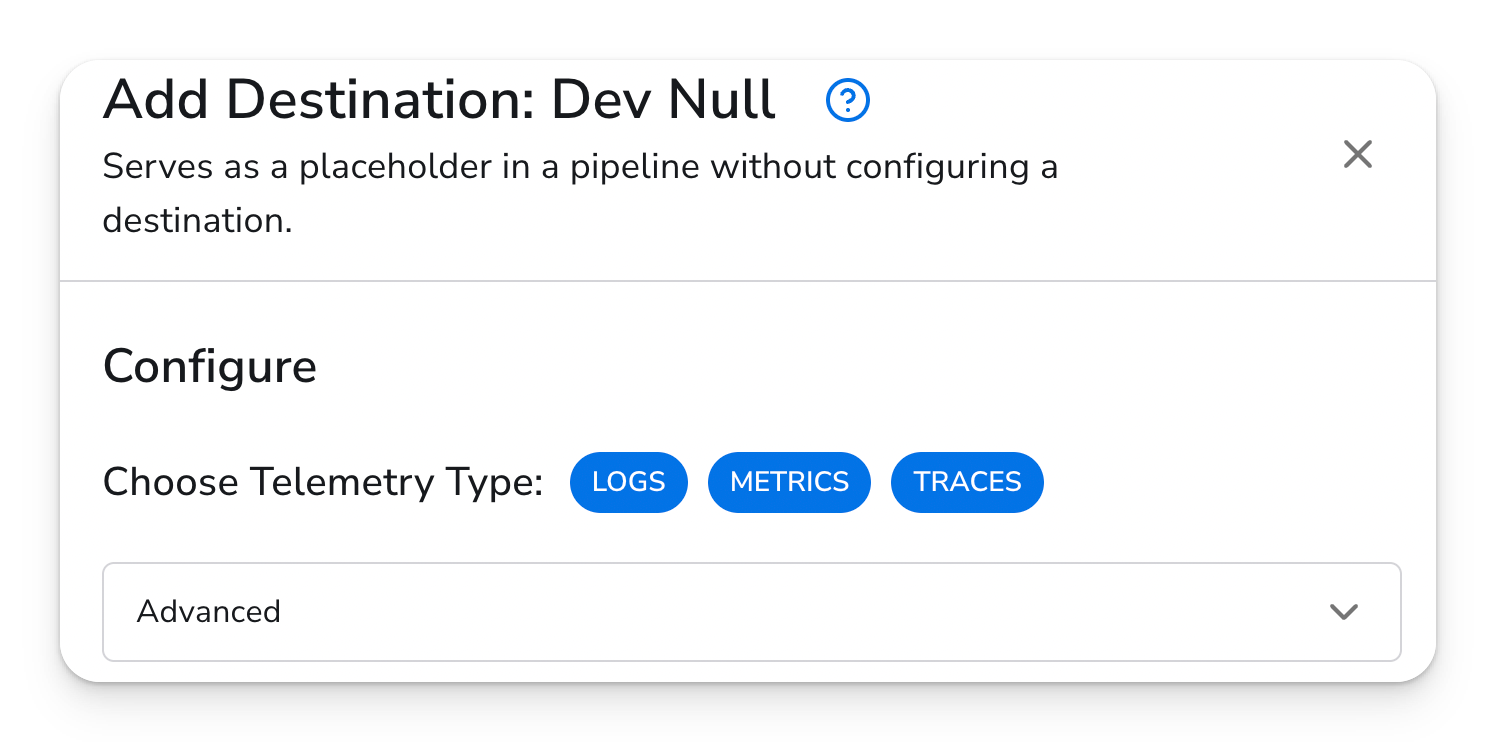
3. Add a destination. Any logging or metrics backend works. If you just want to confirm data is flowing, the **Dev Null** destination writes telemetry to `/dev/null` and is the simplest option for initial testing.
4. Roll out the configuration to the collector(s) that will receive Claude Code telemetry.
5. Note the collector's hostname or IP — you'll need it in the next step (for example, `collector.example.com` or `localhost` if you're running the collector locally).
## Step 2: Enable telemetry in Claude Code
Set these environment variables before running `claude`. Replace `` with your collector's hostname or IP.
#### OTLP GRPC
```bash
export CLAUDE_CODE_ENABLE_TELEMETRY=1
export OTEL_METRICS_EXPORTER=otlp
export OTEL_LOGS_EXPORTER=otlp
export OTEL_EXPORTER_OTLP_PROTOCOL=grpc
export OTEL_EXPORTER_OTLP_ENDPOINT=http://:4317
```
#### OTLP HTTP
```bash
export CLAUDE_CODE_ENABLE_TELEMETRY=1
export OTEL_METRICS_EXPORTER=otlp
export OTEL_LOGS_EXPORTER=otlp
export OTEL_EXPORTER_OTLP_PROTOCOL=http/protobuf
export OTEL_EXPORTER_OTLP_ENDPOINT=http://:4318
```
#### Run Claude
Then run `claude` in the same shell session.
```
claude
```
### Make it permanent
Exporting variables each session gets old fast. Add them to your shell profile so they apply automatically:
```bash
# Add to ~/.zshrc or ~/.bashrc
export CLAUDE_CODE_ENABLE_TELEMETRY=1
export OTEL_METRICS_EXPORTER=otlp
export OTEL_LOGS_EXPORTER=otlp
export OTEL_EXPORTER_OTLP_PROTOCOL=grpc
export OTEL_EXPORTER_OTLP_ENDPOINT=http://:4317
```
Alternatively, create a `.env` file in your project directory and load it with `source .env` or a tool like [`direnv`](https://direnv.net/).
### Authentication
If your OTLP endpoint requires a header (for example, an API key), set `OTEL_EXPORTER_OTLP_HEADERS`:
```bash
export OTEL_EXPORTER_OTLP_HEADERS="Authorization=Bearer your-token"
```
For mutual TLS, the Claude Code monitoring docs cover the client cert and key variables.
### Organization-wide rollout
Administrators can configure these variables in the [managed settings file](https://code.claude.com/docs/en/monitoring-usage#administrator-configuration) so that all users automatically send telemetry to Bindplane without any per-developer setup.
## Step 3: Verify data is flowing
The first metric export happens after `OTEL_METRIC_EXPORT_INTERVAL` milliseconds (default: 60,000 ms — one minute). Start a Claude Code session, run a prompt or two, then wait for the interval to pass before checking.
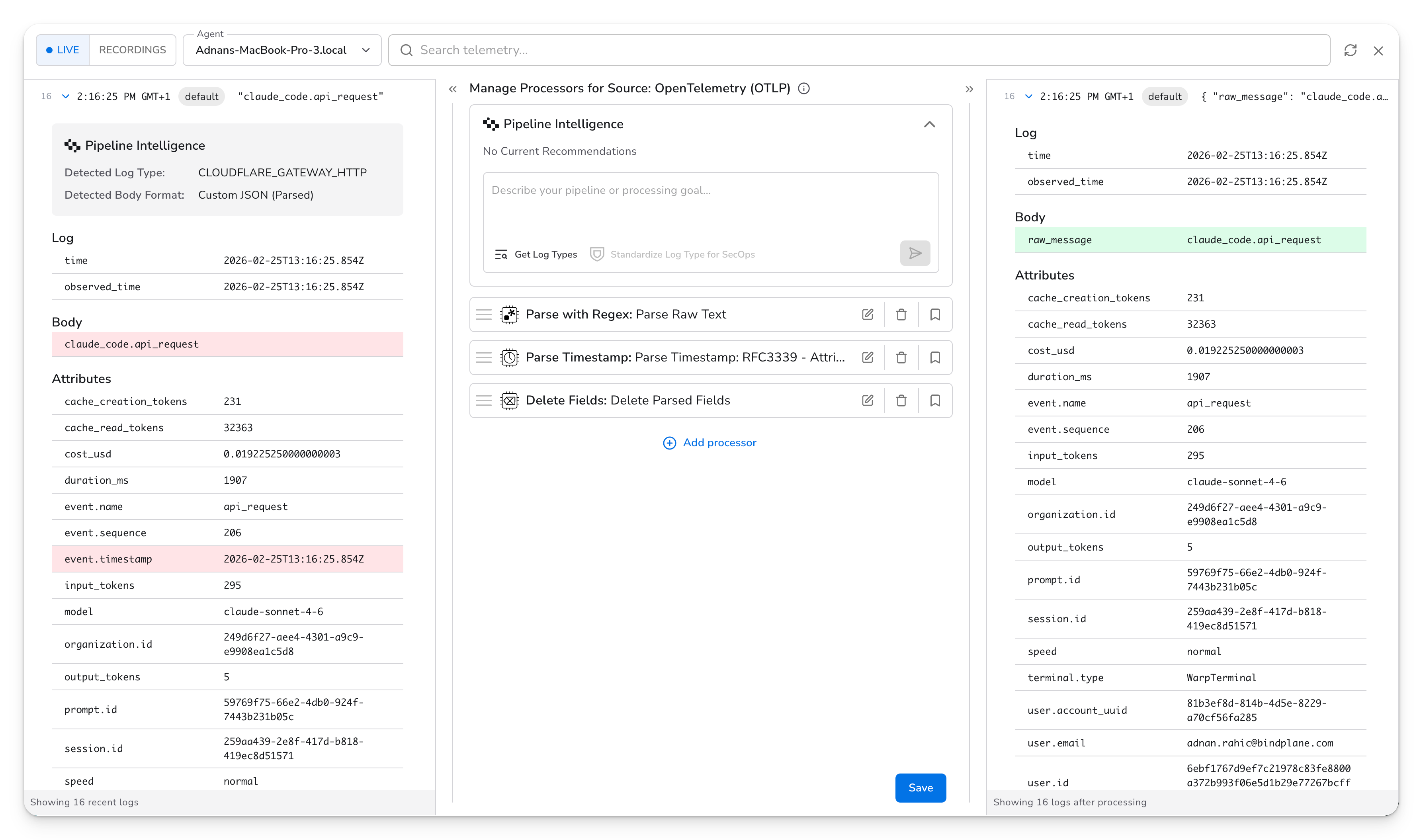
To verify in Bindplane, open the configuration and click a **Processor Node** in the Configuration.
Look for telemetry with the attribute `service.name=claude-code`. That attribute is present on every record Claude Code exports, so it's the fastest way to confirm the right data is coming in.
### Key metrics and events
| Signal | Name | What it represents |
| ----------- | --------------------------------- | --------------------------------------------------------------- |
| Metric | `claude_code.cost.usage` | Per-session API cost |
| Metric | `claude_code.token.usage` | Input, output, and cache token counts (labeled by `token.type`) |
| Metric | `claude_code.session.count` | Number of sessions started |
| Metric | `claude_code.lines_of_code.count` | Lines of code added or removed |
| Event (log) | `claude_code.api_request` | Each request sent to the Claude API |
| Event (log) | `claude_code.user_prompt` | Each prompt submitted by the user |
| Event (log) | `claude_code.tool_result` | Result returned from a tool call |
For the complete list, see [Claude Code's monitoring documentation](https://code.claude.com/docs/en/monitoring-usage#available-metrics-and-events).
## Troubleshooting
**No data after waiting 60+ seconds**
Check that `CLAUDE_CODE_ENABLE_TELEMETRY=1` is set in the same shell where you run `claude` — a variable exported in a different terminal won't carry over. Confirm the endpoint value matches the collector's address, and verify the collector is reachable:
```bash
curl http://:4318/
```
A connection error here means the collector is not reachable, not that telemetry is missing.
**Connection refused**
The collector process may not be running, or a firewall is blocking the port. Confirm the collector is up and that inbound traffic on 4317 or 4318 is allowed from the host running Claude Code.
**Wrong protocol error**
gRPC (port 4317) and HTTP/protobuf (port 4318) are not interchangeable. If you're using port 4318, you must also set `OTEL_EXPORTER_OTLP_PROTOCOL=http/protobuf`. Leaving the protocol as `grpc` while pointing at 4318 (or vice versa) will produce connection or serialization errors.
## Kubernetes
If the Bindplane collector runs inside the cluster, use the in-cluster service DNS name as the endpoint. Claude Code (or the workload running it) must be able to reach the service — either from within the same cluster or via appropriate network policy.
**Gateway collector:**
| Protocol | Service type | Endpoint |
| -------- | ------------------ | ------------------------------------------------------------------------- |
| gRPC | clusterIP | `bindplane-gateway-agent.bindplane-agent.svc.cluster.local:4317` |
| gRPC | headless clusterIP | `bindplane-gateway-agent-headless.bindplane-agent.svc.cluster.local:4317` |
| HTTP | clusterIP | `http://bindplane-gateway-agent.bindplane-agent.svc.cluster.local:4318` |
**Node (DaemonSet) collector:**
| Protocol | Service type | Endpoint |
| -------- | ------------------ | ---------------------------------------------------------------------- |
| gRPC | clusterIP | `bindplane-node-agent.bindplane-agent.svc.cluster.local:4317` |
| gRPC | headless clusterIP | `bindplane-node-agent-headless.bindplane-agent.svc.cluster.local:4317` |
| HTTP | clusterIP | `http://bindplane-node-agent.bindplane-agent.svc.cluster.local:4318` |
If DaemonSet resource consumption is a concern, prefer the Gateway collector — it scales independently of cluster size.
## Security and privacy
Tool events can include bash commands and file paths in `tool_parameters`. If your commands or paths may contain secrets, configure your telemetry backend or a Bindplane processor to filter or redact `tool_parameters` before the data reaches its destination.
By default, user prompt content and MCP/skill names are not included in telemetry — only prompt length is recorded. To include full prompt content or detailed tool parameters, set `OTEL_LOG_USER_PROMPTS=1` and/or `OTEL_LOG_TOOL_DETAILS=1`. Only enable these when you have a specific need and understand the data that will be exported.
See the [Security and privacy](https://code.claude.com/docs/en/monitoring-usage#security-and-privacy) section in Claude's monitoring docs for the full details.
---
# Agent Instructions
This documentation is published with GitBook. GitBook is the documentation platform designed so that both humans and AI agents can read, navigate, and reason over technical content effectively. Learn more at gitbook.com.
## Querying This Documentation
If you need additional information that is not directly available in this page, you can query the documentation by asking a question.
Perform an HTTP GET request on the following URL with the `ask` and `goal` query parameters:
```
GET https://docs.bindplane.com/how-to-guides/cloud-and-platform-integrations/send-claude-code-telemetry-to-bindplane.md?ask=&goal=
```
`ask` is the immediate question: it should be specific, self-contained, and written in natural language.
`goal` is what the user is ultimately trying to achieve, the reason they need the answer. Sharing it helps GitBook give you a better, more relevant answer. A goal is most helpful when it describes the outcome the user wants rather than restating the question. For example, with `ask=how do I create an API token`, a goal like `automate deployments from our CI pipeline` lets GitBook tailor the answer to that use case.
The response will contain a direct answer to the question and relevant excerpts and sources from the documentation.
Use this mechanism when the answer is not explicitly present in the current page, you need clarification or additional context, or you want to retrieve related documentation sections.