> For the complete documentation index, see [llms.txt](https://docs.bindplane.com/llms.txt). Markdown versions of documentation pages are available by appending `.md` to page URLs; this page is available as [Markdown](https://docs.bindplane.com/integrations/sources/datadog-agent.md).
# Datadog Agent
Receives logs, metrics, and traces from Datadog Agents. Instead of sending directly to Datadog, Datadog Agents route telemetry through your pipeline, where it can be processed and sent to any destination.
### Supported Telemetry Types
| Platform | Metrics | Logs | Traces |
| ------------------ | ------- | ---- | ------ |
| Linux | ✓ | ✓ | ✓ |
| Windows | ✓ | ✓ | ✓ |
| macOS | ✓ | ✓ | ✓ |
| Kubernetes Node | ✓ | ✓ | ✓ |
| Kubernetes Gateway | ✓ | ✓ | ✓ |
| OpenShift Node | ✓ | ✓ | ✓ |
| OpenShift Gateway | ✓ | ✓ | ✓ |
### Prerequisites
* A Datadog Agent that can reach the Bindplane collector host. Point the Datadog Agent at the Bindplane collector with `dd_url` and the matching logs and APM endpoints in `datadog.yaml`, or the `DD_DD_URL`, `DD_LOGS_CONFIG_LOGS_DD_URL`, and `DD_APM_CONFIG_APM_DD_URL` environment variables. See [Datadog Agent proxy configuration](https://docs.datadoghq.com/agent/configuration/proxy/).
* The listening port open between the Datadog Agent and the Bindplane collector. The default, `8126`, is the Datadog Agent's APM port.
* A Datadog API key and your Datadog site, if you want the intake proxy to keep the Datadog infrastructure host list populated. See [API and application keys](https://docs.datadoghq.com/account_management/api-app-keys/).
### Configuration
Everything below Basic Configuration sits behind the source form's Advanced section.
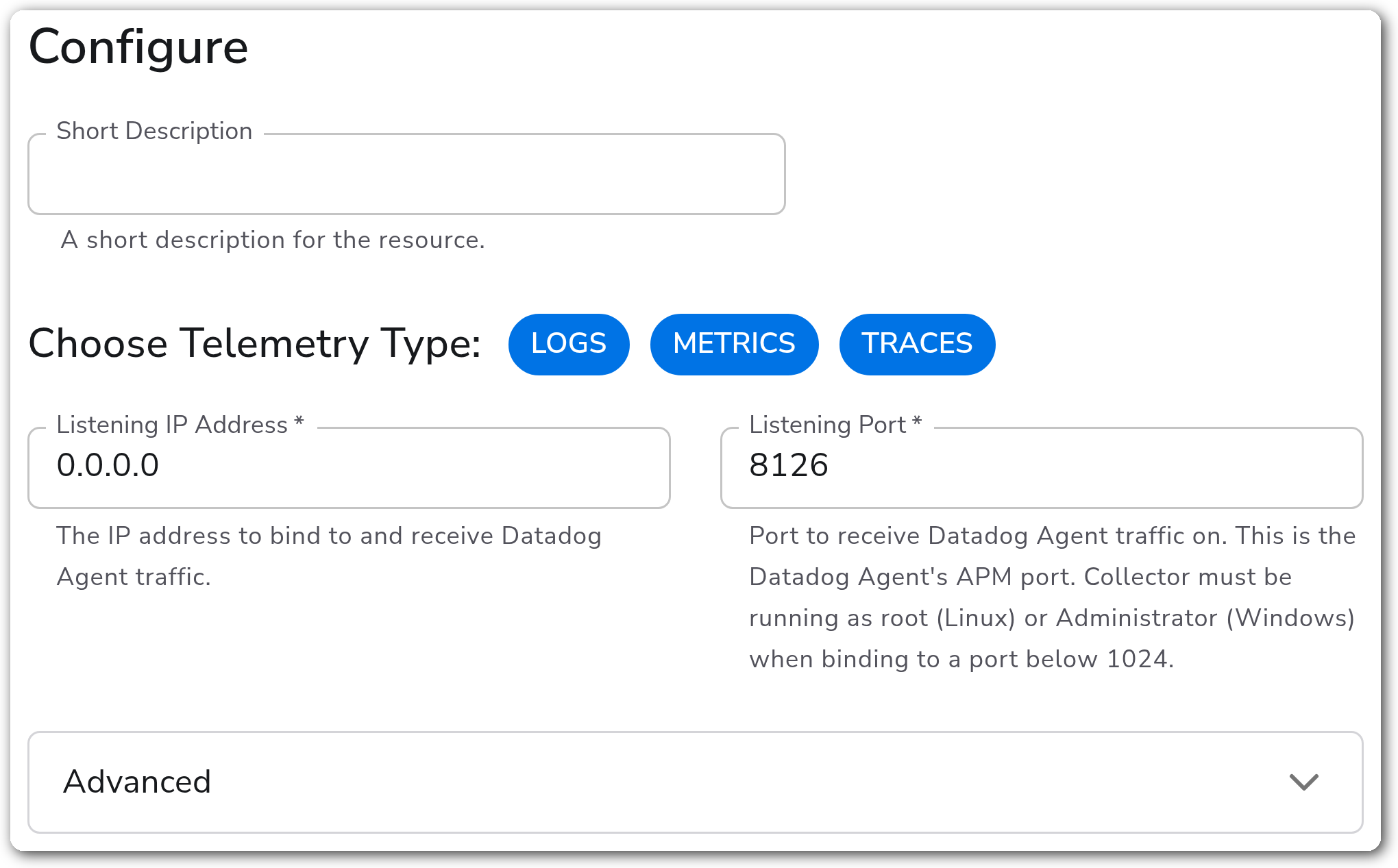
#### Basic Configuration
| Parameter | Type | Required | Default | Description |
| --------------------- | ------------------ | -------- | --------------------- | ------------------------------------------------------------------------------------------------------------------------------------------- |
| Choose Telemetry Type | Telemetry Selector | No | Logs, Metrics, Traces | Which signals this source receives. |
| Listening IP Address | String | Yes | `0.0.0.0` | Address the Bindplane collector binds to for incoming Datadog Agent traffic. |
| Listening Port | Network Port | Yes | `8126` | Port the Bindplane collector listens on, matching the Datadog Agent's APM port. Below 1024 needs root on Linux or Administrator on Windows. |
#### Server
Applies to every selected signal.
| Parameter | Type | Required | Default | Description |
| ------------------------- | ------- | -------- | ------- | -------------------------------------------------------------------------------------------------- |
| Read Timeout | Integer | No | `60` | Seconds to wait while reading a request, including its body. `0` disables it. |
| Maximum Request Body Size | Integer | No | `20` | Largest request body accepted, in MiB. Raise it if large trace payloads are rejected. |
| Include Metadata | Boolean | No | `false` | Pass request metadata, such as the `DD-API-KEY` header, to downstream processors and destinations. |
#### Per-Signal Settings
Each appears only when its signal is selected in Choose Telemetry Type.
| Parameter | Signal | Type | Required | Default | Description |
| ---------------------------- | ------- | ------- | -------- | ------- | ------------------------------------------------------------------------------------------------------- |
| Decode JSON Log Messages | Logs | Boolean | No | `true` | Expand a JSON-object message into structured attributes. Off keeps it as one string. |
| Trace ID Cache Size | Traces | Integer | No | `100` | Cache entries used to rebuild 128-bit trace IDs from Datadog's 64-bit IDs. Raise for high trace volume. |
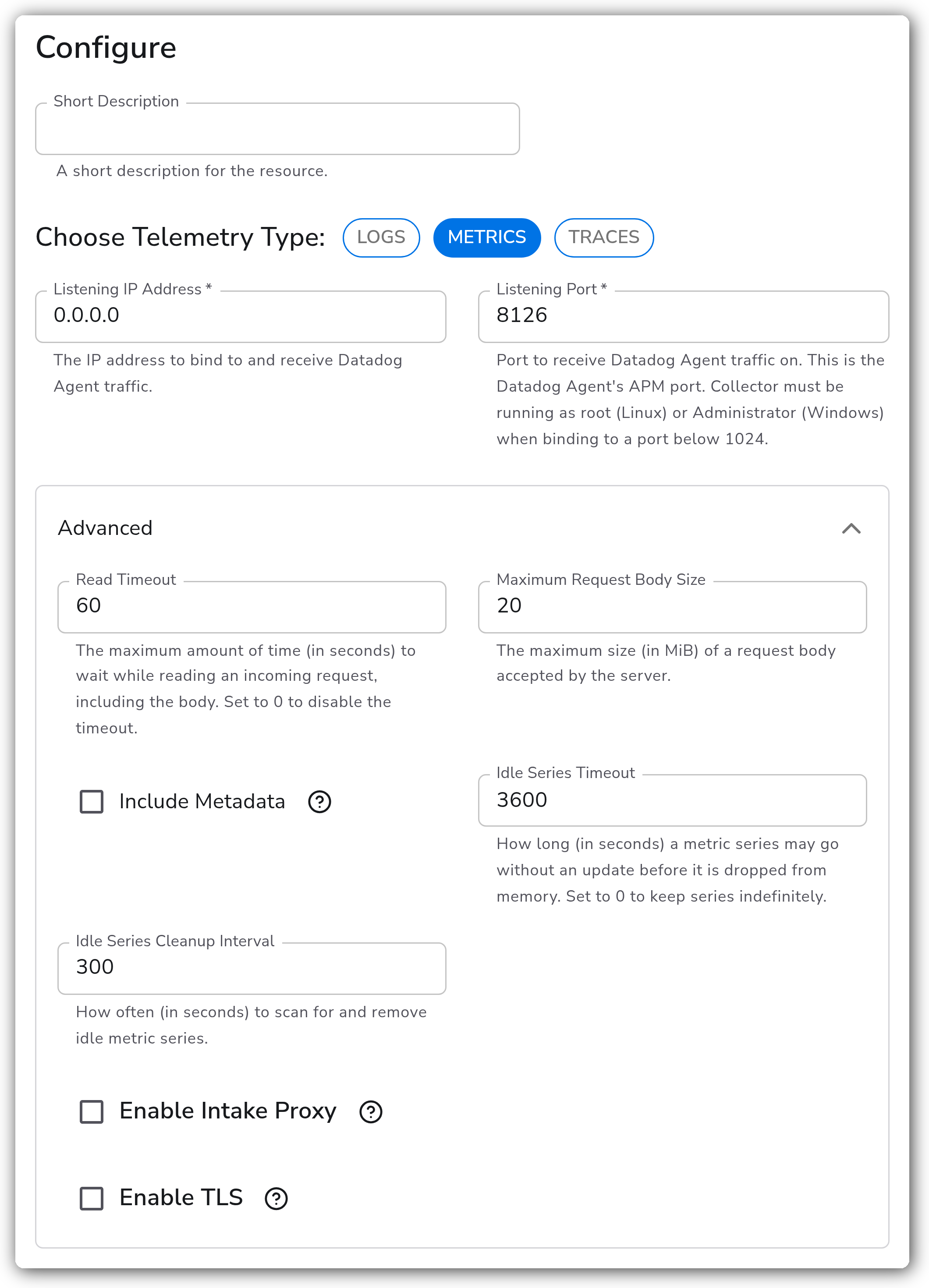
| Idle Series Timeout | Metrics | Integer | No | `0` | Seconds a series may go without an update before it is dropped. `0` keeps series indefinitely. |
| Idle Series Cleanup Interval | Metrics | Integer | No | `300` | Seconds between scans for idle series. Appears when Idle Series Timeout is not `0`. |
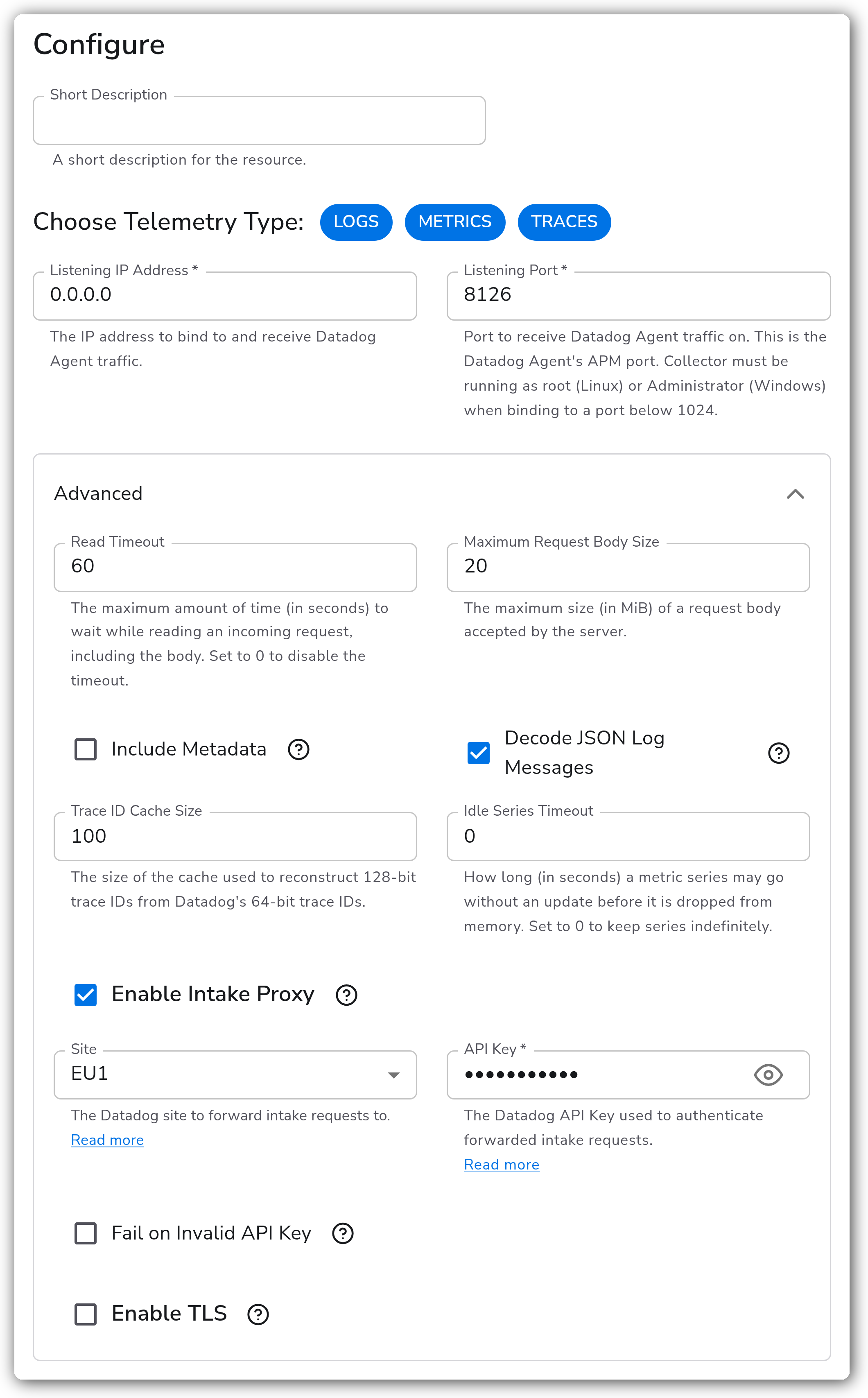
#### Intake Proxy
When Bindplane's collector sits in front of Datadog, the Datadog Agents stop talking to Datadog directly. Their hosts then drop off the Datadog infrastructure list. The intake proxy forwards Datadog Agent host metadata on to Datadog to keep that list populated. It is the only part of this source that makes an outbound call, so the Bindplane collector host needs egress to your Datadog site.
| Parameter | Type | Required | Default | Description |
| ----------------------- | ------- | -------- | --------- | ------------------------------------------------------------------------------------------------------------------------------------------------------- |
| Enable Intake Proxy | Boolean | No | `false` | Forward Datadog Agent host metadata received on `/intake` to Datadog. |
| Site | Enum | No | `US1` | Datadog site to forward intake requests to: US1, US3, US5, EU1, US1-FED, or AP1. See [Datadog sites](https://docs.datadoghq.com/getting_started/site/). |
| API Key | String | Yes | *(empty)* | Authenticates forwarded intake requests. Sensitive value. |
| Fail on Invalid API Key | Boolean | No | `false` | Fail Bindplane collector startup when Datadog rejects the key. Off lets it keep receiving telemetry regardless. |
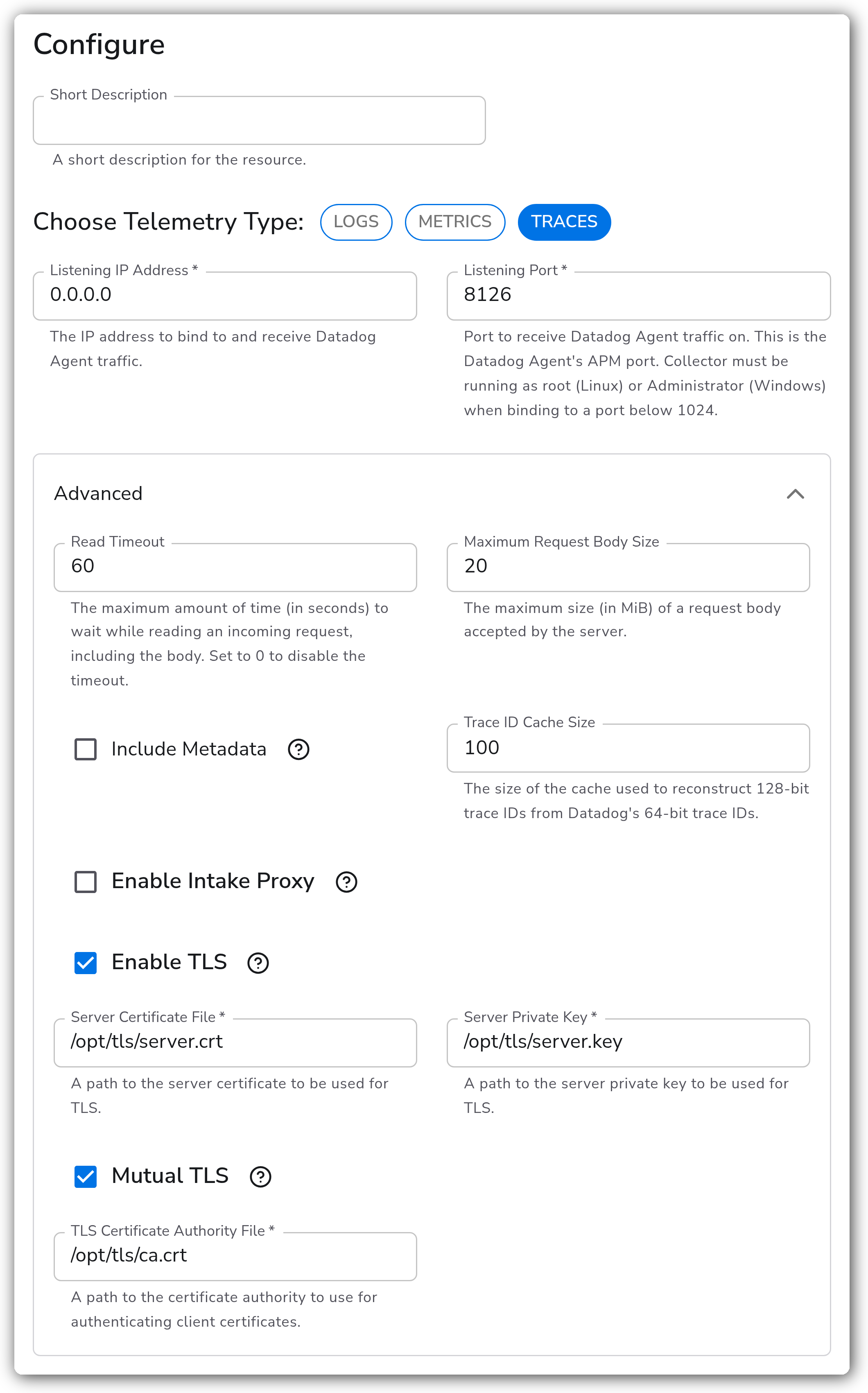
#### TLS
Secures the connection from the Datadog Agents to the Bindplane collector. This is server-side TLS, unrelated to how the intake proxy connects out to Datadog.
| Parameter | Type | Required | Default | Description |
| ------------------------------ | ------- | --------------- | --------- | ----------------------------------------------------------------------- |
| Enable TLS | Boolean | No | `false` | Accept TLS connections from Datadog Agents. |
| Server Certificate File | String | Yes1 | *(empty)* | Path to the server certificate the Bindplane collector presents. |
| Server Private Key | String | Yes1 | *(empty)* | Path to the server private key. |
| Mutual TLS | Boolean | No | `false` | Require Datadog Agents to authenticate with a client certificate. |
| TLS Certificate Authority File | String | Yes2 | *(empty)* | Certificate authority used to verify Datadog Agent client certificates. |
1. *Required when Enable TLS is on.*
2. *Required when Enable TLS and Mutual TLS are both on.*
### Examples
#### Terminate TLS from Datadog Agents with mutual authentication
Accepts trace traffic only, over mTLS, verifying each Datadog Agent's client certificate against a CA.
#### Keep the Datadog infrastructure list populated
Receives all three signals while forwarding Datadog Agent host metadata on to the EU1 site, so hosts continue to appear in the Datadog infrastructure list.
#### Bound memory on a long-lived gateway
Receives metrics from short-lived containers and drops series that have gone quiet for an hour, scanning every five minutes.
### Configuration Tips
#### Choosing a port
* `8126` is the Datadog Agent's APM port, so it is the least disruptive default when intercepting an existing Datadog Agent.
* Logs, metrics, and traces all arrive on this one listener, so a single source covers every signal rather than needing one per port.
#### Trace ID reconstruction
* Datadog trace IDs are 64-bit and OpenTelemetry's are 128-bit. The Bindplane collector rebuilds the full ID using the cache sized by Trace ID Cache Size.
* If traces arrive with mismatched or truncated IDs under heavy load, raise that cache.
### Troubleshooting
#### No telemetry arriving from the Datadog Agent
Symptoms: the source is configured and the Bindplane collector is healthy, but nothing reaches the destination.
Solutions:
1. Confirm the Datadog Agent is pointed at the Bindplane collector. Check `dd_url`, `logs_config.logs_dd_url`, and `apm_config.apm_dd_url` in `datadog.yaml`, or the matching `DD_*` environment variables.
2. From the Datadog Agent host, confirm the port is reachable: `curl -v http://:8126/v0.4/traces`. A refused connection points at a firewall, or at a listen address bound to loopback rather than `0.0.0.0`.
3. Confirm the signal you expect is selected in Choose Telemetry Type. A source receiving only Logs ignores trace and metric traffic.
4. On Linux, if the port is below 1024, confirm the Bindplane collector runs as root.
#### Hosts disappeared from the Datadog infrastructure list
Symptoms: telemetry still reaches Datadog through a downstream destination, but the Datadog Agents' hosts no longer appear in the Datadog infrastructure list.
Solutions:
1. Enable the intake proxy, set Site to your Datadog site, and supply an API key. Host metadata reaches Datadog only through the `/intake` endpoint, which is otherwise terminated at the Bindplane collector.
2. Confirm the Site matches your tenant. A US1 key sent to the EU1 site is rejected.
3. Turn on Fail on Invalid API Key temporarily to surface a bad key at startup rather than silently dropping intake forwarding.
#### Requests rejected as too large
Symptoms: `413` responses in the Bindplane collector logs, or trace batches missing under load.
Solutions:
1. Raise Maximum Request Body Size above the default 20 MiB.
2. Alternatively, lower the Datadog Agent's batch size so payloads stay under the limit.
### Standalone Source
```yaml
apiVersion: bindplane.observiq.com/v1
kind: Source
metadata:
name: datadog-agent
spec:
type: datadog_agent
parameters:
- name: telemetry_types
value:
- Logs
- Metrics
- Traces
- name: listen_ip
value: 0.0.0.0
- name: listen_port
value: 8126
```
### Related Resources
* [Datadog Receiver (datadogreceiver) reference](https://github.com/open-telemetry/opentelemetry-collector-contrib/tree/main/receiver/datadogreceiver)
* [Datadog Agent proxy configuration](https://docs.datadoghq.com/agent/configuration/proxy/)
* [Datadog: Getting started with sites](https://docs.datadoghq.com/getting_started/site/)
* [Datadog: API and application keys](https://docs.datadoghq.com/account_management/api-app-keys/)
### Bindplane Resources
* [Datadog Destination](/integrations/destinations/datadog.md)
---
# Agent Instructions
This documentation is published with GitBook. GitBook is the documentation platform designed so that both humans and AI agents can read, navigate, and reason over technical content effectively. Learn more at gitbook.com.
## Querying This Documentation
If you need additional information that is not directly available in this page, you can query the documentation by asking a question.
Perform an HTTP GET request on the following URL with the `ask` and `goal` query parameters:
```
GET https://docs.bindplane.com/integrations/sources/datadog-agent.md?ask=&goal=
```
`ask` is the immediate question: it should be specific, self-contained, and written in natural language.
`goal` is what the user is ultimately trying to achieve, the reason they need the answer. Sharing it helps GitBook give you a better, more relevant answer. A goal is most helpful when it describes the outcome the user wants rather than restating the question. For example, with `ask=how do I create an API token`, a goal like `automate deployments from our CI pipeline` lets GitBook tailor the answer to that use case.
The response will contain a direct answer to the question and relevant excerpts and sources from the documentation.
Use this mechanism when the answer is not explicitly present in the current page, you need clarification or additional context, or you want to retrieve related documentation sections.