> For the complete documentation index, see [llms.txt](https://docs.bindplane.com/llms.txt). Markdown versions of documentation pages are available by appending `.md` to page URLs; this page is available as [Markdown](https://docs.bindplane.com/integrations/processors/geoip.md).
# GeoIP
Adds geographical location attributes (such as city, country, and coordinates) to telemetry by looking up IP addresses against a MaxMind GeoLite2 or GeoIP2 database file on the collector host. Lookups read IP addresses from attributes you specify and write the resulting geo attributes to either the resource or the individual record.
### Supported Telemetry Types
| Platform | Metrics | Logs | Traces |
| ------------------ | ------- | ---- | ------ |
| Linux | ✓ | ✓ | ✓ |
| Windows | ✓ | ✓ | ✓ |
| macOS | ✓ | ✓ | ✓ |
| Kubernetes Node | ✓ | ✓ | ✓ |
| Kubernetes Cluster | ✓ | ✓ | ✓ |
| Kubernetes Gateway | ✓ | ✓ | ✓ |
| OpenShift Node | ✓ | ✓ | ✓ |
| OpenShift Cluster | ✓ | ✓ | ✓ |
| OpenShift Gateway | ✓ | ✓ | ✓ |
Select one or more signals; the same configuration enriches every selected signal. The Database Path, Context, and Attributes settings are shared across all selected signals, not configured per signal.
### Prerequisites
This processor requires a MaxMind database file on the collector host:
* A MaxMind **GeoLite2** (free) or **GeoIP2** (commercial) database in `.mmdb` format. City databases provide attributes like city, country, and coordinates; ASN databases provide network attributes.
* The `.mmdb` file must be present on every collector host that runs the processor, at a path the collector process can read.
* Note the absolute path to the file; you will supply it as the Database Path parameter.
Free GeoLite2 databases require a MaxMind account and license key. See the MaxMind documentation linked under [Related Resources](#related-resources) for downloading and updating database files.
### Configuration
#### Basic Configuration
**Selection**
| Parameter | Type | Required | Default | Description |
| --------------------- | ------------------ | -------- | --------------------- | --------------------------------------------------------------------------------------------------------------- |
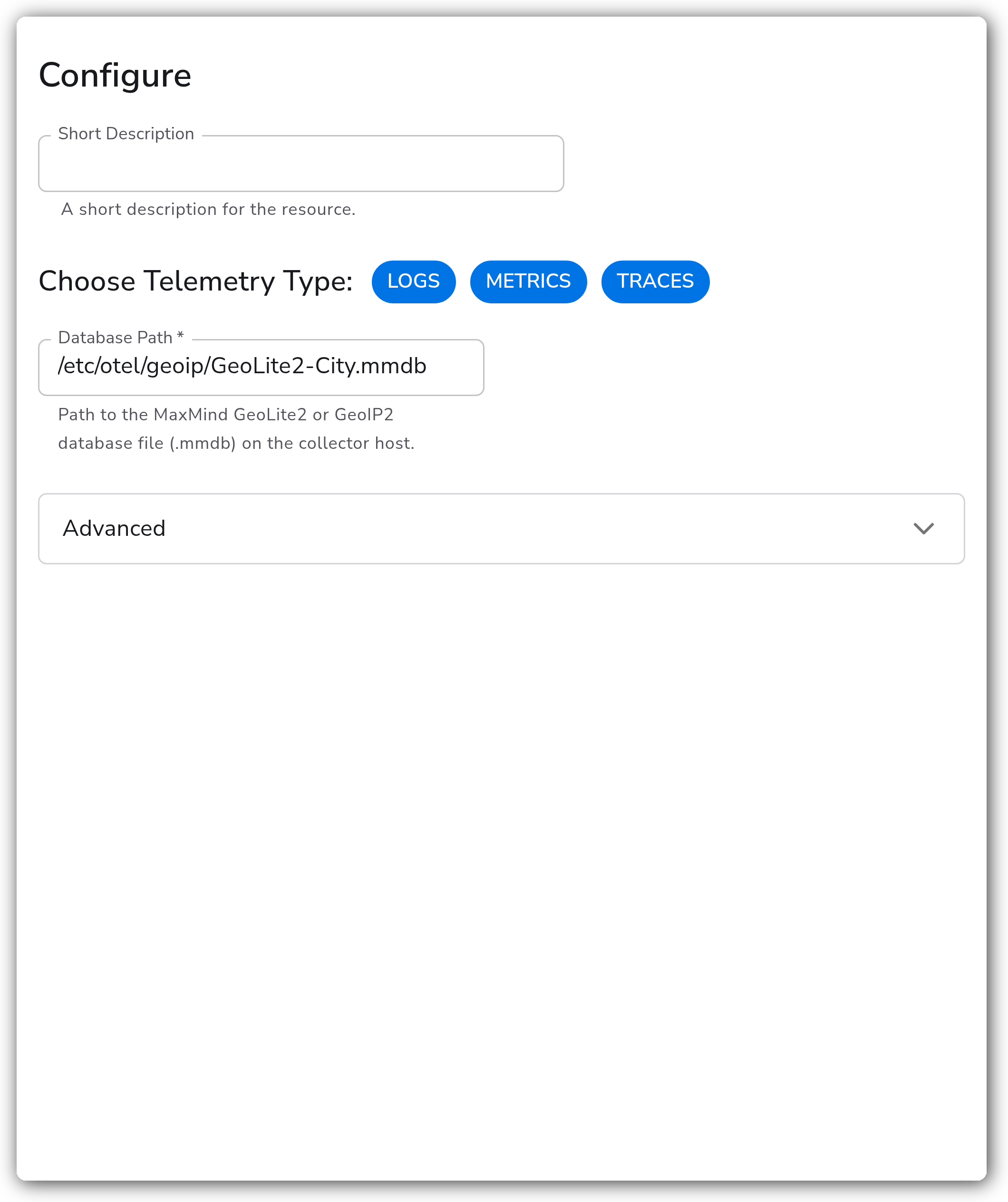
| Choose Telemetry Type | Telemetry Selector | Yes | Logs, Metrics, Traces | The signals this instance enriches. Select one or more; the same configuration applies to each selected signal. |
| Database Path | String | Yes | — | Absolute path to the MaxMind GeoLite2 or GeoIP2 database file (`.mmdb`) on the collector host. |
**Advanced**
| Parameter | Type | Required | Default | Description |
| ---------- | ---------------------- | -------- | ------------------------------ | --------------------------------------------------------------------------------------------------------------------------- |
| Context | Enum: resource, record | No | resource | Where the GeoIP attributes are written. `resource` adds them to the resource; `record` adds them to each individual record. |
| Attributes | Strings | No | client.address, source.address | Attribute names that hold the IP addresses to look up. Each listed attribute is checked for an IP address to enrich. |
### Examples
#### Enrich records with a custom IP attribute and record context
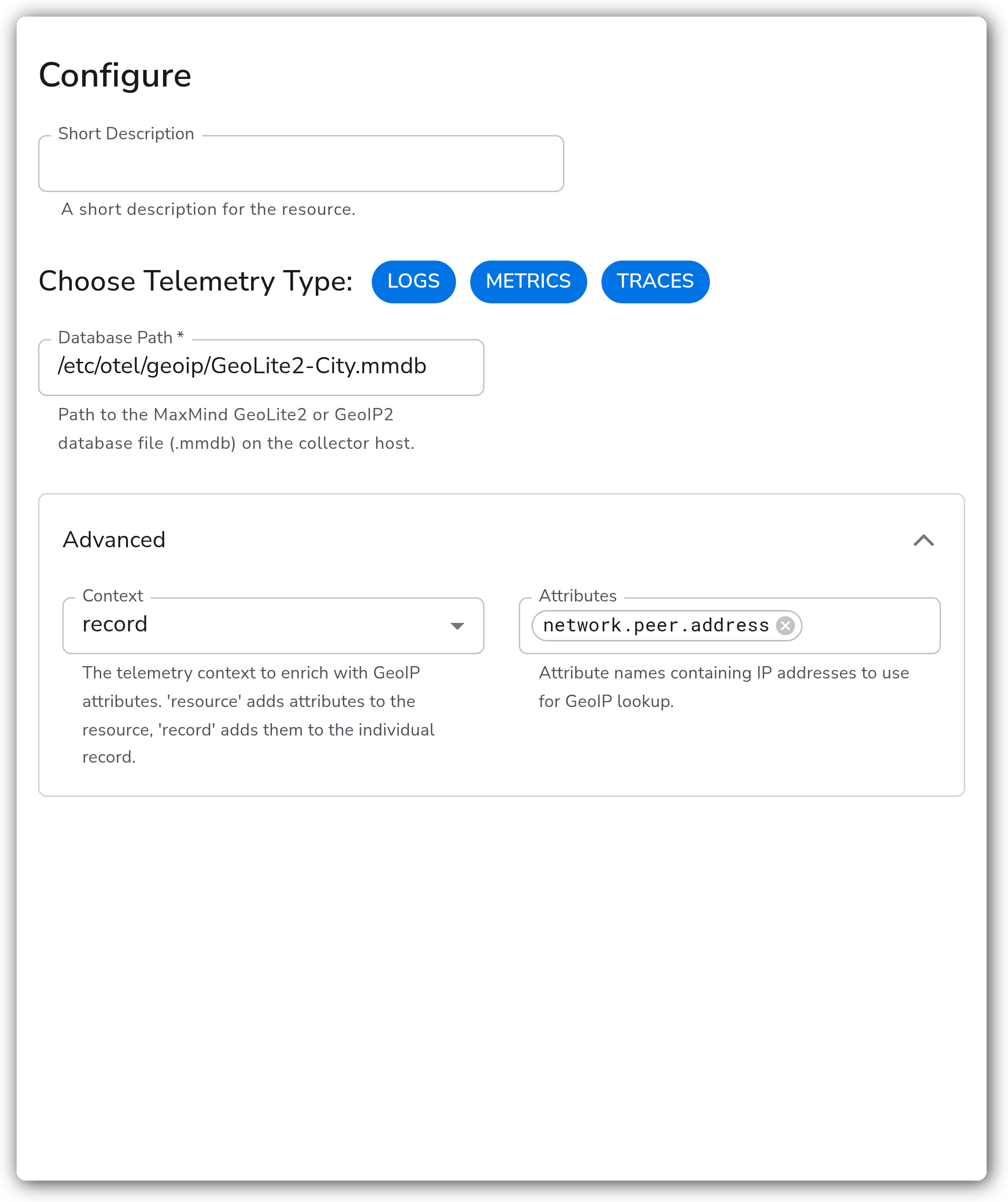
This example reads the IP address from a custom attribute and writes the geo attributes onto each individual record rather than the resource. It sets the advanced **Context** to `record` and replaces the default **Attributes** list with a single custom attribute, `network.peer.address`. The Database Path points at a GeoLite2 City database on the collector host.
With this configuration, every selected signal whose records carry a `network.peer.address` attribute is enriched with location attributes resolved from that IP, written directly onto the record.
### Configuration Tips
* The Attributes list is checked in order; the first listed attribute that holds a valid IP address is used for the lookup. Keep the most specific or most reliable address attribute first.
* Use `record` context when different records in the same batch can come from different IP addresses (for example per-request logs). Use `resource` context when the IP identifies the whole source, such as a host or collector.
* Keep the database file up to date. MaxMind publishes regular updates, and a stale database returns outdated or missing locations.
### Troubleshooting
#### No location attributes are added
Symptoms: telemetry passes through unchanged with no city, country, or coordinate attributes.
Solutions:
1. Confirm the `.mmdb` file exists at the configured Database Path on every collector host and is readable by the collector process.
2. Verify that at least one of the configured Attributes is present on the telemetry and holds a routable, public IP address. Private and loopback addresses do not resolve to a location.
3. Confirm the database type matches the attributes you expect (a City database for city/country, an ASN database for network attributes).
#### The collector fails to start or reports a database error
Symptoms: the collector logs an error opening or reading the GeoIP database.
Solutions:
1. Check the path is correct and absolute, and that the file is a valid MaxMind `.mmdb` database.
2. Ensure the file was fully downloaded and decompressed (`.mmdb`, not a `.tar.gz` archive).
### Standalone Processor
```yaml
apiVersion: bindplane.observiq.com/v1
kind: Processor
metadata:
name: geoip
spec:
type: geoip
parameters:
- name: telemetry_types
value:
- Logs
- Metrics
- Traces
- name: database_path
value: /etc/otel/geoip/GeoLite2-City.mmdb
- name: context
value: record
- name: attributes
value:
- network.peer.address
```
### Related Resources
* [MaxMind GeoIP2 and GeoLite2 documentation](https://dev.maxmind.com/geoip)
* [Downloading and updating GeoLite2 databases](https://dev.maxmind.com/geoip/updating-databases)
* [GeoIP Processor — OpenTelemetry Collector reference](https://github.com/open-telemetry/opentelemetry-collector-contrib/tree/main/processor/geoipprocessor)
### Bindplane Resources
These enrichment processors add or derive attributes on your telemetry. Chain them to enrich and reshape records:
* [Lookup Fields](/integrations/processors/lookup-fields.md)
* [Add Fields](/integrations/processors/add-fields.md)
* [Parse JSON](/integrations/processors/parse-json.md)
---
# Agent Instructions
This documentation is published with GitBook. GitBook is the documentation platform designed so that both humans and AI agents can read, navigate, and reason over technical content effectively. Learn more at gitbook.com.
## Querying This Documentation
If you need additional information that is not directly available in this page, you can query the documentation by asking a question.
Perform an HTTP GET request on the following URL with the `ask` and `goal` query parameters:
```
GET https://docs.bindplane.com/integrations/processors/geoip.md?ask=&goal=
```
`ask` is the immediate question: it should be specific, self-contained, and written in natural language.
`goal` is what the user is ultimately trying to achieve, the reason they need the answer. Sharing it helps GitBook give you a better, more relevant answer. A goal is most helpful when it describes the outcome the user wants rather than restating the question. For example, with `ask=how do I create an API token`, a goal like `automate deployments from our CI pipeline` lets GitBook tailor the answer to that use case.
The response will contain a direct answer to the question and relevant excerpts and sources from the documentation.
Use this mechanism when the answer is not explicitly present in the current page, you need clarification or additional context, or you want to retrieve related documentation sections.