> For the complete documentation index, see [llms.txt](https://docs.bindplane.com/llms.txt). Markdown versions of documentation pages are available by appending `.md` to page URLs; this page is available as [Markdown](https://docs.bindplane.com/integrations/destinations/victoria-traces.md).

# VictoriaTraces

The VictoriaTraces destination exports traces from a Bindplane pipeline to a VictoriaTraces server using the OTLP/HTTP protocol. Spans are sent to the VictoriaTraces OpenTelemetry ingestion endpoint with protobuf encoding and gzip compression.

### Supported Telemetry

| Metrics | Logs | Traces |
| ------- | ---- | ------ |
|         |      | ✓      |

### Prerequisites

* A reachable VictoriaTraces server, addressable by hostname or IP and port. The OTLP/HTTP ingestion port defaults to `10428`.
* Any authentication your VictoriaTraces deployment requires (for example a reverse proxy in front of the server). VictoriaTraces accepts credentials and tenant routing as HTTP headers, which you supply through the Additional Headers parameter.

VictoriaTraces ingests traces at the `/insert/opentelemetry/v1/traces` path on the HTTP port. See [VictoriaTraces: Data ingestion: OpenTelemetry setup](https://docs.victoriametrics.com/victoriatraces/data-ingestion/opentelemetry/).

### Configuration

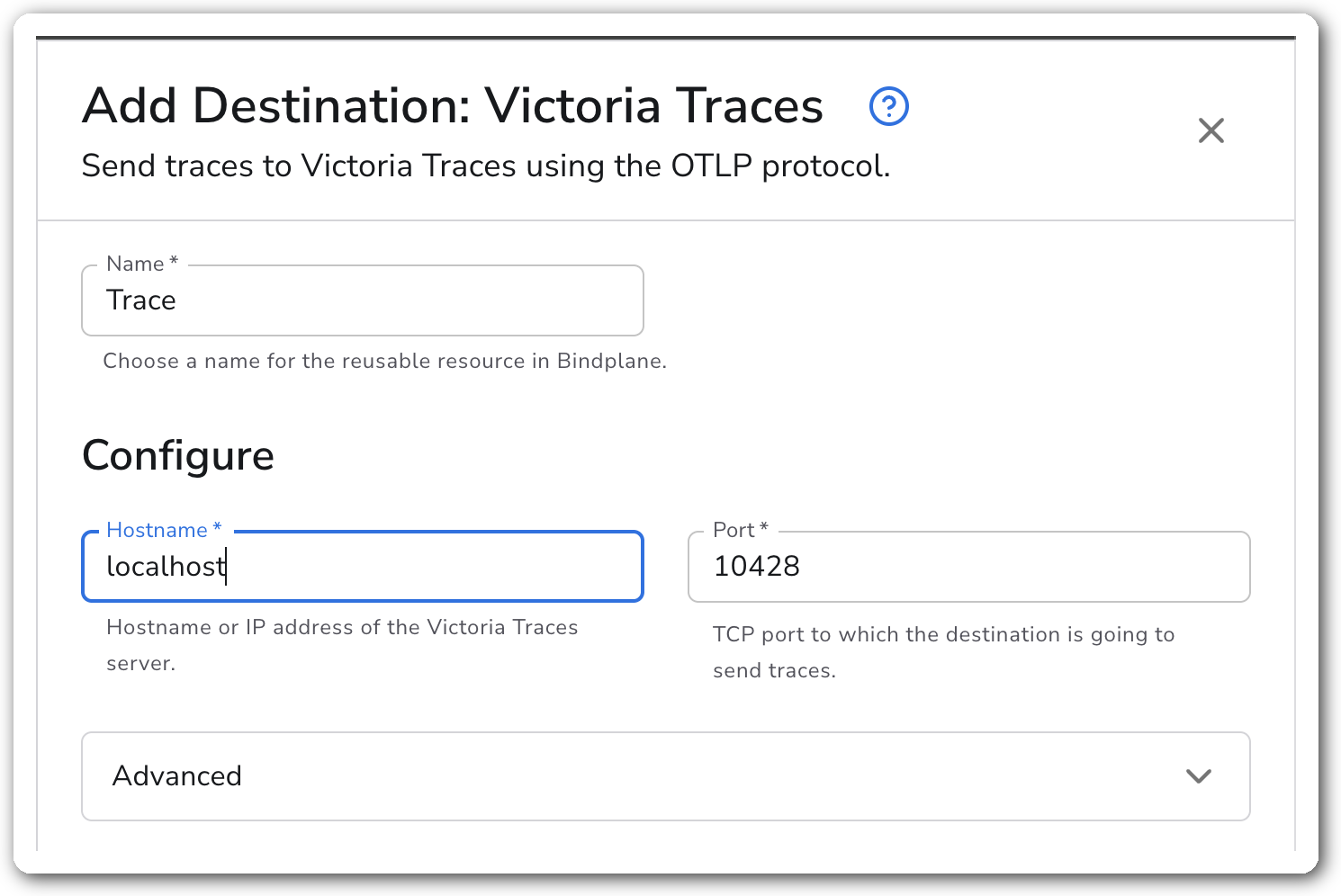
<figure><img src="/files/rwxqaz7QpElotpvXuaSb" alt="Bindplane docs - VictoriaTraces - image 1"><figcaption></figcaption></figure>

**Connection**

| Parameter | Type    | Required | Default   | Description                                                    |
| --------- | ------- | -------- | --------- | -------------------------------------------------------------- |
| Hostname  | String  | Yes      | *(empty)* | Hostname or IP address of the VictoriaTraces server.           |
| Port      | Integer | Yes      | `10428`   | TCP port the destination sends traces to. Valid range 1–65535. |

**Advanced**

| Parameter          | Type | Required | Default   | Description                                                                                                                   |
| ------------------ | ---- | -------- | --------- | ----------------------------------------------------------------------------------------------------------------------------- |
| Additional Headers | Map  | No       | *(empty)* | Extra headers attached to each request. Use for authentication or tenant routing that VictoriaTraces reads from HTTP headers. |

**TLS**

| Parameter                         | Type    | Required | Default   | Description                                                                                                  |
| --------------------------------- | ------- | -------- | --------- | ------------------------------------------------------------------------------------------------------------ |
| Enable TLS                        | Boolean | No       | `false`   | Use TLS for the connection. When enabled, the endpoint scheme becomes `https`.                               |
| Skip TLS Certificate Verification | Boolean | No       | `false`   | Skip verification of the server's certificate. Shown when Enable TLS is on.                                  |
| TLS Certificate Authority File    | String  | No       | *(empty)* | Path to a certificate authority file used to validate the server's certificate. Shown when Enable TLS is on. |
| Mutual TLS                        | Boolean | No       | `false`   | Use client TLS authentication (mTLS). Shown when Enable TLS is on.                                           |
| TLS Client Certificate File       | String  | Yes \*   | *(empty)* | Path to the client certificate for mutual TLS. Shown when Enable TLS and Mutual TLS are both on.             |
| TLS Client Private Key            | String  | Yes \*   | *(empty)* | Path to the client private key for mutual TLS. Shown when Enable TLS and Mutual TLS are both on.             |

\* Required only when both Enable TLS and Mutual TLS are on.

**Retry on Failure**

| Parameter               | Type    | Required | Default | Description                                                                                                                            |
| ----------------------- | ------- | -------- | ------- | -------------------------------------------------------------------------------------------------------------------------------------- |
| Enable Retry on Failure | Boolean | No       | `true`  | Resend telemetry that failed to transmit to the destination.                                                                           |
| Initial interval        | Integer | No       | `5`     | Seconds to wait after the first failure before retrying. Shown when Enable Retry on Failure is on.                                     |
| Max interval            | Integer | No       | `30`    | Upper bound in seconds on the retry backoff. Shown when Enable Retry on Failure is on.                                                 |
| Max elapsed time        | Integer | No       | `300`   | Maximum seconds spent retrying a batch before giving up, to avoid a never-ending retry loop. Shown when Enable Retry on Failure is on. |

**Sending Queue**

| Parameter                 | Type      | Required | Default      | Description                                                                                                                                                                                          |
| ------------------------- | --------- | -------- | ------------ | ---------------------------------------------------------------------------------------------------------------------------------------------------------------------------------------------------- |
| Enable Sending Queue      | Boolean   | No       | `true`       | Buffer telemetry before sending so data is not lost during a temporary network outage.                                                                                                               |
| Number of Consumers       | Integer   | No       | `10`         | Number of consumers that dequeue batches. Shown when Enable Sending Queue is on.                                                                                                                     |
| Queue Size                | Integer   | No       | `5000`       | Maximum number of batches kept in memory before dropping. Shown when Enable Sending Queue is on.                                                                                                     |
| Enable Persistent Queuing | Boolean   | No       | `true`       | Buffer telemetry to disk so data survives network outages and collector restarts. Shown when Enable Sending Queue is on.                                                                             |
| Persistent Queue Storage  | Extension | Yes      | File storage | Storage extension used for the persistent queue. Defaults to a file storage extension under the collector home directory. Shown when Enable Sending Queue and Enable Persistent Queuing are both on. |

### Examples

#### Send traces to a VictoriaTraces server over TLS with a custom auth header

This destination connects to a VictoriaTraces server at `traces.example.com` on the default port, enables TLS, and attaches an `Authorization` header that VictoriaTraces (or a proxy in front of it) uses for authentication.

```yaml
apiVersion: bindplane.observiq.com/v1
kind: Destination
metadata:
  name: victoria-traces
spec:
  type: victoria_traces
  parameters:
    - name: hostname
      value: traces.example.com
    - name: port
      value: 10428
    - name: enable_tls
      value: true
    - name: headers
      value:
        Authorization: Bearer REPLACE_WITH_TOKEN
```

### Configuration Tips

* The endpoint scheme follows the Enable TLS setting. With TLS off the destination posts to `http://<hostname>:<port>/insert/opentelemetry`; with TLS on it uses `https`. The OTLP/HTTP exporter appends `/v1/traces` automatically.
* Leave the sending queue and persistent queue enabled (both default on) so spans survive a VictoriaTraces restart or a brief network outage. The persistent queue writes to disk under the collector home directory by default.
* VictoriaTraces reads tenant routing and authentication from HTTP headers. Add them under Additional Headers rather than encoding them in the hostname.

### Troubleshooting

#### Connection refused or no traces arriving

Symptoms: spans never reach VictoriaTraces and the collector logs connection errors.

Solutions:

1. Confirm the hostname and port are reachable from the collector. The OTLP/HTTP ingestion port defaults to `10428`.
2. Verify the VictoriaTraces server is accepting OTLP/HTTP at `/insert/opentelemetry`.

#### TLS handshake failures

Symptoms: the collector logs certificate or handshake errors after Enable TLS is turned on.

Solutions:

1. For a private or self-signed CA, set TLS Certificate Authority File to the CA path, or enable Skip TLS Certificate Verification for testing only.
2. For mutual TLS, confirm both TLS Client Certificate File and TLS Client Private Key are set and readable by the collector.

#### Dropped spans under load

Symptoms: the collector reports the sending queue is full and drops batches.

Solutions:

1. Increase Queue Size, or raise Number of Consumers to drain the queue faster.
2. Keep Enable Persistent Queuing on so backed-up spans buffer to disk instead of being dropped.

### Standalone Destination

```yaml
apiVersion: bindplane.observiq.com/v1
kind: Destination
metadata:
  name: victoria-traces
spec:
  type: victoria_traces
  parameters:
    - name: hostname
      value: traces.example.com
    - name: port
      value: 10428
```

### Related Resources

* [OTLP/HTTP exporter (otlphttpexporter)](https://github.com/open-telemetry/opentelemetry-collector/tree/main/exporter/otlphttpexporter)
* [VictoriaTraces: Data ingestion: OpenTelemetry setup](https://docs.victoriametrics.com/victoriatraces/data-ingestion/opentelemetry/)


---

# Agent Instructions
This documentation is published with GitBook. GitBook is the documentation platform designed so that both humans and AI agents can read, navigate, and reason over technical content effectively. Learn more at gitbook.com.

## Querying This Documentation
If you need additional information that is not directly available in this page, you can query the documentation dynamically by asking a question.

Perform an HTTP GET request on the current page URL with the `ask` query parameter, and the optional `goal` query parameter:

```
GET https://docs.bindplane.com/integrations/destinations/victoria-traces.md?ask=<question>&goal=<endgoal>
```

`ask` is the immediate question: it should be specific, self-contained, and written in natural language.
`goal` is optional and describes the broader end goal you are ultimately trying to accomplish on behalf of the user. GitBook uses it to tailor the answer towards what is most useful for that goal.

The response will contain a direct answer to the question and relevant excerpts and sources from the documentation.

Use this mechanism when the answer is not explicitly present in the current page, you need clarification or additional context, or you want to retrieve related documentation sections.