> For the complete documentation index, see [llms.txt](https://docs.bindplane.com/llms.txt). Markdown versions of documentation pages are available by appending `.md` to page URLs; this page is available as [Markdown](https://docs.bindplane.com/integrations/destinations/kloudmate.md).
# Kloudmate
The KloudMate destination exports metrics, logs, and traces from a Bindplane pipeline to [KloudMate](https://www.kloudmate.com/) using OTLP over HTTP. Telemetry is sent to the KloudMate OTLP endpoint and authenticated with a KloudMate API key.
### Supported Telemetry Types
| Platform | Metrics | Logs | Traces |
| ------------------ | ------- | ---- | ------ |
| Linux | ✓ | ✓ | ✓ |
| Windows | ✓ | ✓ | ✓ |
| macOS | ✓ | ✓ | ✓ |
| Kubernetes Node | ✓ | ✓ | ✓ |
| Kubernetes Cluster | ✓ | ✓ | ✓ |
| Kubernetes Gateway | ✓ | ✓ | ✓ |
| OpenShift Node | ✓ | ✓ | ✓ |
| OpenShift Cluster | ✓ | ✓ | ✓ |
| OpenShift Gateway | ✓ | ✓ | ✓ |
### Prerequisites
* A KloudMate account.
* The KloudMate OTLP/HTTP endpoint, `https://otel.kloudmate.com:4318`. Outbound HTTPS to that host and port must be reachable from the collector.
* A KloudMate API key, taken from the KloudMate dashboard. The destination sends it in the `Authorization` request header.
See [Using OpenTelemetry Collector](https://docs.kloudmate.com/using-opentelemetry-collector) in the KloudMate documentation for the endpoint and the Authorization header KloudMate expects.
### Configuration
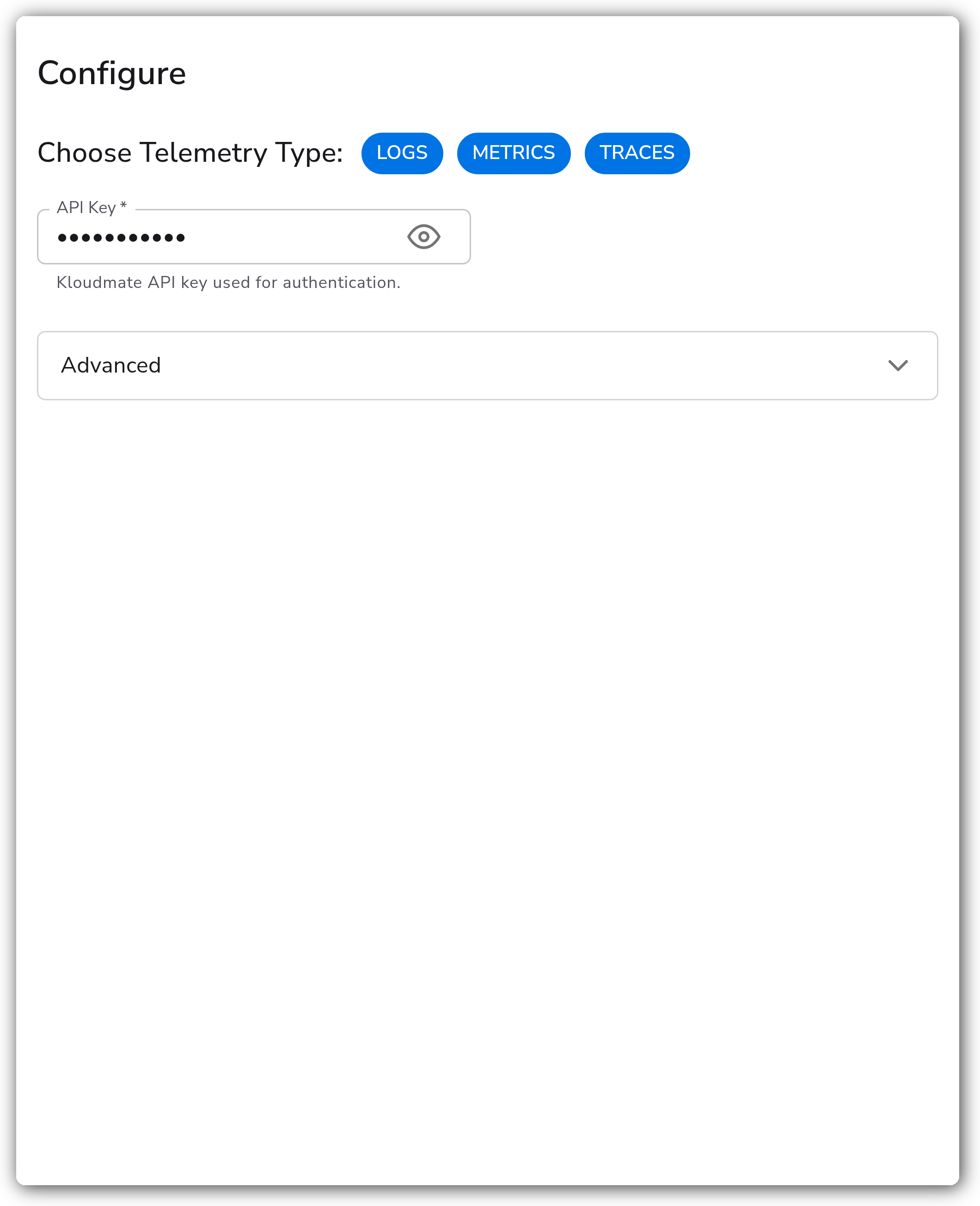
**General**
| Parameter | Type | Required | Default | Description |
| --------------------- | ------------------ | -------- | --------------------- | ----------------------------------------------------------------------------------------------------------- |
| Choose Telemetry Type | Telemetry Selector | No | Logs, Metrics, Traces | The signals this destination exports. |
| API Key | String | Yes | *(empty)* | KloudMate API key used for authentication. Sent in the `Authorization` header. Stored as a sensitive value. |
**Advanced**
| Parameter | Type | Required | Default | Description |
| ------------- | ------- | -------- | ------- | -------------------------------------------------------------------------------------------------- |
| Compression | Enum | No | `gzip` | Compression algorithm used when sending data to KloudMate. One of `none` or `gzip`. |
| Drop Raw Copy | Boolean | No | `true` | When enabled, drops the raw copy of the log stored in `log.record.original`. Applies to logs only. |
**TLS**
| Parameter | Type | Required | Default | Description |
| --------------------------------- | ------- | -------- | --------- | -------------------------------------------------------------------------------------------------------------------------------------- |
| Enable TLS | Boolean | No | `false` | Configure advanced TLS settings. |
| Skip TLS Certificate Verification | Boolean | No | `false` | Skip TLS certificate verification. Shown when Enable TLS is true. |
| TLS Certificate Authority File | String | No | *(empty)* | Certificate authority used to validate TLS certificates. Shown when Enable TLS is true and Skip TLS Certificate Verification is false. |
**Retry on Failure**
| Parameter | Type | Required | Default | Description |
| ----------------------- | ------- | -------- | ------- | -------------------------------------------------------------------------------------------------------------------------------------------------------- |
| Enable Retry on Failure | Boolean | No | `true` | Attempt to resend telemetry data that failed to transmit to the destination. |
| Initial Interval | Integer | No | `5` | Time, in seconds, to wait after the first failure before retrying. Shown when Enable Retry on Failure is true. |
| Max Interval | Integer | No | `30` | Upper bound, in seconds, on the retry backoff. Shown when Enable Retry on Failure is true. |
| Max Elapsed Time | Integer | No | `300` | Maximum time, in seconds, spent trying to send a batch before giving up, to avoid a never-ending retry loop. Shown when Enable Retry on Failure is true. |
**Sending Queue**
| Parameter | Type | Required | Default | Description |
| ------------------------- | --------- | -------- | ------------------------------- | ----------------------------------------------------------------------------------------------------------------------------------------------------------- |
| Enable Sending Queue | Boolean | No | `true` | Buffer telemetry data temporarily before sending to help avoid data loss during a temporary network outage. |
| Number of Consumers | Integer | No | `10` | Number of consumers that dequeue batches. Shown when Enable Sending Queue is true. |
| Queue Size | Integer | No | `5000` | Maximum number of batches kept in memory before dropping. Shown when Enable Sending Queue is true. |
| Enable Persistent Queuing | Boolean | No | `true` | Buffer telemetry data to disk before sending to help avoid data loss during network outages or collector restarts. Shown when Enable Sending Queue is true. |
| Persistent Queue Storage | Extension | Yes | `file_storage_persistent_queue` | Storage extension used for the persistent queue. Shown when Enable Sending Queue and Enable Persistent Queuing are both true. |
### Examples
#### Export all signals to KloudMate
This destination exports metrics, logs, and traces to KloudMate with gzip compression and the default sending queue. Replace the API key placeholder with your KloudMate API key.
```yaml
apiVersion: bindplane.observiq.com/v1
kind: Destination
metadata:
name: kloudmate
spec:
type: kloudmate
parameters:
- name: telemetry_types
value:
- Logs
- Metrics
- Traces
- name: api_key
value:
- name: compression
value: gzip
```
### Configuration Tips
* Keep `gzip` compression enabled (the default) to reduce egress bandwidth to the KloudMate endpoint.
* Leave the sending queue and persistent queuing enabled so telemetry survives short network outages and collector restarts. Persistent queuing requires a storage extension, which defaults to file storage under the collector home directory.
* Enable Drop Raw Copy to remove the `log.record.original` attribute from logs when the unparsed original body is not needed downstream, reducing log payload size.
### Troubleshooting
#### Authentication is rejected
Symptoms: telemetry is not accepted and the collector logs report 401 or 403 responses from the endpoint.
Solutions:
1. Confirm the API Key is correct and has not been revoked in the KloudMate dashboard.
2. Verify the key was entered without surrounding quotes or extra whitespace.
#### The endpoint is unreachable
Symptoms: connection or TLS handshake errors in the collector logs, no data in KloudMate.
Solutions:
1. Confirm outbound HTTPS to `otel.kloudmate.com:4318` is permitted by firewalls and egress rules.
2. If a custom certificate authority is used, set the TLS Certificate Authority File so the endpoint certificate can be validated.
#### Data is dropped under load
Symptoms: gaps in telemetry during traffic spikes or backend slowness.
Solutions:
1. Keep the sending queue enabled and increase Queue Size if batches are being dropped in memory.
2. Enable Persistent Queuing so buffered data is written to disk and survives collector restarts.
### Standalone Destination
```yaml
apiVersion: bindplane.observiq.com/v1
kind: Destination
metadata:
name: kloudmate
spec:
type: kloudmate
parameters:
- name: telemetry_types
value:
- Logs
- Metrics
- Traces
- name: api_key
value:
```
### Related Resources
* [OTLP/HTTP Exporter (otlphttpexporter)](https://github.com/open-telemetry/opentelemetry-collector/tree/main/exporter/otlphttpexporter)
* [Using OpenTelemetry Collector — KloudMate documentation](https://docs.kloudmate.com/using-opentelemetry-collector)
---
# Agent Instructions
This documentation is published with GitBook. GitBook is the documentation platform designed so that both humans and AI agents can read, navigate, and reason over technical content effectively. Learn more at gitbook.com.
## Querying This Documentation
If you need additional information that is not directly available in this page, you can query the documentation by asking a question.
Perform an HTTP GET request on the following URL with the `ask` and `goal` query parameters:
```
GET https://docs.bindplane.com/integrations/destinations/kloudmate.md?ask=&goal=
```
`ask` is the immediate question: it should be specific, self-contained, and written in natural language.
`goal` is what the user is ultimately trying to achieve, the reason they need the answer. Sharing it helps GitBook give you a better, more relevant answer. A goal is most helpful when it describes the outcome the user wants rather than restating the question. For example, with `ask=how do I create an API token`, a goal like `automate deployments from our CI pipeline` lets GitBook tailor the answer to that use case.
The response will contain a direct answer to the question and relevant excerpts and sources from the documentation.
Use this mechanism when the answer is not explicitly present in the current page, you need clarification or additional context, or you want to retrieve related documentation sections.