> For the complete documentation index, see [llms.txt](https://docs.bindplane.com/llms.txt). Markdown versions of documentation pages are available by appending `.md` to page URLs; this page is available as [Markdown](https://docs.bindplane.com/how-to-guides/cloud-and-platform-integrations/kubernetes/kubernetes-cluster-name-detection.md).
# Kubernetes Cluster Name Detection
OpenTelemetry publishes semantic conventions for common resources. The OpenTelemetry Kubernetes Semantic Conventions can be found [here](https://opentelemetry.io/docs/specs/semconv/resource/k8s/#cluster).
Bindplane detects most of the resource attributes when using the Kubernetes sources. Bindplane does not detect the cluster name (`k8s.cluster.name`) because Kubernetes does not have the concept of a name. It is crucial to set `k8s.cluster.name` to filter between multiple clusters in your environment.
Bindplane has three methods for setting the `k8s.cluster.name` resource attribute.
* Static configuration value
* Environment variable
* Resource Detection
### Static Cluster Name
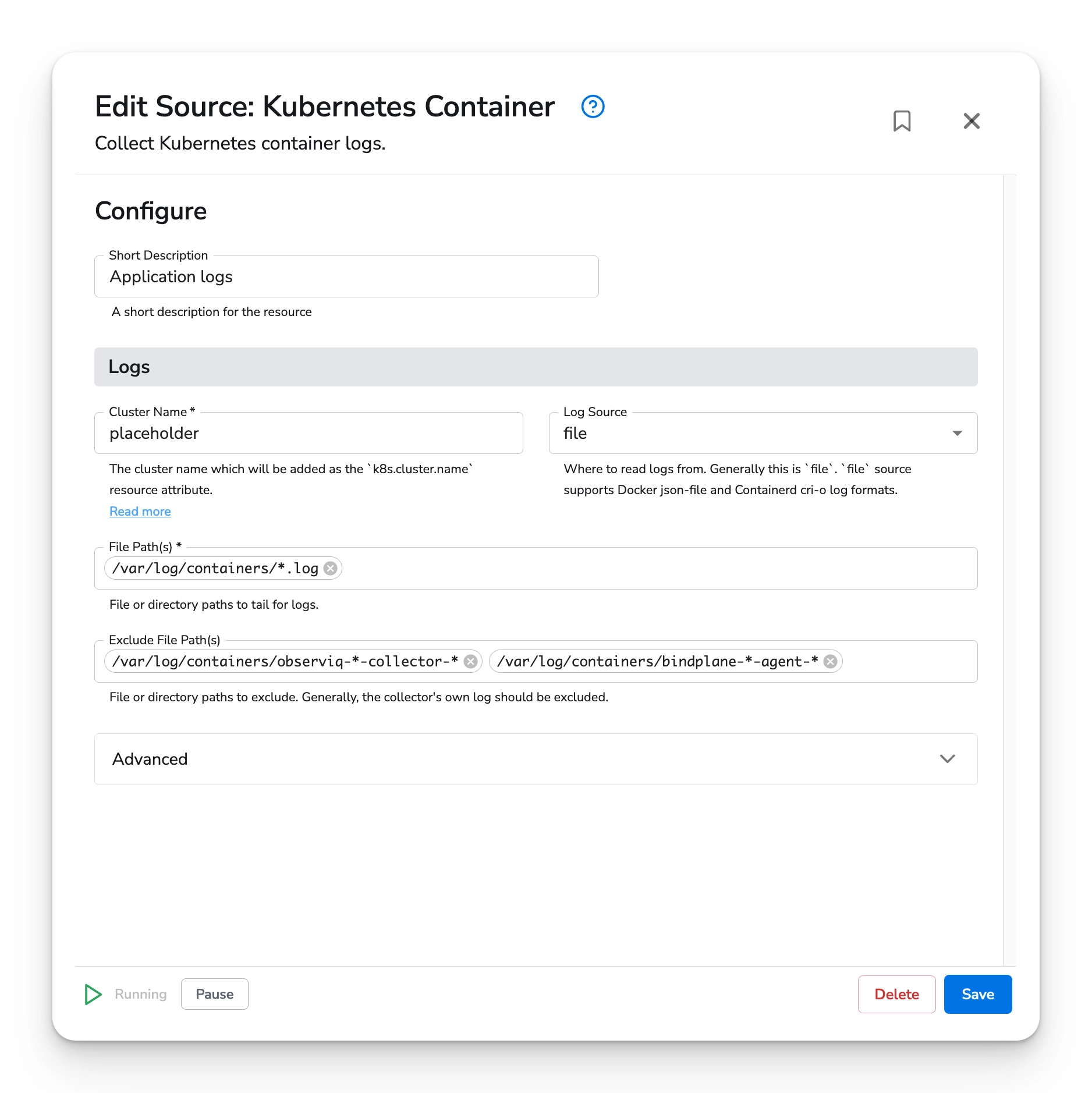
Bindplane's Kubernetes source types require the user to input a static cluster name. This is the easiest way to set the cluster name.
See the source type documentation for details:
* [Cluster Events](/integrations/sources/kubernetes-cluster-events.md)
* [Cluster Metrics](/integrations/sources/kubernetes-cluster-metrics.md)
* [Container Logs](/integrations/sources/kubernetes-container-logs.md)
* [Kubelet Metrics](/integrations/sources/kubernetes-kubelet-metrics.md)
Using a static cluster name will mean that you need one configuration per Kubernetes cluster. This\
solution is simple, but will not scale well in large environments. If you wish to use a single collector\
configuration for many clusters, see the [Environment Variable](#environment-variable) and [Resource Detection](#resource-detection) sections.
### Environment Variable
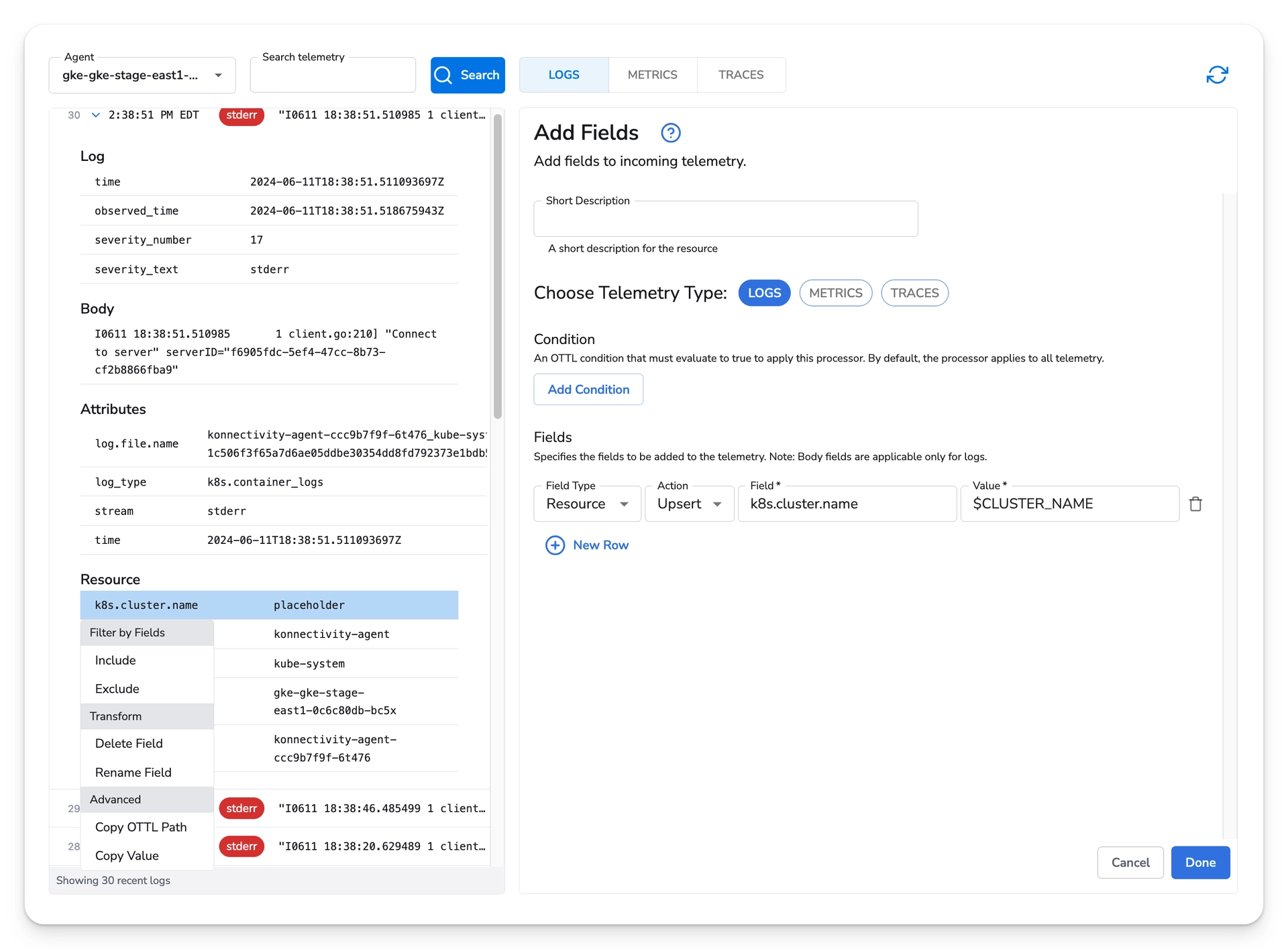
Bindplane can use the [Add Fields Processor](/integrations/processors/add-fields.md) to update the `k8s.cluster.name` resource attribute to the value of an environment variable.
Use a placeholder cluster in your configuration's source(s).
Next, use the [Add Fields Processor](/integrations/processors/add-fields.md) to upsert the resource attribute `k8s.cluster.name` with the value of the environment variable`CLUSTER_NAME`.
Follow the collector installation workflow to retrieve the Kubernetes YAML manifest for the collector.
Add an environment variable to the YAML manifest. The value should be the name of your cluster. If you have multiple clusters, make sure to copy the YAML manifest, once per cluster.
```yaml
- name: CLUSTER_NAME
value: stage
```
Deploy the collector configuration to your cluster.
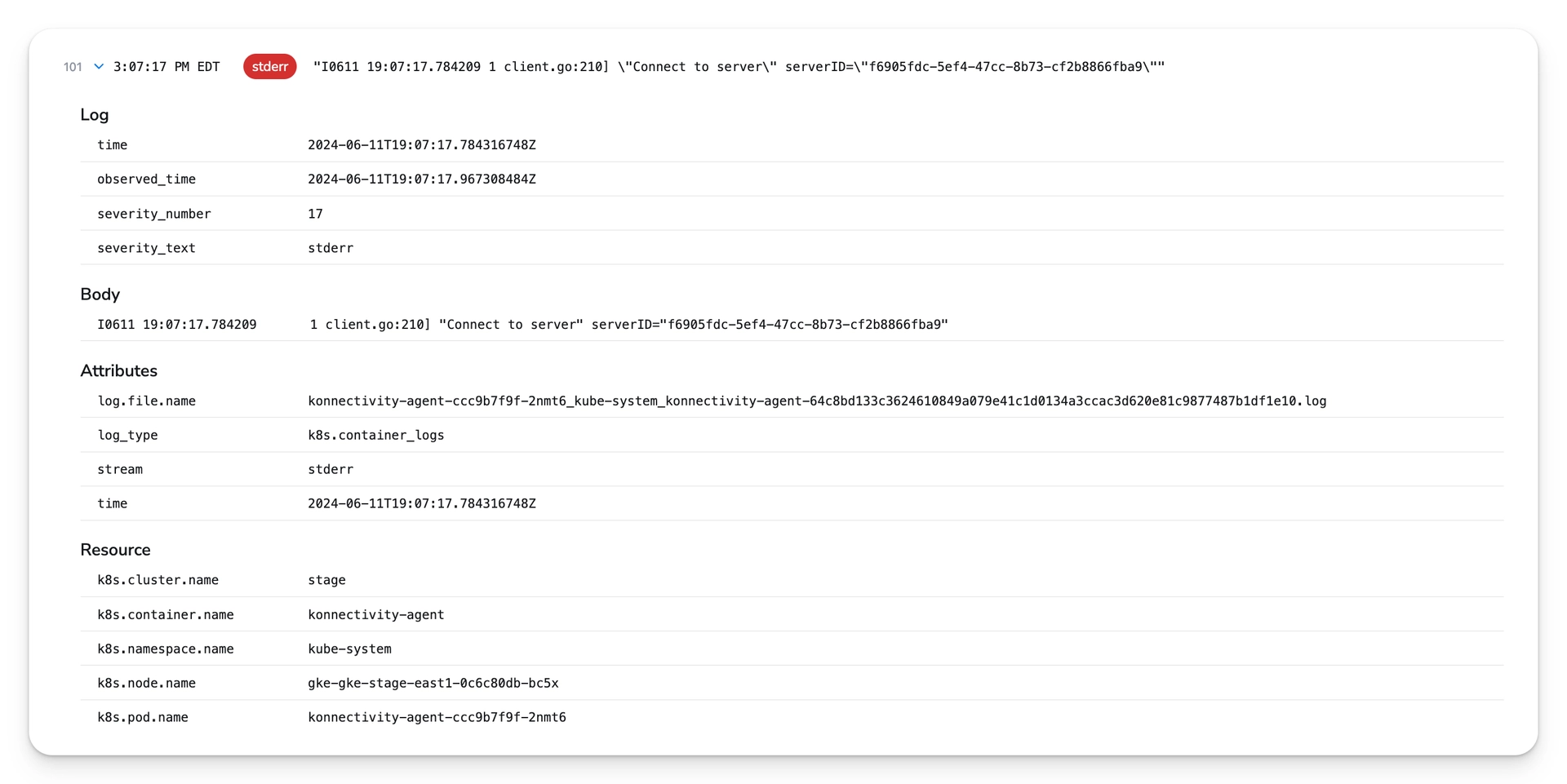
Once the collectors are deployed, pick one of them and view its recent telemetry. You should see the\
cluster name defined in the collector's environment instead of the placeholder name.
{% hint style="info" %}
**NOTE**
Be sure to configure the Add Fields processor on the configuration that matches the collector you have deployed.
{% endhint %}
### Resource Detection
Bindplane can use the [Resource Detection Processor](/integrations/processors/resource-detection.md) to detect the cluster name by making an API request to your cloud provider.
Currently, only Google Cloud's GKE is supported. Support for Amazon EKS and Azure AKS is coming soon.
See the [Resource Detection Kubernetes](/integrations/processors/resource-detection.md#kubernetes) section for configuration details.
### Frequently Asked Questions
**Q: Can I set the cluster name using a Gateway collector?**
**A:** Yes. If you are forwarding telemetry from the Node and Cluster collectors to a Gateway collector,\
you can configure the Add Fields or Resource Detection processor on the Gateway configuration.
---
# Agent Instructions
This documentation is published with GitBook. GitBook is the documentation platform designed so that both humans and AI agents can read, navigate, and reason over technical content effectively. Learn more at gitbook.com.
## Querying This Documentation
If you need additional information that is not directly available in this page, you can query the documentation by asking a question.
Perform an HTTP GET request on the following URL with the `ask` and `goal` query parameters:
```
GET https://docs.bindplane.com/how-to-guides/cloud-and-platform-integrations/kubernetes/kubernetes-cluster-name-detection.md?ask=&goal=
```
`ask` is the immediate question: it should be specific, self-contained, and written in natural language.
`goal` is what the user is ultimately trying to achieve, the reason they need the answer. Sharing it helps GitBook give you a better, more relevant answer. A goal is most helpful when it describes the outcome the user wants rather than restating the question. For example, with `ask=how do I create an API token`, a goal like `automate deployments from our CI pipeline` lets GitBook tailor the answer to that use case.
The response will contain a direct answer to the question and relevant excerpts and sources from the documentation.
Use this mechanism when the answer is not explicitly present in the current page, you need clarification or additional context, or you want to retrieve related documentation sections.