> For the complete documentation index, see [llms.txt](https://docs.bindplane.com/llms.txt). Markdown versions of documentation pages are available by appending `.md` to page URLs; this page is available as [Markdown](https://docs.bindplane.com/feature-guides/ui-and-navigation/display-options.md).

# Display Options

### Overview

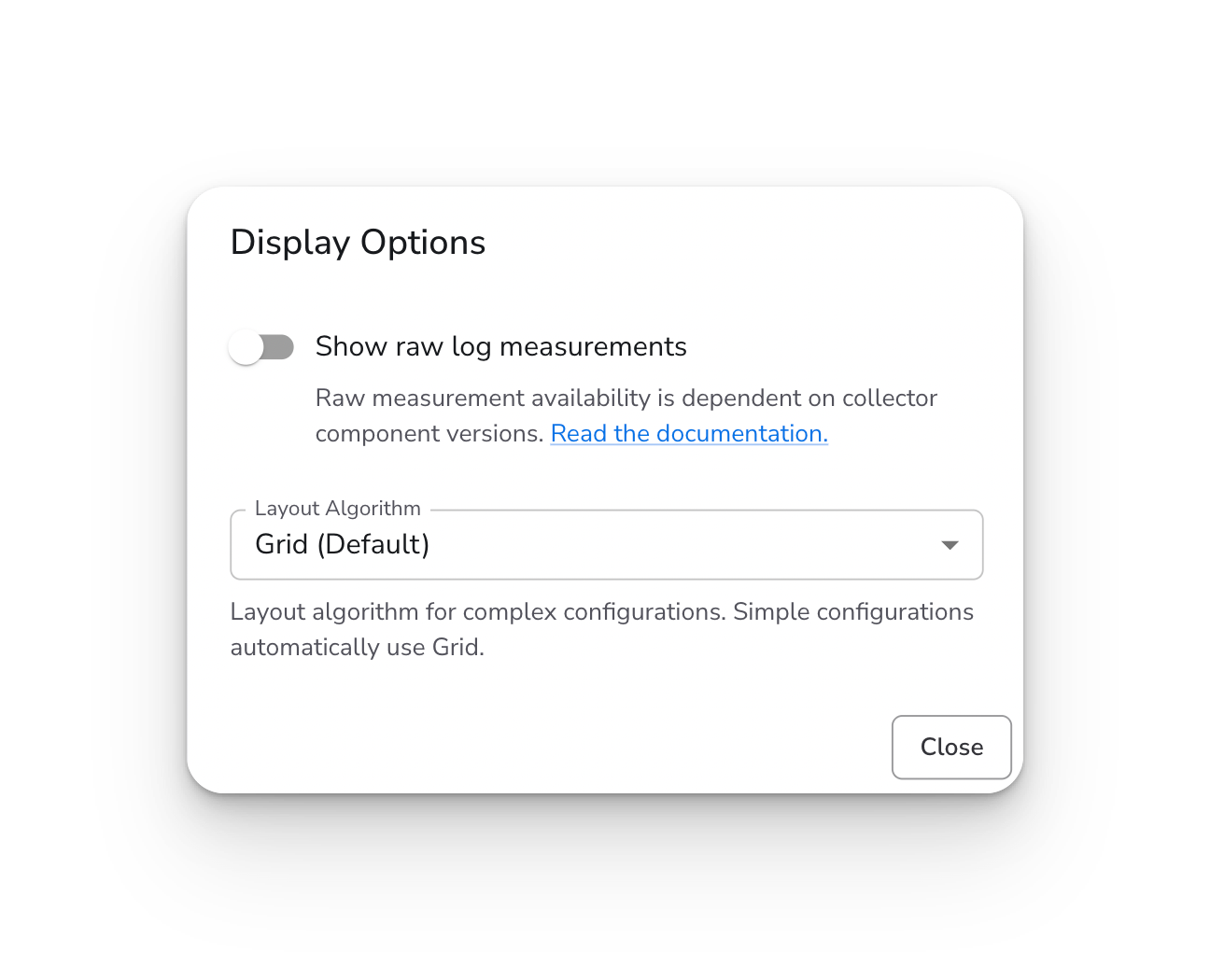
The Display Options dialog currently provides two settings:

* **Show raw log measurements** - Display raw byte throughput values on source and destination cards
* **Layout Algorithm** - Choose between Grid and ELK layouts for arranging pipeline components (v2 configurations only)

<figure><img src="/files/T9xxhqhITkAHqmqRrQGj" alt=""><figcaption><p>The Display Options dialog with raw log measurements toggle and layout algorithm selector.</p></figcaption></figure>

### Accessing Display Options

1. Go to **Configurations** and select a configuration
2. Click the **Settings** (gear icon) in the pipeline graph controls
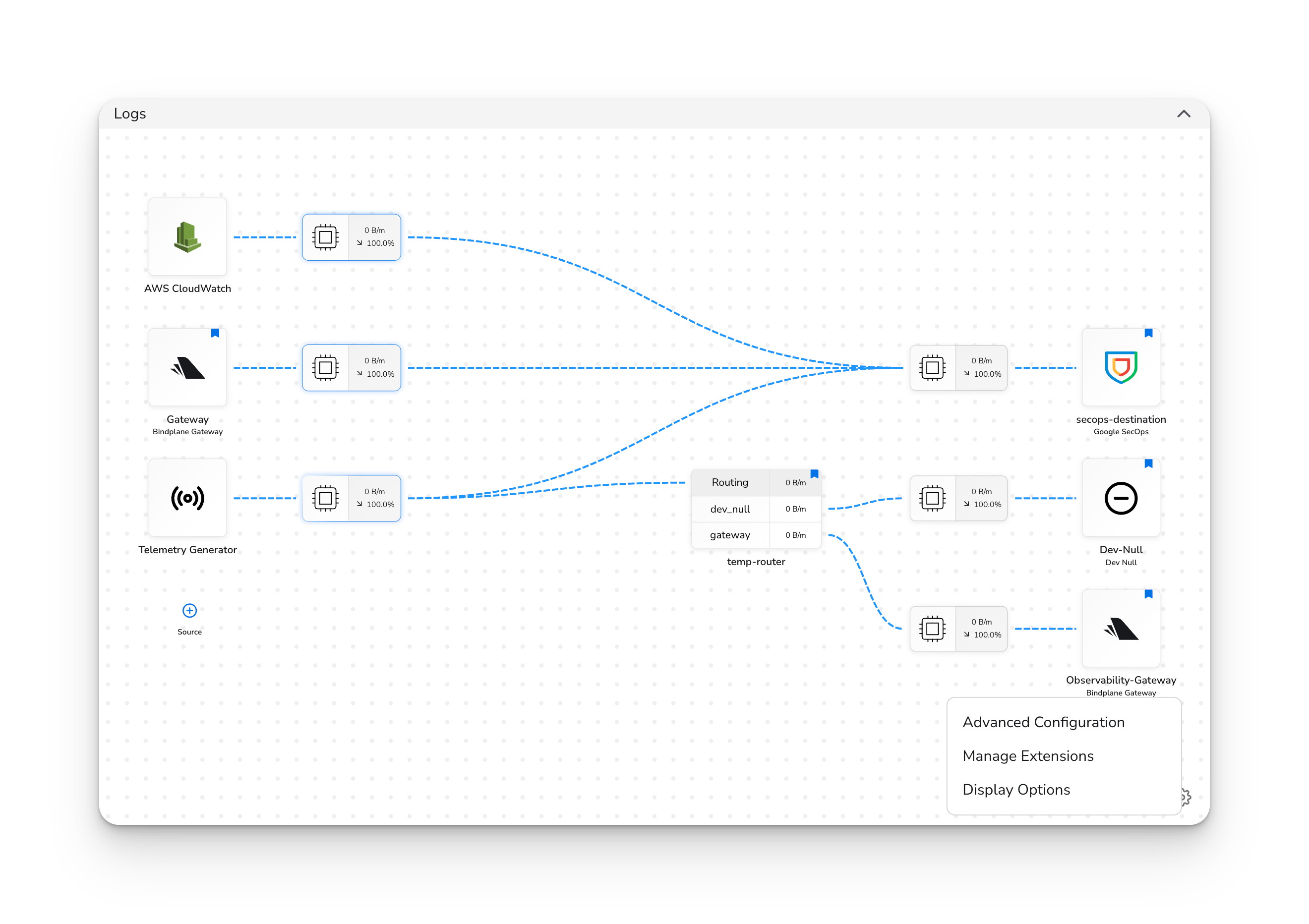
3. Select **Display Options**

<figure><img src="/files/DljQVAR7WfrmOB1ILtmn" alt=""><figcaption><p>Click the Settings icon in the pipeline graph controls to access Display Options.</p></figcaption></figure>

***

### Raw Log Measurements

Displays raw byte throughput values on source and destination cards in the pipeline graph.

#### Prerequisites

* Collectors running component versions that support raw byte measurements. See [Telemetry Measurements](/feature-guides/data-management/telemetry-measurements.md) for additional information.

#### Overview

When enabled, you'll see `Raw: [value]` at the bottom of each source and destination card. This shows the actual data volume before OTLP conversion.

This is useful for:

* Monitoring actual ingestion volumes
* Comparing raw data size vs. processed OTLP size
* Identifying high-volume sources at a glance

#### Persistence

This setting applies globally across all configurations.

> **Note:** Raw measurement availability depends on your collector component versions. See [Telemetry Measurements](/feature-guides/data-management/telemetry-measurements.md) for supported versions.

***

### Layout Algorithm

Choose how the pipeline graph arranges your sources, processors, and destinations.

#### Prerequisites

* A v2 configuration
* At least 2 sources **and** at least 2 destinations (for ELK to take effect)

#### Options

* **Grid (Default)**: A structured grid layout. Best for simple configurations.
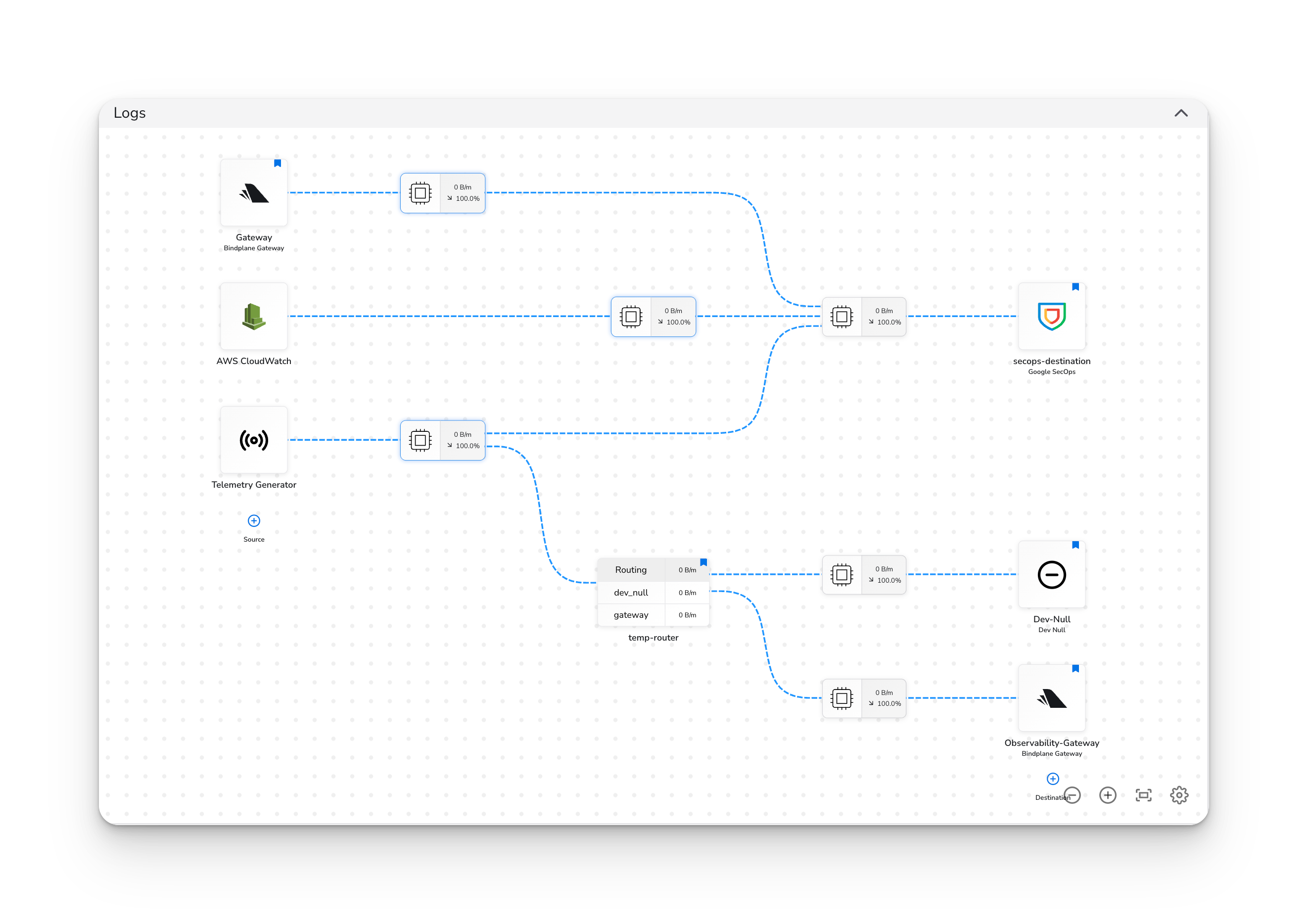
* **ELK (Beta)**: An automatic layout algorithm that intelligently arranges complex configurations with many components or intricate routing.

#### Requirements for ELK

The ELK algorithm only takes effect when your configuration has:

* 2 or more sources, **and**
* 2 or more destinations

If your configuration has fewer than 2 sources or fewer than 2 destinations, the Grid layout is used automatically regardless of this setting.

#### Persistence

This setting is saved per-configuration. Each configuration remembers its own layout preference.

<figure><img src="/files/FX4Mp4xid4XZ9ny4HAAZ" alt=""><figcaption><p>ELK layout enabled for a configuration with 2 or more sources and 2 or more destinations.</p></figcaption></figure>


---

# Agent Instructions
This documentation is published with GitBook. GitBook is the documentation platform designed so that both humans and AI agents can read, navigate, and reason over technical content effectively. Learn more at gitbook.com.

## Querying This Documentation
If you need additional information that is not directly available in this page, you can query the documentation dynamically by asking a question.

Perform an HTTP GET request on the current page URL with the `ask` query parameter, and the optional `goal` query parameter:

```
GET https://docs.bindplane.com/feature-guides/ui-and-navigation/display-options.md?ask=<question>&goal=<endgoal>
```

`ask` is the immediate question: it should be specific, self-contained, and written in natural language.
`goal` is optional and describes the broader end goal you are ultimately trying to accomplish on behalf of the user. GitBook uses it to tailor the answer towards what is most useful for that goal.

The response will contain a direct answer to the question and relevant excerpts and sources from the documentation.

Use this mechanism when the answer is not explicitly present in the current page, you need clarification or additional context, or you want to retrieve related documentation sections.