
| Flag | Description |
|---|---|
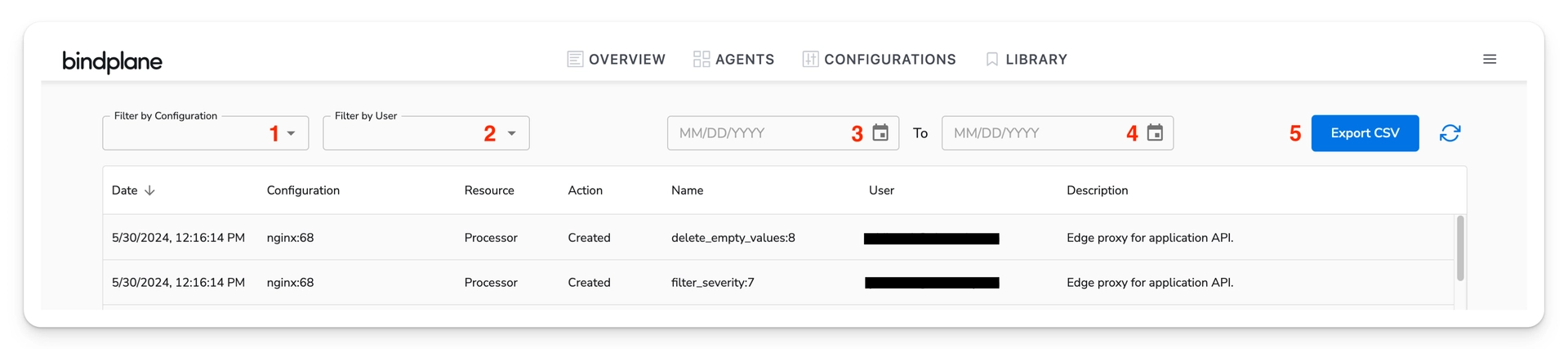
| --configuration | The name of the configuration to filter by |
| --max-date | The maximum date for the events filter, in the format of YYYYMMDDHHMMSS |
| --min-date | The minimum date for the events filter, in the format of YYYYMMDDHHMMSS |
| --user | The display name of the user who made the change to filter by |
| Action | Resource | Description |
|---|---|---|
| Created | Configuration | A new configuration has been created. |
| Added | Source, Processor, Destination, Extension | A component of the type specified by the resource name has been added to the configuration. |
| Modified | Source, Processor, Destination, Extension | An inline component of the configuration has been modified. |
| Updated | Source, Processor, Destination, Extension | A reusable component has had its version changed within the configuration. |
| Removed | Source, Processor, Destination, Extension | A component has been removed from the configuration. |
| Action | Description |
|---|---|
| Created | The resource specified by the resource name has been created. |
| Modified | The resource specified by the resource name has been modified. |
| Deleted | The resource specified by the resource name has been deleted. |
| Action | Resource | Description |
|---|---|---|
| Pending | Rollout | A new rollout has been created in a Pending state for the configuration. |
| Started | Rollout | A rollout has been started for the configuration. |
| Paused | Rollout | An in-progress rollout has been paused for the configuration. |
| Resumed | Rollout | A previously paused rollout has been resumed for the configuration. |
| Action | Resource | Description |
|---|---|---|
| Labels Updated | Collector | The labels of one or more collectors have been changed. The description records the labels before and after the change. |
| Assigned to Fleet | Collector | One or more collectors have been assigned to a fleet. |
| Removed from Fleet | Collector | One or more collectors have been removed from a fleet. |
| Assigned to Configuration | Collector | One or more collectors have been assigned to a configuration. |
| Removed from Configuration | Collector | One or more collectors have been removed from a configuration. |
| Upgrade Started | Collector | An upgrade has been requested for the collector specified by the resource name. |
| Action | Resource | Description |
|---|---|---|
| Created | User | The user specified by the resource name has been added to the project. |
| Modified | User | The user specified by the resource name has had their role changed to the role specified in the resource name. |
| Deleted | User | The user specified by the resource name has been removed from the project. |
| Logged In | User | The user specified by the resource name logged in. |
| Set Active Project | User | The user switched to the project this event is recorded under. |
| User Bypassed SSO | User | The user logged in with local credentials instead of the configured single sign-on provider. |
| Permissions Synced with IdP | User | The user's single sign-on group bindings were synced from the identity provider during login. |
| Access Enabled by IdP | User | The identity provider granted the user access to the project during a sync. The description includes the role granted. |
| Access Removed by IdP | User | The identity provider revoked the user's access to the project during a sync. |
| Action | Resource | Description |
|---|---|---|
| Created | APIKey | A new API key has been created. |
| Deleted | APIKey | An API key has been deleted. |
| Action | Resource | Description |
|---|---|---|
| Created | Invitation | An invitation has been created for the email address specified by the resource name. The description includes the role the invitee will be granted. |