> For the complete documentation index, see [llms.txt](https://docs.bindplane.com/llms.txt). Markdown versions of documentation pages are available by appending `.md` to page URLs; this page is available as [Markdown](https://docs.bindplane.com/feature-guides/pipeline-processing/blueprints.md).
# Blueprints
Blueprints are pre-built processor bundles
Each Blueprint applies common transformations—like JSON parsing, timestamp normalization, or Windows event standardization—and can be added to a pipeline in one click. They’re pre-built processor bundles you can add with a single click and modify as you wish.
Blueprints enable you to:
* **Standardize** data processing across your organization
* **Reduce** development time by reusing proven processor configurations
* **Transform** telemetry data with pre-configured processing pipelines
* **Share** best practices across teams and projects
### What are Blueprints?
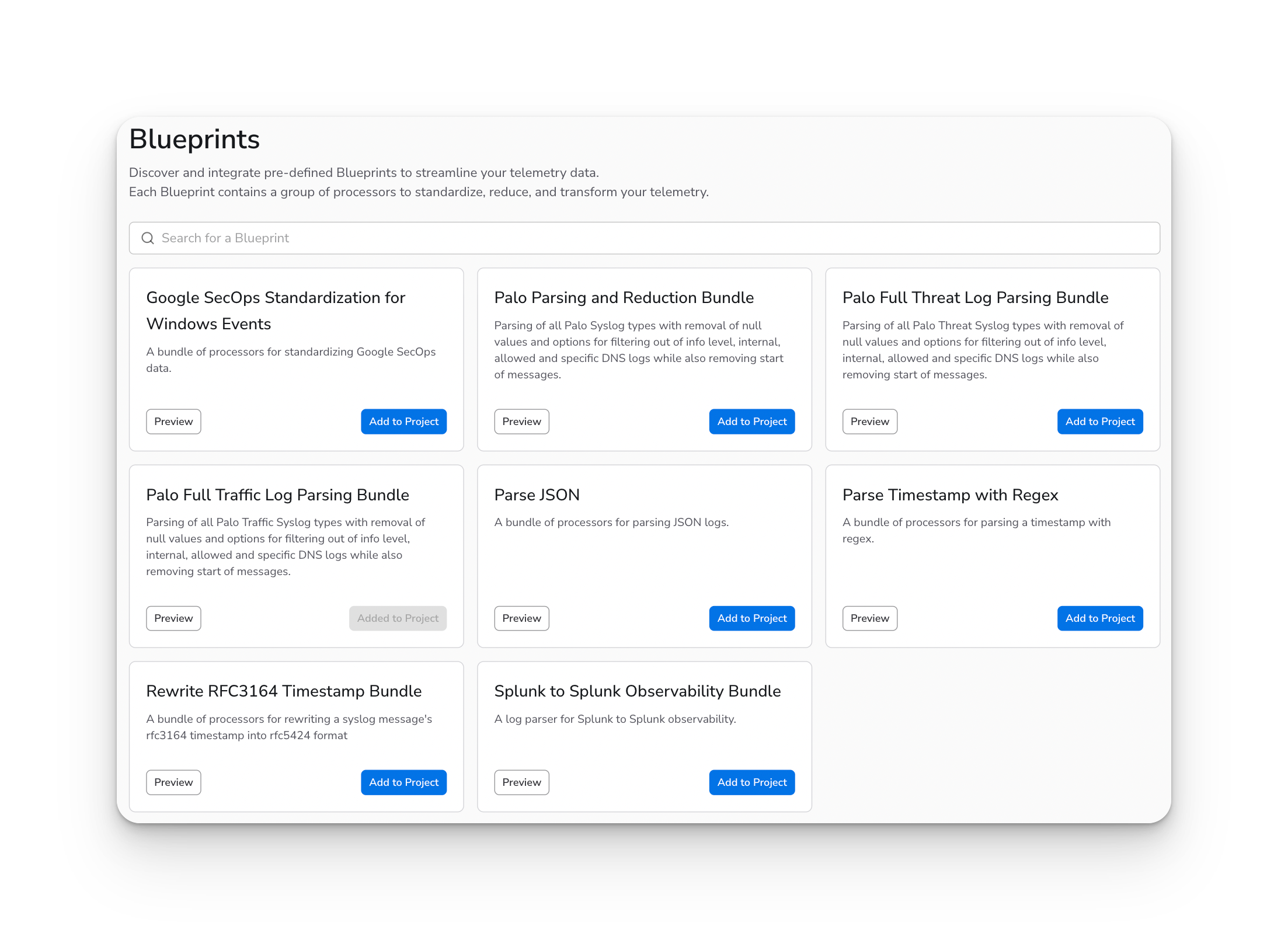
Blueprints are **ready-to-use pre-built processor bundles** stored in a shared library that can be accessed by any project in your Bindplane instance.
**Example Bundle Use Cases:**
* **Google SecOps Standardization**: A bundle that standardizes security logs for Google SecOps
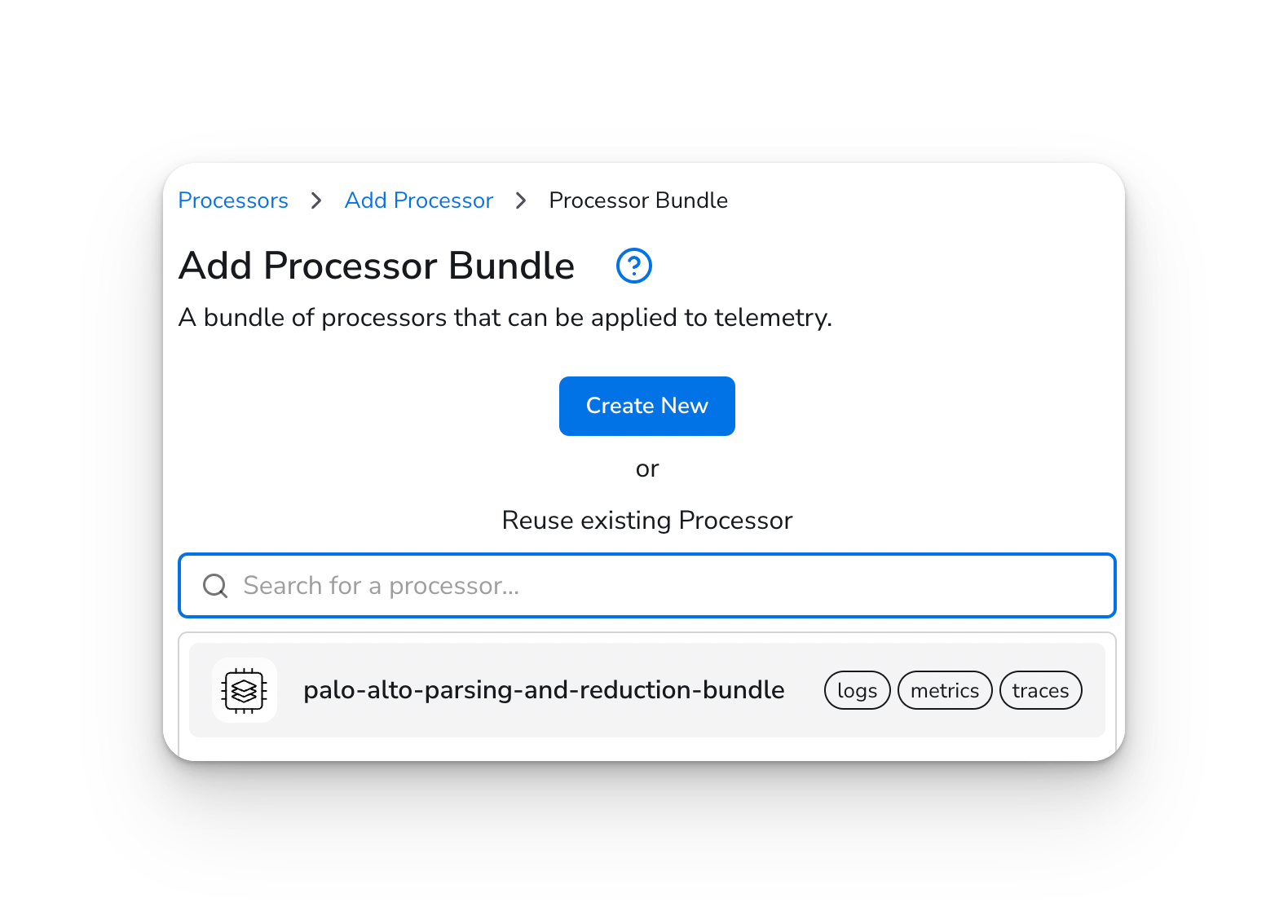
* **Palo Alto Threat Logs Parsing**: A bundle that parses and processes Palo Alto threat logs
* **JSON Parsing and Reduction**: A bundle that parses JSON logs and reduces data volume
View all the **available Blueprints** below.
### Key Features
#### Public Library Access
* Blueprints are stored in a **public account**, separate from project-specific resources
* Available to all projects and organizations in your Bindplane instance
* Managed centrally by administrators with appropriate permissions
#### License Compatibility
* Blueprints include license compatibility checking
* Only Blueprints compatible with your current license are available for use
* Sub-processors within bundles are also checked for license compatibility
* Incompatible Blueprints are clearly marked with warning indicators
#### Preview Capability
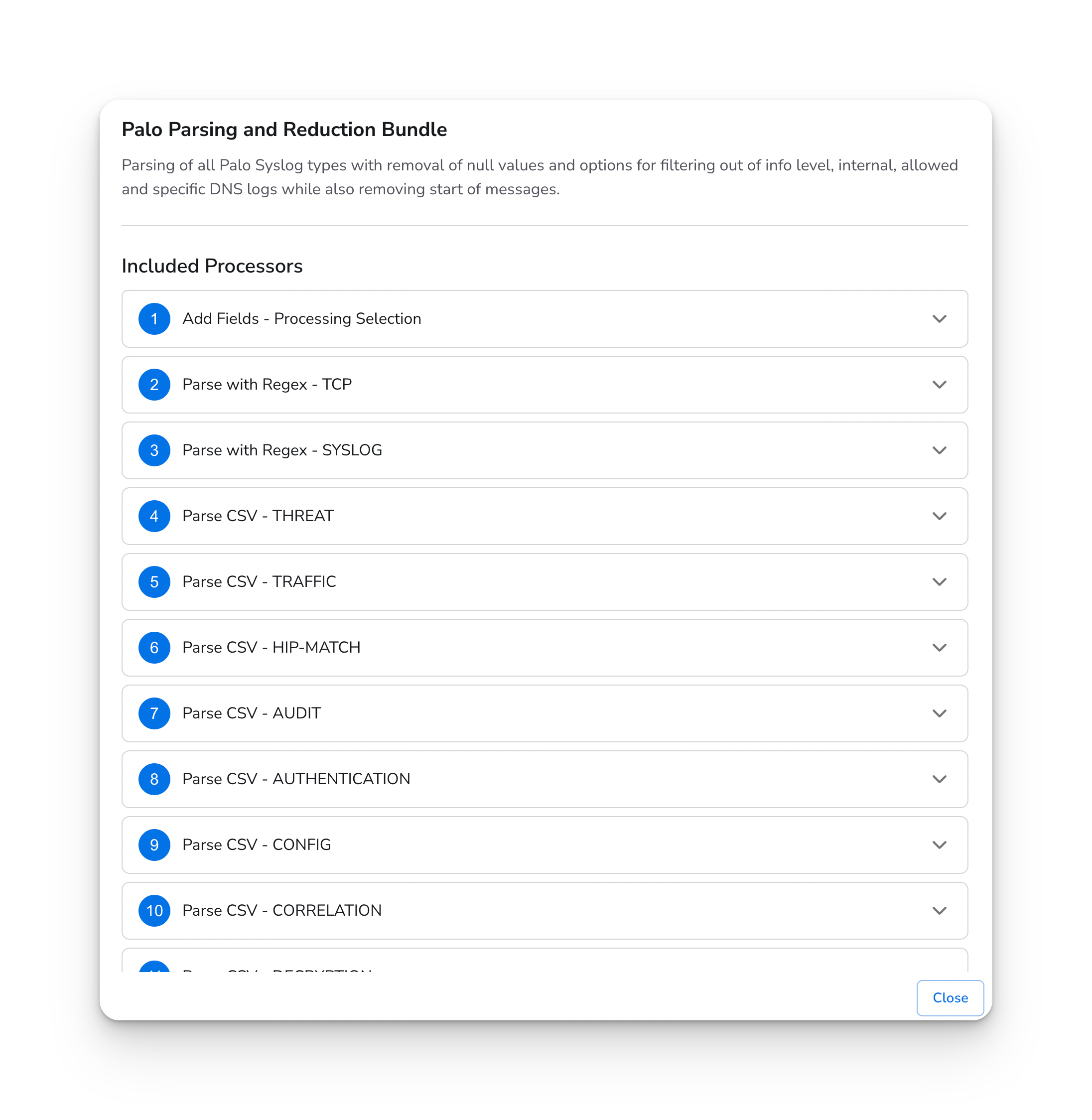
* Preview Blueprints before adding them to your project
* View included sub-processors in bundles
* Understand the structure and purpose of each Blueprint
#### Easy Integration
* Add Blueprints to your project with a single click
* Automatically copied to your project's resource library
* Can be used in configurations just like any other processor
### Using Blueprints
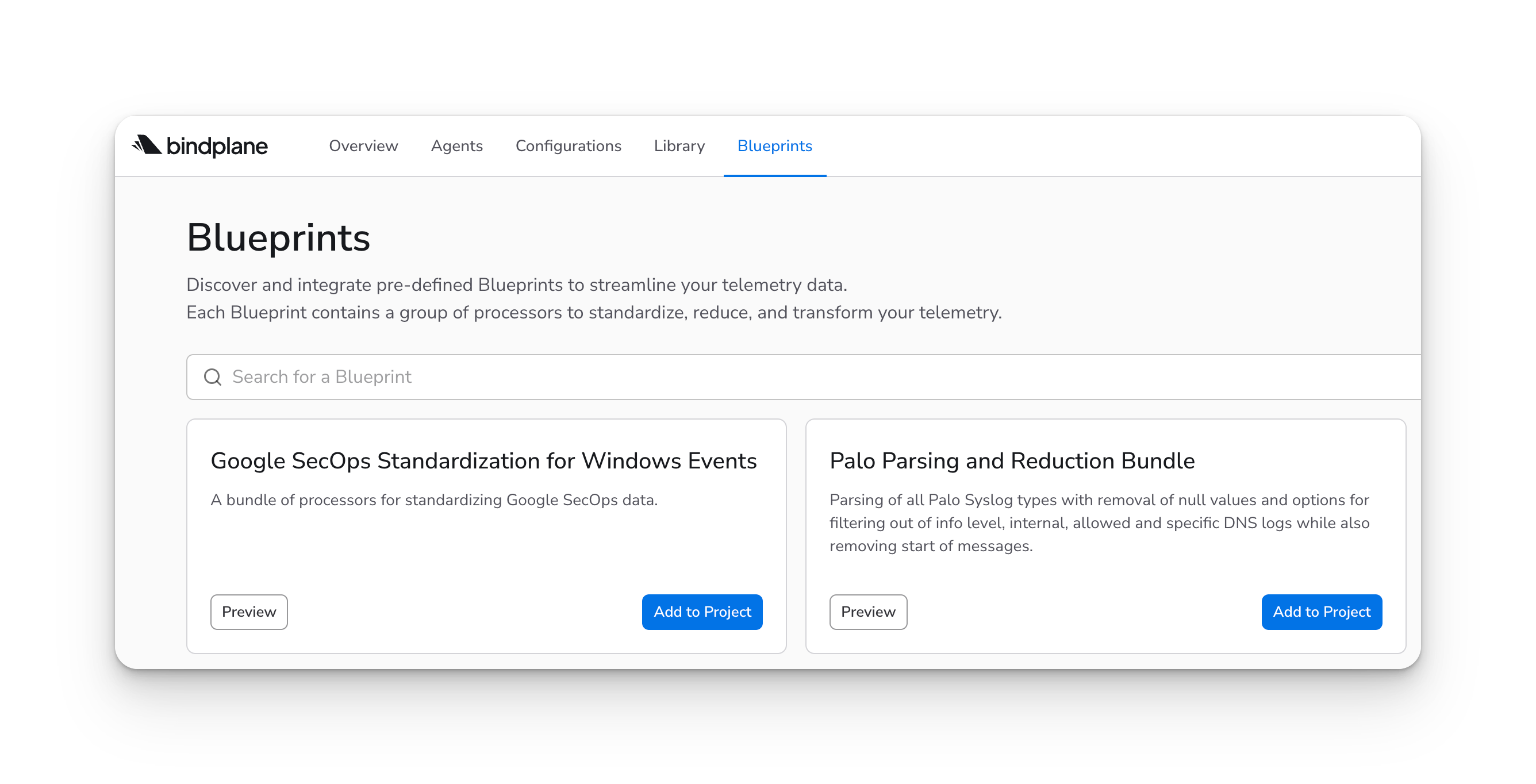
#### Accessing the Blueprints Page
1. Navigate to the **Blueprints** page in the Bindplane UI
2. The page displays all available Blueprints in your instance
3. Use the search functionality to find specific Blueprints
#### Previewing a Blueprint
1. Click the **Preview** button on any Blueprint card
2. **View** the Processors contained in the Blueprint
#### Adding a Blueprint to Your Project
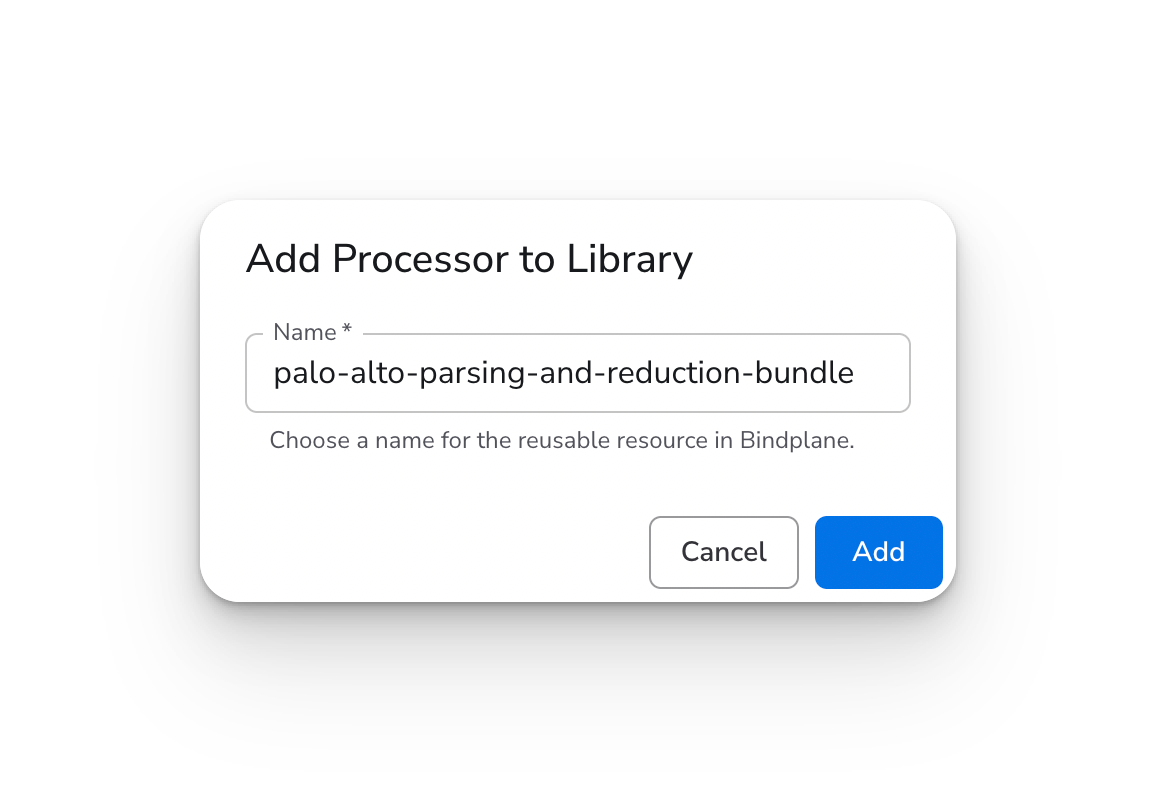
1. Click **Add to Project** on the Blueprint card
2. Provide a name for the processor bundle
3. The Blueprint is copied to your project's resource library
4. It can now be used in configurations like any other processor
#### Using Blueprints in Configurations
Once added to your project:
1. Navigate to a configuration editor
2. Add a processor to a source or destination
3. Select the Blueprint from your processor list
4. Configure any required parameters
5. The Blueprint will be applied to your telemetry pipeline
### Summary
Blueprints provide a powerful way to standardize and reuse processor configurations across your Bindplane deployment. Whether you're using pre-built Blueprints from the library or creating your own, they help streamline telemetry processing and ensure consistency across your observability pipelines.
---
# Agent Instructions
This documentation is published with GitBook. GitBook is the documentation platform designed so that both humans and AI agents can read, navigate, and reason over technical content effectively. Learn more at gitbook.com.
## Querying This Documentation
If you need additional information that is not directly available in this page, you can query the documentation by asking a question.
Perform an HTTP GET request on the following URL with the `ask` and `goal` query parameters:
```
GET https://docs.bindplane.com/feature-guides/pipeline-processing/blueprints.md?ask=&goal=
```
`ask` is the immediate question: it should be specific, self-contained, and written in natural language.
`goal` is what the user is ultimately trying to achieve, the reason they need the answer. Sharing it helps GitBook give you a better, more relevant answer. A goal is most helpful when it describes the outcome the user wants rather than restating the question. For example, with `ask=how do I create an API token`, a goal like `automate deployments from our CI pipeline` lets GitBook tailor the answer to that use case.
The response will contain a direct answer to the question and relevant excerpts and sources from the documentation.
Use this mechanism when the answer is not explicitly present in the current page, you need clarification or additional context, or you want to retrieve related documentation sections.